Multi-Tenancy Considerations for LMS Implementations
 Dec, 20 2025
When you're building or choosing a Learning Management System (LMS) for multiple schools, departments, or companies, you can't just copy-paste the same setup for everyone. That’s where multi-tenancy comes in. It’s not a buzzword-it’s the backbone of modern SaaS LMS platforms that serve hundreds or thousands of separate groups under one roof. But getting it right? That’s where most implementations fail.
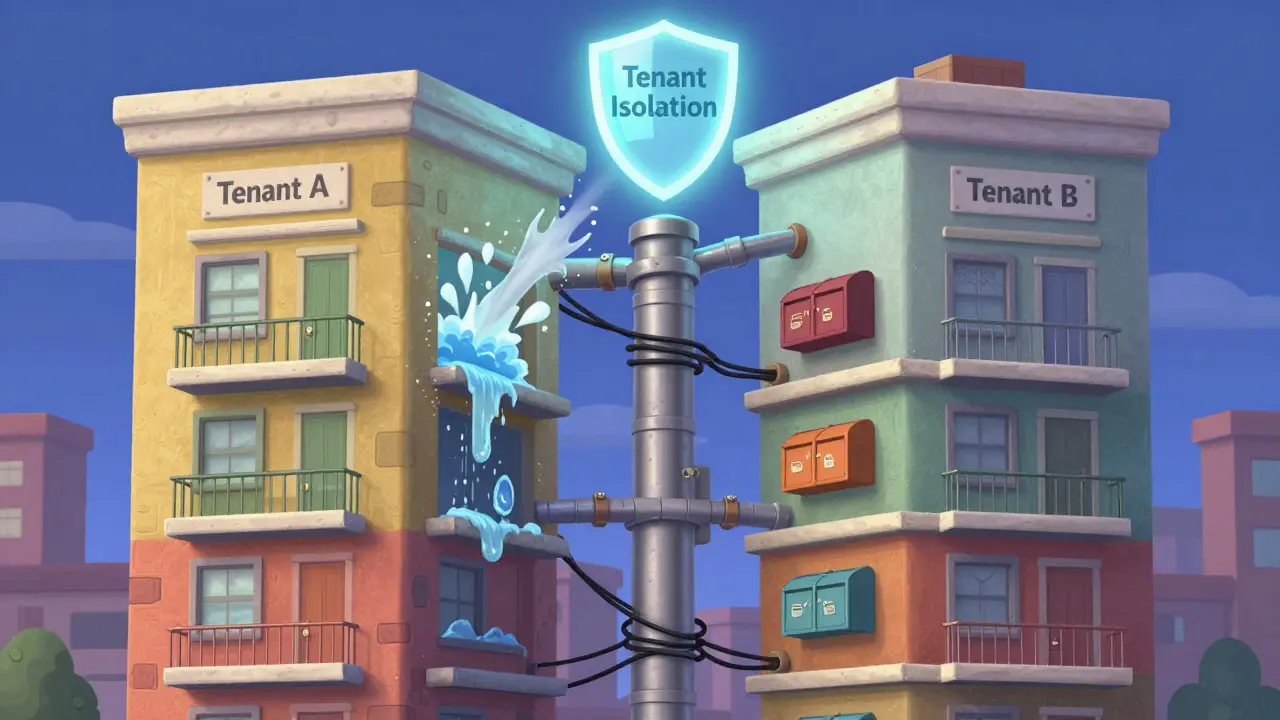
Think of multi-tenancy like an apartment building. Each tenant has their own unit, lock, and mailbox. But they all share the same plumbing, elevator, and power grid. If one tenant’s water heater bursts, it shouldn’t flood the whole building. Same with your LMS. If a university’s course data gets corrupted, it shouldn’t crash a corporate training portal using the same system. That’s the promise. But the reality? Many LMS vendors claim multi-tenancy but deliver shared databases with weak isolation-leaving you vulnerable to data leaks, performance spikes, and compliance nightmares.
What Multi-Tenancy Really Means for an LMS
Multi-tenancy in an LMS means one codebase, one server setup, and one database structure serving multiple independent clients-each called a "tenant." Each tenant has its own users, courses, branding, reports, and settings. They shouldn’t see each other’s data. Not even a username. Not even a course title.
Real-world example: A university in Texas and a Fortune 500 company in California both use the same LMS vendor. The university needs student grades tied to FERPA. The company needs compliance with GDPR and internal audit trails. The LMS must handle both without mixing data, changing workflows, or forcing one to pay for features they don’t use.
There are three common ways to build this:
- Shared database, shared schema-All tenants share one table. Every record has a tenant ID. Fast to deploy, cheap to run. But risky. One bad query? Could expose data from every tenant.
- Shared database, separate schemas-Each tenant gets its own schema (like a separate folder inside the same database). Better isolation. Still shares server resources.
- Separate databases-Each tenant has its own full database. Highest isolation. Most expensive. Harder to update.
Most enterprise LMS platforms use the second option. It balances cost, performance, and security. But even then, you need to test it. Don’t trust the vendor’s marketing page. Ask for a penetration test report. Ask how they handle tenant data deletion. Ask what happens if a tenant’s admin accidentally deletes a table.
Security Is Not Optional
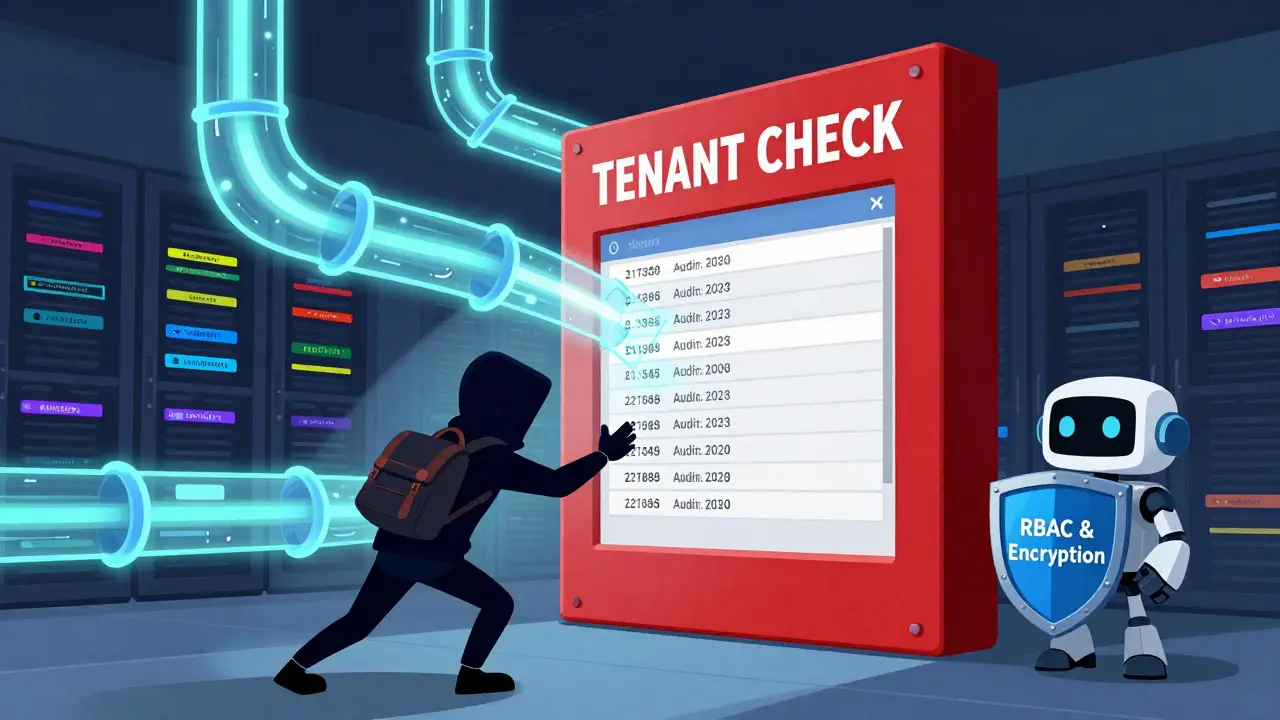
Security in a multi-tenant LMS isn’t about firewalls. It’s about logic. It’s about every API call, every report, every search-checking the tenant ID before returning anything. If the system forgets that check once, you’ve just handed over a thousand students’ grades to a competitor.
Real incident: In 2023, a mid-sized LMS provider had a bug in their course enrollment API. A user in one tenant could change the tenant ID parameter in the URL and access courses from another tenant. No authentication check. No logging. It took three weeks to find. Over 12,000 users were exposed. The vendor lost three enterprise clients and paid $2.3 million in fines.
Here’s what you need to demand:
- Role-based access control (RBAC) that enforces tenant boundaries at the database layer
- Every API endpoint must include tenant context-no exceptions
- Logs that track which tenant performed which action-audit trails aren’t optional
- Regular penetration tests with third-party auditors, not internal teams
And don’t forget data residency. If you’re serving clients in the EU, their data must stay in Europe. If you’re in healthcare, FERPA or HIPAA rules apply. Your LMS must let you configure where data lives-and prove it.
Performance Under Load
Multi-tenancy sounds efficient until 10,000 students log in at 8 a.m. because their course starts. Then your database slows to a crawl. Why? Because one tenant’s heavy report is locking tables that everyone else needs.
Good multi-tenant systems use:
- Connection pooling with tenant-aware routing
- Query optimization per tenant (not one-size-fits-all)
- Background job queues for reports and exports
- Separate caching layers for each tenant’s frequently accessed data
One LMS vendor we tested had a "performance dashboard" that showed overall system usage. But it didn’t show which tenant was causing the spike. You can’t fix a problem you can’t see. Demand tenant-level monitoring. If they can’t give you granular metrics, they can’t scale.
Customization Without Chaos
One tenant wants a dark theme. Another needs a custom certificate template. A third wants to integrate with their HR system. All on the same platform.
Good multi-tenant LMS platforms let you customize:
- Branding (logos, colors, domain names)
- Workflow rules (approval chains, deadlines, notifications)
- Integrations (single sign-on, gradebooks, HRIS)
- Feature toggles (enable/disable quizzes, discussions, certificates)
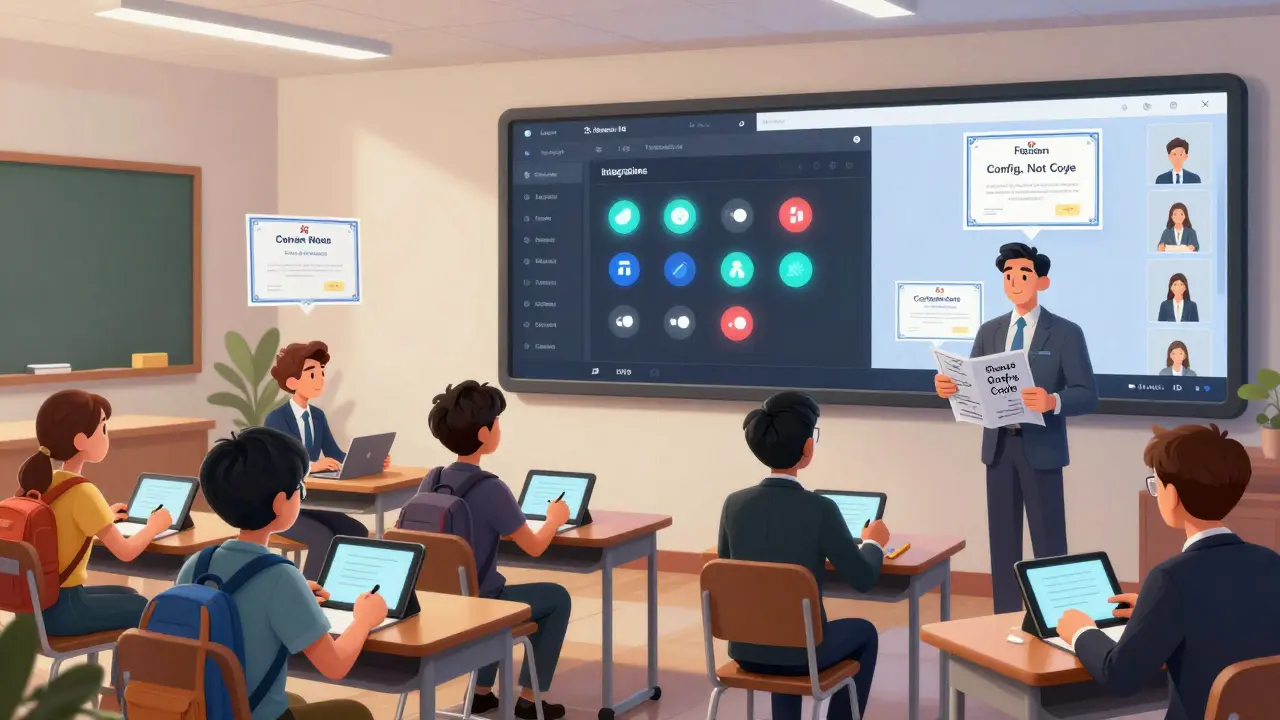
But here’s the trap: if you let tenants customize the core UI, you’ll end up with 50 different versions of the same screen. When you need to push a security update, you’ll spend weeks testing every variation. That’s why the best systems separate configuration from code. Use templates. Use JSON configs. Use plugins. Never let tenants edit the source.
One client tried to let their schools change the course layout. Within six months, they had 87 different layouts. Updating the LMS became a nightmare. They switched to a template system with 5 pre-approved layouts. Support tickets dropped by 60%.
Updates, Backups, and Scaling
When you update the LMS, do you update all tenants at once? Probably not. You need to test on one tenant first. Then roll out in batches. But how do you track who’s on what version? What if one tenant refuses to update because they’re waiting for a feature? That’s a security risk.
Best practice: Use feature flags. Let tenants opt into new features. Keep old versions running temporarily. But set an end date. No tenant should run a version older than six months.
Backups? Don’t assume your vendor has them. Ask: Do you back up per tenant? Can we restore one tenant without touching others? How fast? Can we test a restore? One client found out their vendor only backed up the entire database once a week. When a tenant lost data, they had to wait seven days to recover it. That’s not acceptable for a school with midterms.
Scaling is another hidden cost. Adding a new tenant shouldn’t require new servers. But if your LMS can’t auto-scale databases or handle sudden spikes in traffic, you’ll pay for unused capacity-or crash during peak times.
What to Look For in a Vendor
Here’s a checklist you can use when evaluating LMS vendors:
- Can they show you a tenant isolation test report? (Not just a diagram)
- Do they support SAML, OAuth, and SCIM for user provisioning?
- Can you assign different admin roles per tenant?
- Is there a way to clone a tenant’s setup for new clients?
- Do they offer tenant-level analytics and usage reports?
- What’s their SLA for uptime and data recovery?
- Can you export your tenant’s data in a standard format (like xAPI or Common Cartridge)?
If a vendor says, "We handle multi-tenancy," but can’t answer these questions, walk away. This isn’t a feature you can add later. It’s baked into the architecture from day one.
Common Mistakes to Avoid
- Assuming "cloud-based" means multi-tenant. Many cloud LMS tools are just single-tenant with fancy hosting.
- Letting tenants manage their own users without central oversight. That leads to orphaned accounts and security holes.
- Using the same email domain for all tenants. If you use @yourlms.com for everyone, you look unprofessional. Use custom domains.
- Not testing tenant isolation under real load. Simulate 5,000 users logging in at once. See what breaks.
- Ignoring data portability. If you ever leave the vendor, can you take your data with you? Ask for a data export tool before signing.
One school district switched LMS vendors after three years. They couldn’t export their course content because the old system stored it in a proprietary format. They lost six months of curriculum work. Don’t let that be you.
Final Thoughts
Multi-tenancy isn’t about saving money. It’s about scaling trust. When you serve multiple clients, your LMS has to be a silent, reliable partner. It shouldn’t draw attention to itself-except when something goes wrong. Then, it needs to be transparent, secure, and fast to fix.
If you’re choosing an LMS, don’t ask, "Does it support multi-tenancy?" Ask, "How do you prove it works?" Then watch how they answer. The right vendor will hand you a report. The wrong one will hand you a PowerPoint.
What’s the difference between multi-tenant and single-tenant LMS?
A single-tenant LMS runs one instance per client-like having a separate building for each organization. It’s more expensive and harder to update, but offers total isolation. A multi-tenant LMS runs one shared system for all clients, with data and settings separated logically. It’s cheaper, easier to maintain, and scales better-but only if built correctly. Most enterprise LMS platforms today use multi-tenancy because it’s the only way to serve hundreds of clients efficiently.
Can multi-tenancy cause data leaks?
Yes-if the system isn’t built properly. Data leaks happen when queries don’t filter by tenant ID, when API endpoints ignore authentication context, or when backups mix tenant data. The most common cause is sloppy code, not malicious intent. That’s why third-party security audits and penetration testing are non-negotiable. Always ask for proof of isolation testing before signing a contract.
How do I know if my LMS is truly multi-tenant?
Test it. Log in as a user from Tenant A. Try to access a course, user list, or report from Tenant B by changing the URL or API parameters. If you see data, it’s not multi-tenant-it’s just shared hosting. Also ask for a technical architecture diagram that shows tenant isolation at the database and application layers. Vendors who can’t provide this aren’t ready for enterprise use.
Is multi-tenancy more secure than single-tenant?
Not inherently. Single-tenant systems are easier to lock down because there’s only one client. But a well-built multi-tenant system can be more secure overall. Why? Because updates, patches, and security fixes are rolled out uniformly across all tenants. In single-tenant setups, each client manages their own updates-many delay them, leaving holes open. Multi-tenant systems centralize security, making it easier to enforce standards.
What’s the biggest cost of poor multi-tenancy?
Lost trust. When one tenant’s data is exposed, all tenants lose confidence. That leads to churn, legal liability, and reputational damage. The financial cost of a single breach can run into millions. The cost of rebuilding trust? Often impossible. That’s why investing in proper multi-tenancy from the start isn’t optional-it’s survival.
Amanda Ablan
December 22, 2025 AT 01:09Really solid breakdown. I’ve seen so many LMS vendors claim multi-tenancy but then slip up on tenant isolation during audits. The part about API context checks? That’s the one thing that keeps me up at night. If your system forgets that check once, you’re done.
Meredith Howard
December 22, 2025 AT 05:48Excellent point about data residency requirements especially for EU clients I have seen too many platforms assume that cloud hosting equals compliance when in reality physical server location matters more than they admit
Yashwanth Gouravajjula
December 22, 2025 AT 14:41India schools use LMS too. Many think multi-tenant means cheap. But poor isolation hurts students. Need real testing not marketing.
Kevin Hagerty
December 24, 2025 AT 05:46Oh great another tech bro writing a novel about database schemas like its rocket science. Just use separate instances if you care that much. Stop overengineering your SaaS
Janiss McCamish
December 26, 2025 AT 05:16Test it yourself. Change the tenant ID in the URL. If you see data from another school you’re being lied to. Simple.
Richard H
December 27, 2025 AT 16:42Why are we letting foreign vendors run our education systems? If this LMS is hosted overseas who’s watching the data? This isn’t just tech its national security
Kendall Storey
December 29, 2025 AT 10:26Connection pooling with tenant-aware routing is non-negotiable. Saw a client’s system crash during peak login because one admin ran a 45-minute report on a shared pool. No isolation no mercy.
Ashton Strong
December 30, 2025 AT 22:34Thank you for this comprehensive overview. The emphasis on third-party penetration testing is particularly vital. Security must be validated externally to ensure true integrity across all tenant environments.
Steven Hanton
January 1, 2026 AT 07:19I appreciate the distinction between configuration and code. Allowing tenants to modify the UI directly is a recipe for technical debt. Templates and feature flags preserve stability while enabling flexibility.
Pamela Tanner
January 3, 2026 AT 04:53One school district lost six months of curriculum because they couldn't export data. That’s not a technical issue-that’s a failure of ethical responsibility. Always demand exportability before signing.
Kristina Kalolo
January 3, 2026 AT 15:21I’ve worked with three different LMS platforms and only one had proper tenant isolation. The rest were just shared hosting with a fancy dashboard. Always ask for the penetration test report.
ravi kumar
January 4, 2026 AT 04:18Many Indian colleges use LMS but don’t test isolation. They assume vendor says secure means secure. Big mistake. Always verify.
Megan Blakeman
January 5, 2026 AT 14:12This is so important!!! I’ve seen so many schools get burned by vendors who say "we handle multi-tenancy" but then when you ask for proof... crickets... I’m so glad someone spelled this out so clearly!!!
Rae Blackburn
January 6, 2026 AT 04:54Wait… so you’re telling me this whole multi-tenant thing is just a cover for the government to track student data across districts? I knew it. They’re using LMS as a backdoor for surveillance. Why else would they push this so hard?
LeVar Trotter
January 6, 2026 AT 05:05Feature flags are the unsung heroes of enterprise LMS. We rolled out a new grading UI to 10% of tenants first. Found a layout bug in 3 hours. Saved us two weeks of fire drills. Do it right or don’t do it at all.
Tyler Durden
January 6, 2026 AT 07:07Updates should be mandatory. I don’t care if your school is "waiting for a feature"-running an old version is like leaving your front door open. Six months max. No exceptions. If they resist they’re not your partner they’re your liability.
Aafreen Khan
January 6, 2026 AT 23:48lol multi-tenancy? more like multi-problem. Why not just give each school their own server? so much easier. vendors just want to charge more for "enterprise" features
Pamela Watson
January 7, 2026 AT 17:33But what if your LMS gets hacked? Like what if someone finds a way to see ALL the data? I mean what if they just... guess the tenant ID? Like it’s just a number right? 😳
michael T
January 9, 2026 AT 13:46They’re not just leaking data they’re stealing souls. I know a teacher whose students’ grades got mixed up with a corporate client. The kids got emails meant for corporate trainers. One kid cried. That’s not a bug. That’s a crime.