Time Management Techniques for Online Instructors to Stay Productive and Reduce Burnout
 Jan, 12 2026
Teaching online sounds flexible-until you realize you’re answering emails at 11 p.m., grading papers on Sunday morning, and still missing deadlines because you didn’t plan your week. Online instructors don’t just teach. They’re customer service reps, tech support, curriculum designers, and content creators-all in one. And without a physical classroom to clock out of, work bleeds into every corner of your life. The problem isn’t workload. It’s structure.
Stop reacting. Start planning.
Most online instructors operate in crisis mode. A student asks a question at midnight. Another submits an assignment late. A platform glitch breaks the quiz. You fix it. Then you panic about tomorrow’s lesson. This isn’t teaching. It’s triage.
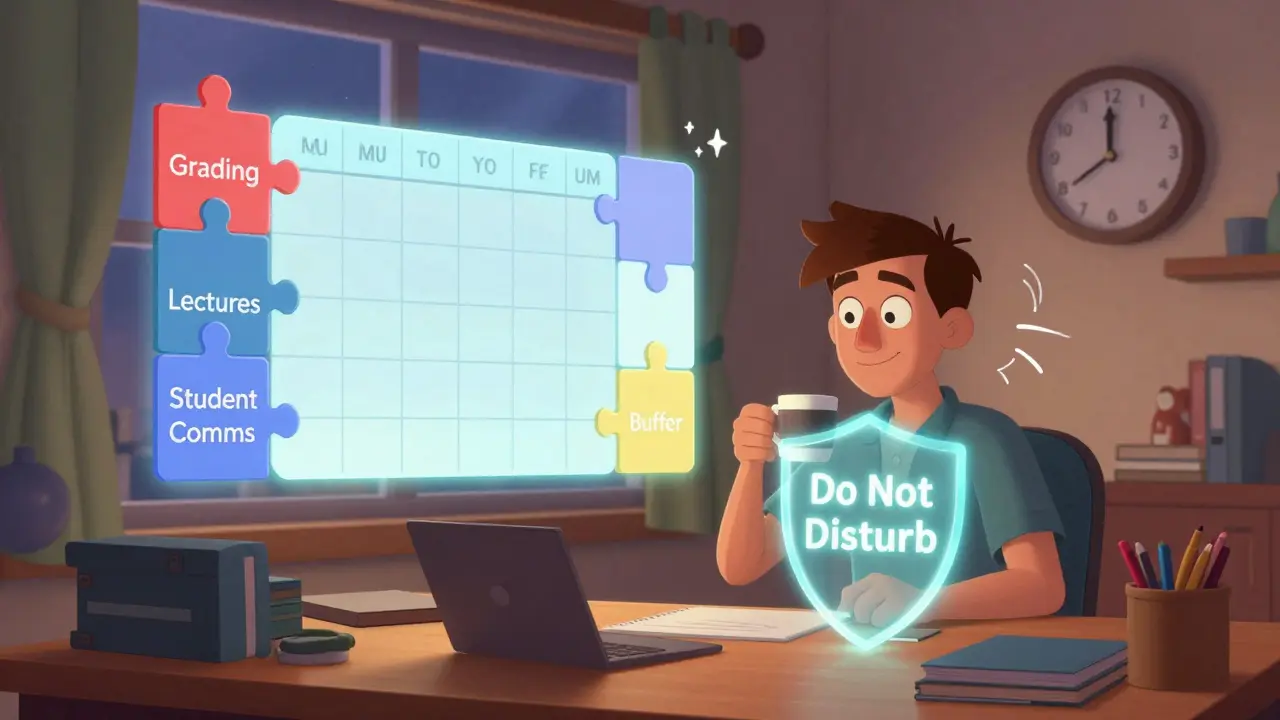
The fix isn’t working harder. It’s working smarter-with a weekly plan that blocks time like a surgeon schedules surgery. Start by mapping out your week in 90-minute chunks. Why 90 minutes? That’s the length of a human focus cycle before mental fatigue kicks in. Use Google Calendar or Notion. Block time for:
- Grading (3 sessions per week, max 2 hours each)
- Live sessions or recording lectures (2-3 sessions)
- Student communication (one 60-minute window, mid-week)
- Course updates and content creation (one 90-minute slot)
- Buffer time (at least 3 hours weekly for the unexpected)
When your calendar shows these blocks, you stop saying yes to everything. You say, “I’ll get to this in my scheduled feedback window.” Students learn to wait. And you stop feeling like a fire extinguisher.
Automate the repetitive stuff
You shouldn’t be rewriting the same feedback for 30 students who all missed the same concept. That’s not teaching. That’s copy-paste labor.
Use templates. Build a library of canned responses for common questions:
- “Where do I find the syllabus?” → Link to the course homepage + 3-step guide
- “Can I turn this in late?” → Policy summary + one-time extension form link
- “I didn’t understand the lecture.” → Link to the video timestamp + 2 supplemental resources
Tools like Canva or Google Docs let you save these as reusable templates. In LMS platforms like Canvas or Moodle, use the built-in announcement or message templates. Set up automated reminders for assignment deadlines. Most platforms allow you to schedule emails to go out 24 hours before a due date. That’s one less thing you have to remember.
One instructor at Arizona State Online cut her weekly email volume by 65% using templates. She now spends 12 hours a week grading instead of 28. That’s 16 hours back for sleep, family, or actually designing better lessons.
Grade smarter, not harder
Grading is the biggest time sink for online instructors. And most do it wrong.
Stop grading everything perfectly. Focus on feedback that changes performance. Use a simple rubric with 3-5 clear criteria. For example:
- Clarity of argument (0-5)
- Use of evidence (0-5)
- Grammar and structure (0-3)
- Original thought (0-2)
That’s a 15-point scale. You can grade a paper in under 4 minutes if you stick to it. Add one personalized comment-not a paragraph-on what they did well and one thing to improve. Students remember one clear tip. They don’t remember five paragraphs of criticism.
Try batch grading. Don’t open assignments as they come in. Wait until you have 10-15. Grade them back-to-back. Your brain gets into “grading mode,” and speed increases. You’ll finish faster and make fewer errors.
Also, let students self-assess. Add a quick reflection question: “What’s one thing you learned? What’s one thing you’d do differently?” This cuts your feedback load by 30% and builds metacognition.

Set boundaries that stick
“I’m available 24/7” is a lie that burns you out. Students don’t need instant replies. They need consistent ones.
Set clear communication hours. For example: “I respond to messages Monday-Friday, 8 a.m. to 6 p.m. Mountain Time. Expect replies within 24 hours.” Put that in your syllabus. Put it in your email signature. Repeat it in your first-week announcement.
Turn off notifications outside those hours. Use Gmail’s “Schedule Send” feature to reply during work hours-even if you draft the message at 10 p.m. Use Slack or Teams’ “Do Not Disturb” mode. Block your calendar for lunch and dinner. Treat those like meetings with your boss.
One instructor in Texas started turning off her LMS notifications after 7 p.m. Her sleep improved. Her stress dropped. And her students? They started asking better questions because they had time to think before messaging.
Use the 80/20 rule for course design
80% of your students’ learning comes from 20% of your content. Find that 20% and double down.
Look at your course analytics. Which videos get the most views? Which discussion posts spark the most replies? Which assignments show the highest scores? Those are your high-leverage materials. Expand them. Add deeper examples. Link them in every module.
What’s the 80% you can trim? Outdated readings. Redundant slides. Long lectures that just restate the text. Replace them with short videos (under 8 minutes), curated articles, or interactive quizzes. Platforms like Edpuzzle let you embed questions into videos so students stay engaged-and you get instant feedback on understanding.
One instructor redesigned her 12-week course from 40 hours of video to 12. Her completion rate jumped from 62% to 89%. Why? Students weren’t overwhelmed. They felt like they were learning, not watching.

Build a support system
You don’t have to do this alone. Online teaching feels isolating, but you’re part of a community.
- Join a Slack group for online instructors. Share templates. Ask for help when you’re stuck.
- Pair up with another instructor. Swap grading loads for a week. Trade feedback on course design.
- Ask your department for a teaching assistant-even part-time. They can handle basic questions and quiz setup.
At the University of Arizona, instructors who joined a monthly peer coaching circle reported 40% less burnout in six months. They didn’t get more hours. They got accountability and shared tools.
Review and reset every month
Time management isn’t a one-time setup. It’s a habit. At the end of each month, ask:
- What ate up the most time? (Be honest-was it emails? Tech issues? Overly detailed feedback?)
- What worked? (Did batch grading save you 5 hours? Did templates cut response time?)
- What can I remove or automate next month?
Keep a simple log. One spreadsheet. Three columns: Task, Time Spent, Improvement Idea. After three months, you’ll see patterns. You’ll stop wasting time on things that don’t move the needle.
Online teaching isn’t about doing more. It’s about doing less-better. The best instructors aren’t the ones who answer every message. They’re the ones who design systems so they don’t have to.
How many hours should an online instructor work per week?
A full-time online instructor should aim for 30-35 hours per week, including prep, teaching, grading, and communication. Anything over 40 hours usually means the system isn’t optimized. If you’re consistently working 50+ hours, you’re likely over-grading, over-responding, or not using templates and automation. Revisit your scheduling and communication boundaries.
What’s the biggest time-waster for online instructors?
The biggest time-waster is responding to repetitive student questions without templates. One instructor found that 70% of her emails were variations of the same five questions. Creating a FAQ page and automated replies saved her 10 hours a week. The fix isn’t more effort-it’s better systems.
Should I record all my lectures in advance?
Not necessarily. Record the core lectures-especially ones you teach repeatedly. But for weekly updates, announcements, or clarifications, use short live videos (3-5 minutes) or text posts. Students prefer real-time, human interaction for small updates. Pre-recording everything makes you feel like a robot and takes way too long.
Can I use AI to help with grading or feedback?
Yes-but not as a replacement. Use AI tools like Grammarly or Turnitin’s feedback suggestions to catch grammar or plagiarism issues. Then add your own human insight: “You made a strong point here, but I’d love to see how this connects to the theory we covered in Week 4.” AI handles the mechanical. You handle the meaningful.
How do I handle students who expect instant replies?
Set expectations early. In your first week, say: “I respond to messages within 24 hours on weekdays.” Then stick to it. If a student messages at 11 p.m. and you reply at 8 a.m. the next day, they’ll learn you’re reliable-not available 24/7. Over time, they’ll adjust. Most students just want to know you’ll respond. They don’t need it right now.
ANAND BHUSHAN
January 12, 2026 AT 22:21Been doing this for 3 years. Block scheduling changed everything. No more midnight emails. No more guilt. Just work hours and life hours. Simple.
Indi s
January 14, 2026 AT 00:26I used to feel guilty for not replying right away. Then I realized students don’t die if they wait 12 hours. Now I reply during work hours. My sanity thanks me.
Rohit Sen
January 14, 2026 AT 09:4290-minute blocks? Cute. Real professors work in 3-hour deep dives. You’re treating teaching like a corporate job. It’s not. It’s art.
Vimal Kumar
January 15, 2026 AT 21:08Love the template idea. I built a Google Doc with 20 common replies. Saved me 8 hours last month. Also started batch grading. Game changer. If you’re still grading one by one… you’re doing it wrong.
Priti Yadav
January 16, 2026 AT 19:11Where’s the citation for the 65% email reduction? And who’s this ‘instructor at Arizona State’? No names, no data. This feels like blog fluff. Also, ‘buffer time’? That’s just procrastination with a fancy name.
Jane San Miguel
January 17, 2026 AT 13:10While the suggestions are pragmatic, they fundamentally misunderstand the ontological nature of pedagogical presence. Teaching is not a task to be optimized-it is an embodied act of intersubjective co-creation. Reducing feedback to rubrics and templates is a form of epistemic violence against the student-teacher dialectic.
Kasey Drymalla
January 18, 2026 AT 04:52They’re lying. This whole thing is a corporate ploy to make us work harder for less. They want us to automate so they can cut our pay. Next thing you know, AI will grade everything and we’ll be replaced. Watch.
Dave Sumner Smith
January 19, 2026 AT 03:35Buffer time? You mean you’re just letting students slack? No. You’re enabling chaos. If you don’t respond immediately, they think you don’t care. You’re setting them up to fail. This advice is dangerous.
Cait Sporleder
January 20, 2026 AT 11:17While the structural recommendations are undeniably pragmatic and grounded in empirical productivity theory, I find myself reflecting on the deeper phenomenological implications of temporal commodification within the neoliberal academy. The 90-minute focus cycle, while statistically validated, risks reducing the sacred act of pedagogical engagement to a series of time-bound performance metrics-thereby eroding the intrinsic, unquantifiable dimensions of mentorship that cannot be calendared or templated. One must ask: Are we optimizing for efficiency, or are we sacrificing the soul of education?
Paul Timms
January 22, 2026 AT 04:04Setting boundaries works. I did it last semester. Students adjusted. No one died. I got my weekends back. Simple.
Jeroen Post
January 23, 2026 AT 14:00AI grading? You think humans are special? We’re just meat machines running algorithms. The real question is why we still pretend teaching is personal when it’s all just data points in a system designed to exploit us.
Nathaniel Petrovick
January 24, 2026 AT 09:22Templates are life. I use them for everything. Even my ‘I’m sorry your grandma passed’ message is saved. Saves time and keeps it real. Don’t overthink it.
Honey Jonson
January 24, 2026 AT 16:24omg yes!! i started batch grading and now i actually have time to breathe. also turned off notifications after 7. my dog noticed i was less stressed. she’s been cuddling more. weird but true.
Sally McElroy
January 24, 2026 AT 22:02And yet… how can we justify reducing feedback to a 15-point scale? Where is the nuance? The compassion? The moral responsibility to nurture each soul that enters our virtual classroom? This is not efficiency-it is pedagogical austerity disguised as wisdom.
ANAND BHUSHAN
January 25, 2026 AT 19:5990-minute blocks aren’t corporate. They’re biological. Your brain can’t focus longer without crashing. Try it. You’ll see.