Backup and Disaster Recovery for LMS: A Practical Guide
 Nov, 1 2026
Imagine this: It’s Tuesday morning. Your university or corporate training department is mid-semester, with thousands of students logging in to submit assignments or take final exams. Suddenly, the screen goes white. The Learning Management System (LMS) isn’t just slow; it’s gone. No login page, no course content, no gradebook. You check the status page-nothing. You call your hosting provider-they’re investigating. And then the sinking feeling hits: When was the last time we actually tested our backup?
If you can’t answer that question with a specific date and a successful restore test, you don’t have a disaster recovery plan. You have hope. And hope doesn’t scale when your LMS holds years of academic records, compliance certifications, and user data.
Why Standard IT Backups Aren’t Enough for an LMS
Most organizations treat their LMS like any other web application. They run nightly database dumps and call it a day. But an LMS is a unique beast. It’s not just about storing text in a database. It’s about preserving a complex ecosystem of relationships between users, courses, files, and time-sensitive interactions.
A standard LMS Backup must capture more than just SQL tables. It needs to preserve file integrity for uploaded PDFs, videos, and SCORM packages. It must maintain the exact state of enrollment records so that a student who dropped out on March 15th isn’t suddenly enrolled in April. If you only back up the database, you might restore the grades but lose the assignment submissions stored in cloud object storage like AWS S3 or Azure Blob Storage. That’s a partial recovery, which often feels worse than a total loss because you have to manually reconcile missing pieces.
Consider the difference between a simple copy and a true snapshot. A copy might miss transactions occurring during the write process. A proper snapshot freezes the entire state of the server, including the operating system, web server configuration, database, and attached storage volumes. This ensures that when you hit "restore," the system comes up exactly as it was, down to the second.
The Two Metrics That Matter: RPO and RTO
You need two numbers in your life right now: Recovery Point Objective (RPO) and Recovery Time Objective (RTO). These aren’t just buzzwords for your CIO; they are contractual obligations if you’re selling online education services.
RPO answers the question: How much data can we afford to lose? If your RPO is 24 hours, and the server crashes at 11:00 AM, you’ve lost everything done since 11:00 AM yesterday. For a K-12 school district, losing a day of homework submissions might be annoying. For a professional certification body issuing licenses, losing a day of exam results could mean delayed licensing for hundreds of professionals. Most modern LMS platforms allow for continuous replication, pushing the RPO down to minutes.
RTO asks: How long can we stay offline? If your RTO is four hours, you need infrastructure ready to spin up in under four hours. This means having standby servers, pre-configured networks, and automated failover scripts. If your team has to manually install Apache, configure PHP versions, and import SQL dumps, your RTO is likely closer to two days. The gap between "theoretically possible" and "actually doable at 2 AM" is where most plans fail.
Choosing Your Backup Architecture
There are three main ways to handle LMS data protection. Which one you choose depends on your budget and risk tolerance.
| Strategy | Complexity | Cost | Best For |
|---|---|---|---|
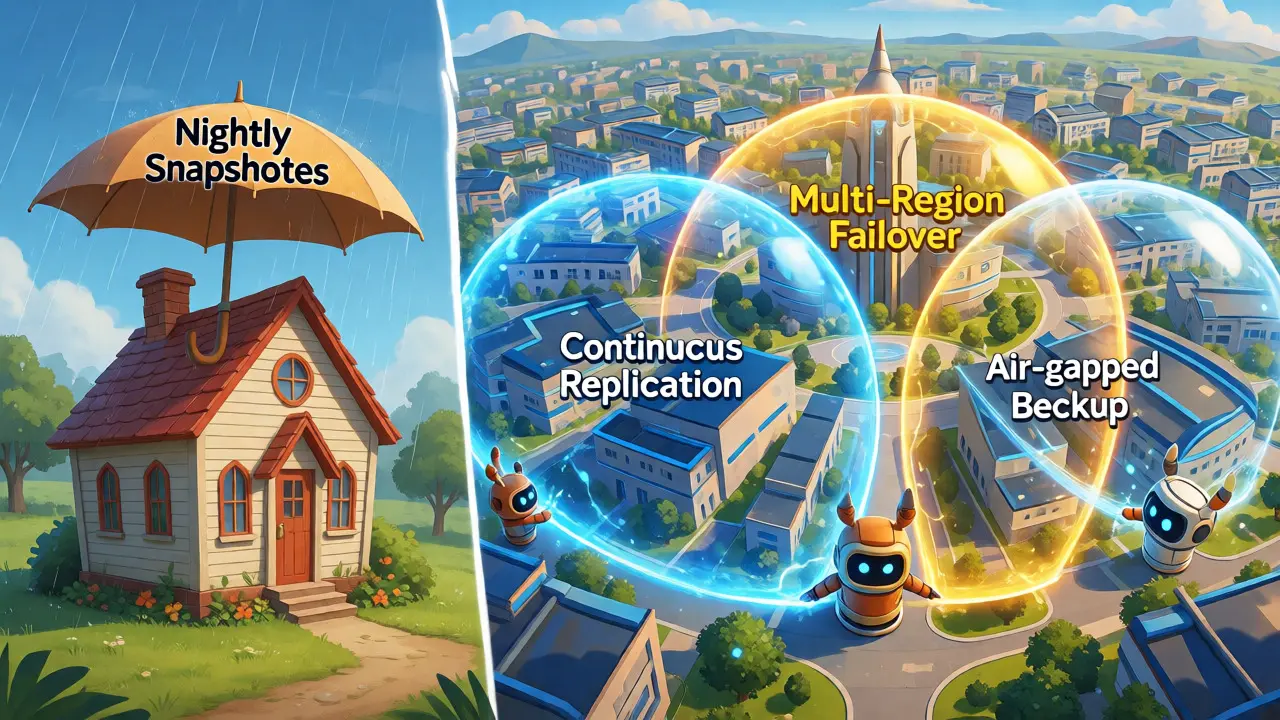
| Nightly Snapshots | Low | Low | Small schools with low transaction volume |
| Continuous Replication | Medium | Medium | Universities and large enterprises needing near-zero RPO |
| Multi-Region Failover | High | High | Global providers requiring 99.99% uptime |
Nightly snapshots are the baseline. Tools like Veeam or native cloud snapshots (AWS EBS, Azure Disk Snapshot) take a picture of the disk every night. It’s cheap and easy, but if you crash at 11:59 PM, you’ve lost almost a full day of work.
Continuous replication uses database log shipping or block-level replication. Every change is copied to a secondary server in real-time. If the primary fails, you switch over to the replica. This drastically reduces data loss but requires careful network tuning to ensure the replica doesn’t lag behind.
Multi-region failover takes it further by keeping a live instance in a different geographic location. If a hurricane knocks out your data center in Florida, traffic automatically routes to Virginia. This is expensive due to data transfer costs and duplicate infrastructure, but it’s the gold standard for resilience.
The "Restore Test" Is Not Optional
Here is the hard truth: An untested backup is not a backup. It’s a guess.
I’ve seen IT teams panic during a real outage because they discovered their backup script had been failing silently for three months. The email alerts went to a generic alias nobody checked. Or worse, the backup completed, but the restore failed because the LMS version on the new server didn’t match the plugin versions in the backup.
You need a scheduled drill. Once a quarter, spin up a sandbox environment from your latest backup. Don’t just check if the files exist. Log in as a teacher. Try to grade an assignment. Download a resource. Check if the calendar events show up correctly. Verify that single sign-on (SSO) still works with your identity provider.
Document the time it takes. If your documentation says "Restore in 2 hours" but it actually takes 6 hours because someone forgot to update the DNS records, fix the process, not the expectation.
Handling Cloud vs. On-Premises Nuances
If you use a hosted solution like Canvas LMS, Blackboard, or MoodleCloud, you rely heavily on the vendor’s SLA. But don’t assume they own your data safety entirely. Vendor backups protect against hardware failure, but they may not protect against accidental deletion by an admin or ransomware encryption within the account.
For self-hosted Moodle or Canvas instances, you control the stack. This gives you flexibility but also responsibility. You must manage the Database Management System (like MySQL or PostgreSQL) separately from the file store. Many admins forget to back up the /moodledata directory, thinking the database contains everything. It doesn’t. The database stores references; the actual PDFs and images live on the disk.
Also, consider API integrations. If your LMS syncs with an HR system or Student Information System (SIS), restoring the LMS might break those connections. After a restore, you’ll need to re-authenticate API keys and potentially trigger a manual sync to ensure user lists are current.

Ransomware: The Silent Killer
Ransomware attacks on educational institutions have surged. Attackers love universities because they hold valuable research data and cannot easily go offline without disrupting thousands of lives. Traditional backups can get infected too. If your backup drive is mapped to the network and the malware encrypts the source, it will eventually encrypt the backup if it’s accessible via SMB/NFS protocols.
To combat this, implement the 3-2-1 rule with a twist: Three copies of data, two different media types, one offsite-and make sure one copy is "air-gapped" or immutable. Immutable storage means once written, the data cannot be changed or deleted for a set period (e.g., 30 days). Even if an attacker gets root access, they can’t delete the backup history. Services like AWS S3 Object Lock or Azure Blob Immutability Policies provide this feature natively.
Building Your Action Plan
Don’t wait for a crisis to write your plan. Here is a checklist to get you started today:
- Inventory Assets: List every component: Database, Web Server, File Storage, Third-party plugins, SSO configurations.
- Define RPO/RTO: Get agreement from stakeholders. What is acceptable downtime? What is acceptable data loss?
- Select Tools: Choose backup software that supports application-consistent backups for your specific LMS.
- Automate: Remove human error. Backups should run without intervention.
- Schedule Drills: Put quarterly restore tests on the calendar. Treat them like fire drills.
- Review Contracts: Check your vendor SLAs. Do they guarantee restoration times? What are the exclusions?
Remember, the goal isn’t just to save data. It’s to save trust. When parents, students, and employees know their records are safe, they engage more confidently with the platform. A robust Disaster Recovery Plan is a competitive advantage, proving that your institution values continuity and security as much as education itself.
How often should I back up my LMS?
For active systems, daily backups are the minimum. However, high-volume institutions should aim for hourly incremental backups combined with daily full snapshots. If you have critical exam periods, consider increasing frequency to every 15 minutes using transaction log backups to minimize data loss.
Can I restore individual files instead of the whole system?
Yes, modern backup solutions support granular recovery. This allows you to extract a single corrupted PDF, a deleted user profile, or a specific database table without restoring the entire multi-terabyte dataset. This capability significantly reduces recovery time for minor incidents.
What happens if my backup provider goes down?
This is why the "offsite" part of the 3-2-1 rule matters. If your primary backup is in AWS us-east-1 and that region fails, your secondary backup in us-west-2 remains accessible. Always verify that your backup targets are geographically distinct from your production environment.
Do I need to back up third-party plugins?
Absolutely. Plugin configurations and custom code modifications are often stored in the database or specific config files. If you restore the core LMS but lose the plugin settings, your system may function incorrectly. Include all custom themes, modules, and integration scripts in your backup scope.
Is cloud backup safer than local backup?
Neither is inherently safer alone. Local backups offer speed and control but are vulnerable to physical disasters (fire, flood) and ransomware if connected to the network. Cloud backups offer geographic redundancy but depend on internet connectivity and vendor stability. A hybrid approach leveraging both provides the best balance of speed and resilience.