Cohort Analysis in Online Learning: A Practical Guide to Tracking Student Success
 Dec, 27 2025
When you launch a new online course, you want students to finish it. You want them to engage, come back, and actually learn something. But if you only look at total sign-ups or average completion rates, you’re flying blind. That’s where cohort analysis comes in. It doesn’t just tell you how many people dropped out-it shows you when they dropped out, why they dropped out, and who is most likely to stick around.
What Cohort Analysis Actually Means in Online Learning
A cohort is a group of students who started your course around the same time. Maybe they enrolled in Week 1 of your January 2025 course, or maybe they all signed up during the Black Friday promo. Cohort analysis tracks how that group behaves over time.
Instead of asking, “How many people finished the course?” you ask: “Of the 500 people who started on January 5, how many made it to Lesson 5? Lesson 10? Did they complete the final project?”
This isn’t just about numbers. It’s about patterns. If 60% of students who started on January 5 quit after Lesson 2, but only 20% of those who started on January 12 did, something changed between those two groups. Maybe the video length got longer. Maybe the quiz got harder. Maybe the email reminders stopped.
Real-world example: A coding bootcamp noticed that students who enrolled in March 2024 had a 32% completion rate. Those who enrolled in April? 58%. The only difference? They added a 10-minute onboarding video that walked students through how to set up their development environment. That one change doubled their completion rate.
Why Your Average Completion Rate Is Lying to You
Let’s say your course has a 45% completion rate. Sounds good, right? But what if that’s made up of:
- 70% completion for students who started in January
- 20% completion for students who started in February
- 65% completion for students who started in March
That 45% average hides a disaster. February’s cohort is collapsing. If you don’t dig into why, you’ll keep spending money on ads to attract more February-style students-only to watch them vanish.
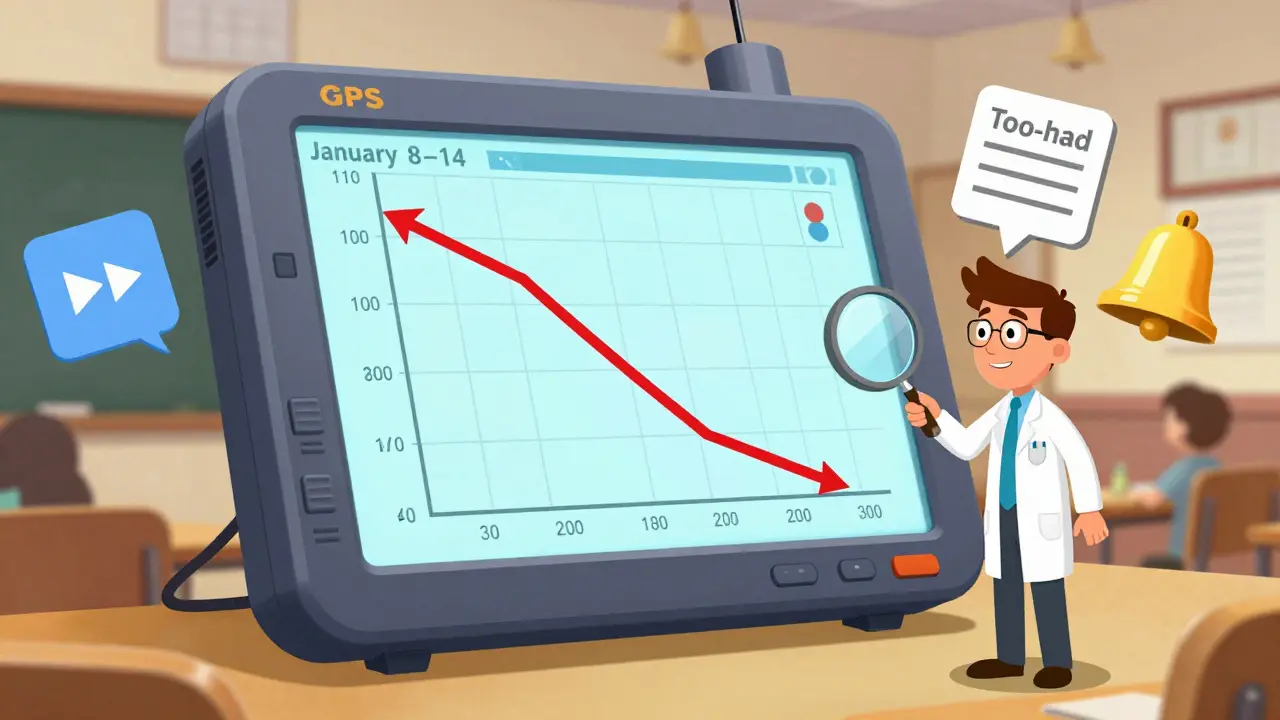
Aggregated data is like looking at your car’s odometer. It tells you how far you’ve driven, but not if you’re stuck in traffic, running out of gas, or driving the wrong way. Cohort analysis gives you the GPS.
How to Set Up Your First Cohort Analysis (Step-by-Step)
You don’t need fancy software. Most learning platforms like Teachable, Thinkific, or Kajabi let you export student data. Here’s how to do it:
- Define your cohort group. Pick a clear start point: enrollment date, promo code used, or even time of day they signed up.
- Track key actions. What counts as progress? Watching a video? Passing a quiz? Submitting an assignment? Pick 3-5 milestones that matter.
- Export your data. Get a spreadsheet with: student ID, enrollment date, and timestamps for each action they took.
- Group by enrollment week. Create columns for each cohort (e.g., “Jan 1-7,” “Jan 8-14”).
- Count completions at each milestone. For each cohort, calculate the percentage who reached Lesson 1, Lesson 2, etc.
- Visualize it. Make a line chart where the x-axis is time through the course, and each line is a different cohort.
Here’s what your data might look like:
| Cohort | Lesson 1 | Lesson 2 | Lesson 3 | Final Project |
|---|---|---|---|---|
| Jan 1-7, 2025 | 100% | 85% | 72% | 58% |
| Jan 8-14, 2025 | 100% | 78% | 55% | 39% |
| Jan 15-21, 2025 | 100% | 82% | 68% | 55% |
Look at Jan 8-14. That’s the red flag. Half the students dropped off between Lesson 2 and Lesson 3. That’s where you need to look.
Where to Look When You Spot a Drop-Off
When a cohort dips hard at a certain point, don’t guess. Investigate:
- Content quality. Was Lesson 3 suddenly more technical? Did the video feel rushed? Did the reading feel outdated?
- Assessment design. Was the quiz too long? Did it ask for things you never taught?
- Support access. Did students hit a wall and couldn’t find help? Did replies to questions take more than 48 hours?
- Notifications. Did you stop sending emails? Did they get buried in spam folders?
- Timing. Did this cohort start during a holiday? Were they working full-time? Did they sign up on impulse and regret it?
One education platform found that students who started on a Friday had 40% lower completion than those who started on a Monday. Why? Friday sign-ups were often impulse buys made while procrastinating. They didn’t plan to start right away. The fix? Added a “Start on Monday” reminder email and delayed access by 24 hours unless they clicked a button saying “I’m ready to begin now.” Completion jumped 18%.
How Cohort Analysis Improves Marketing and Pricing
Cohort data isn’t just for course designers. It’s gold for your marketing team.
If your paid ads bring in students with a 22% completion rate, but your organic traffic brings in students with a 61% rate, you’re wasting money on ads. You can adjust your targeting. Maybe you’re attracting people who want a quick fix, not real learning. Change your ad copy. Say “Build real skills over 8 weeks” instead of “Learn Python in 3 days.”
Same with pricing. If your $99 course has a 40% completion rate but your $299 course has a 68% rate, it’s not because people who pay more are smarter. It’s because they’re more committed. They invested more. They feel more accountable. You can use this to design pricing tiers that encourage commitment-like offering payment plans with milestones, or bonuses for completing early.
What to Do When a Cohort Is Failing
Let’s say your February cohort had a 30% drop-off at Lesson 4. Here’s how to fix it:
- Survey the dropouts. Send a short email: “We noticed you didn’t finish. What stopped you?” Offer a $5 gift card for honesty.
- Watch the videos. Watch Lesson 4 from a student’s perspective. Is the pacing off? Is the screen too small? Is the instructor talking too fast?
- Test a revision. Make a new version of Lesson 4 with shorter segments, clearer examples, and a quick recap quiz. Roll it out to the next cohort.
- Compare results. Did the next cohort’s completion rate at Lesson 4 go up? If yes, you’ve fixed it. If not, keep testing.
This isn’t guesswork. It’s iteration. Every cohort is a lab test. You’re not trying to make a perfect course. You’re trying to make a course that works for real people.
Common Mistakes (And How to Avoid Them)
- Mistake: Waiting too long to analyze. Fix: Start tracking from Day 1. Don’t wait until the course ends.
- Mistake: Looking at too many cohorts at once. Fix: Focus on 3-5 recent ones. Too much data = paralysis.
- Mistake: Ignoring small changes. Fix: Even a 5% improvement in retention can mean hundreds of extra completions per year.
- Mistake: Thinking it’s about “engagement.” Fix: Engagement doesn’t matter if they don’t finish. Completion is the real metric.
One course creator changed the color of their “Next Lesson” button from blue to green. It sounds silly. But they noticed a 12% increase in students clicking through after that change. That’s not magic. That’s data.

Where to Get the Tools (Without Spending a Fortune)
You don’t need a $10,000 analytics platform. Here’s what works:
- Google Sheets + Free Templates: Use pre-built cohort templates from platforms like AnalyzeMyCourse or CohortAnalysis.com (free versions available).
- Teachable/Thinkific Reports: Both offer basic cohort tracking. Export student activity logs.
- Notion: Build a simple database with enrollment dates and progress tracking. Use formulas to calculate percentages.
- Microsoft Excel: Pivot tables can group students by week and count completions. Google “cohort analysis Excel template” and download one.
Start simple. Get the data. Look for the dips. Fix one thing. Measure again. Repeat.
What Happens When You Do This Right
When you start using cohort analysis, you stop guessing. You stop blaming students. You stop assuming your course is “just not popular.”
You start seeing that the problem isn’t the audience. It’s the design. And design can be fixed.
A language learning app used cohort analysis to discover that students who watched the first video on a mobile phone had a 60% lower completion rate than those who started on desktop. They redesigned their mobile interface-larger buttons, auto-play with sound off, downloadable transcripts. Within two months, mobile completion rates matched desktop.
That’s the power of cohort analysis. It turns vague frustration into clear action. It turns “why are people leaving?” into “here’s exactly where we need to improve.”
It’s not about having the most features. It’s about having the fewest friction points. Cohort analysis shows you where those friction points are.
What’s the difference between cohort analysis and overall completion rate?
Overall completion rate gives you one number: how many people finished out of everyone who ever started. Cohort analysis breaks that down by when they started. It shows you if certain groups are dropping off at specific points-revealing trends, timing issues, or content problems that a single number hides.
How many cohorts should I track at once?
Start with 3-5 recent cohorts. More than that gets overwhelming. You’re looking for patterns, not every single data point. Once you spot a trend-like a consistent drop-off after Lesson 3-you can zoom in and fix it. Then move to the next one.
Do I need to track every single student action?
No. Focus on 3-5 key milestones that actually predict success. For example: watching the first video, completing the first quiz, submitting the first assignment. These are signals of real engagement. Don’t track every click-track what matters.
Can cohort analysis help me improve my course pricing?
Yes. If students who pay more complete at a higher rate, it’s not because they’re smarter-it’s because they’re more invested. You can use this to design pricing that encourages commitment: payment plans, bonuses for early completion, or tiered access that rewards progress. It turns price from a barrier into a motivator.
What if my course has multiple tracks or paths?
Track each path as its own cohort. Students in the “Beginner Track” and “Advanced Track” will behave differently. Compare their drop-off points separately. You might find that beginners quit at Lesson 2 because the intro is too slow, while advanced learners quit at Lesson 5 because it’s too basic. Each needs a different fix.
Next Steps: Start Small, Think Big
You don’t need to analyze every course you’ve ever run. Pick one. Pick the most recent one. Export the data. Make a simple chart. Look for the biggest drop-off. Ask one question: “What changed right before students left?”
Fix that one thing. Then measure again.
That’s how great courses are built-not by guessing, not by copying competitors, but by listening to what the data tells you about real people, in real time.
Henry Kelley
December 29, 2025 AT 05:33man i wish i knew this when i launched my first course. i just kept blaming the students for not finishing, turns out my lesson 3 was a total wall of text. changed it to 5-min videos with quizzes after and completions jumped like 40%. thanks for the nudge to look at the data, not just the numbers.
poonam upadhyay
December 30, 2025 AT 11:47Ohhhhh, here we go again-the ‘data doesn’t lie’ cultists, clutching their Google Sheets like holy scriptures. But let me ask you: what if the students who dropped out were just… tired? Overworked? Living in a country where internet cuts out every 20 minutes? Or maybe-just maybe-they realized your ‘coding bootcamp’ was just 10 hours of ‘click here, copy this’ with zero real-world context? Data doesn’t lie, but people who use it to feel smart? Oh honey, they lie ALL the time.
Shivam Mogha
December 31, 2025 AT 05:16Lesson 3 drop-off? Check the quiz. Always the quiz.
mani kandan
January 1, 2026 AT 12:32This is one of the clearest breakdowns of cohort analysis I’ve read in a long time. The car odometer vs GPS analogy? Perfect. I’ve seen so many course creators obsess over completion rates without realizing they’re measuring the wrong thing. The real win isn’t just getting people to finish-it’s making sure they finish because they learned something, not because they got a certificate. And that’s where the real value lies.
Rahul Borole
January 1, 2026 AT 14:15It is imperative to emphasize that cohort analysis is not merely a diagnostic tool but a strategic imperative for scalable educational delivery. The granularity afforded by temporal segmentation enables evidence-based pedagogical intervention, thereby optimizing learner outcomes. Institutions that fail to implement such methodologies risk systemic attrition and resource misallocation. I recommend integrating automated dashboards via Python-Pandas pipelines for real-time cohort monitoring.
Sheetal Srivastava
January 3, 2026 AT 06:53Let’s be honest-this entire framework is just corporate edtech gaslighting. You’re not ‘fixing friction points’-you’re optimizing for retention metrics so investors don’t pull the plug. Students aren’t ‘dropouts’-they’re people with lives, jobs, and dignity. And your ‘10-minute onboarding video’? That’s not a fix-it’s a Band-Aid on a hemorrhage. The real problem? You’re selling learning like a subscription service, not a human right.
Bhavishya Kumar
January 5, 2026 AT 05:39The term 'cohort analysis' is incorrectly used here as a synonym for time-based retention tracking. True cohort analysis involves comparing groups across multiple dimensions including demographics, behavior, and acquisition channel-not just enrollment date. Also, 'Lesson 3' should be capitalized consistently. And there's a missing Oxford comma in the list under 'Where to Look'. This article is technically sloppy.
Anand Pandit
January 6, 2026 AT 18:06Biggest game changer for me? Sending a simple ‘Hey, we miss you’ email after 3 days of inactivity. No pressure. Just a ‘we’re here if you need help’ vibe. I got back 15% of people who were about to ghost. Turns out, most just needed a little nudge. Don’t overcomplicate it. Be human. That’s the secret sauce.
Reshma Jose
January 7, 2026 AT 14:53I literally did the green button thing. Blue was fine, but green? Students clicked like it was a sale. No idea why. Maybe it felt more ‘go’? Anyway, it worked. Don’t overthink design. Test. Change. See what sticks. Also-don’t ignore the Friday signups. They’re not idiots. They’re just procrastinators with credit cards.
rahul shrimali
January 8, 2026 AT 19:32Track the first video completion. That’s the real heartbeat. If they don’t watch it, they’re gone. Fix that and everything else follows.
Eka Prabha
January 10, 2026 AT 07:45Of course the completion rate for the $299 course is higher. You’re not selling education-you’re selling a status symbol. The $99 students aren’t less committed-they’re less gullible. This entire model is a pyramid scheme disguised as lifelong learning. The data doesn’t prove your course works-it proves people will pay for the illusion of progress.
Bharat Patel
January 11, 2026 AT 04:01It’s funny how we treat learning like a product to be optimized. But people aren’t metrics. They’re humans showing up, trying to become better versions of themselves, often with little time, money, or support. Cohort analysis gives us a map-but the real journey? That’s theirs. Maybe the goal isn’t to reduce drop-offs… but to honor why they left. Sometimes quitting isn’t failure. Sometimes it’s wisdom.