Content Reuse Strategy: Turn Webinars and Workshops into Course Modules
 Sep, 18 2026
You spent three hours prepping that webinar. You delivered it live, fielded twenty questions in the chat, and recorded every second. Then what? Most creators dump that recording into a folder, label it "Q3 Webinar," and never touch it again. That is a massive waste of effort. Webinar recordings are raw gold for online course creation, but they need refinement to become sellable assets.
Think about your last workshop. Did you cover one single topic, or did you break it down into digestible chunks? If you broke it down, you already have a skeleton for a micro-course. The secret isn't creating new content from scratch; it's slicing existing high-value events into smaller, focused pieces. This approach saves time, increases reach, and boosts revenue without burning you out. Let’s look at how to actually do this without making your students feel like they’re watching a low-effort rehash.
Why Repurpose Instead of Create?
Creating a full-length course from zero takes months. You script, record, edit, upload, and market. By contrast, repurposing leverages work you’ve already done. It aligns with the principle of efficiency. If you hosted a live Workshop on "Email Marketing Basics," you likely covered subject lines, open rates, and A/B testing. Those aren't just topics; they are distinct modules.
Audiences today prefer bite-sized learning. They don’t want to sit through a two-hour lecture if they only need help with subject lines. By breaking your long-form content into short videos, you give them exactly what they need. Plus, search engines love fresh content. Each new module can be indexed separately, driving more organic traffic than a single giant video ever could.
| Metric | New Creation | Content Reuse |
|---|---|---|
| Time to Launch | 8-12 weeks | 1-2 weeks |
| Production Cost | High (new equipment/setup) | Low (editing software only) |
| Engagement Rate | Variable | Higher (proven topics) |
| SEO Value | Single page authority | Multiple keyword opportunities |
Audit Your Archive for Modular Potential
Before you start cutting, you need to know what you have. Open your video library. Look for webinars where you naturally paused between topics. Did you say something like, "Now let's move on to..."? That phrase marks a natural break point. These breaks are your module boundaries.
Not every webinar works. Avoid repurposing events that were heavily Q&A driven unless those questions were universal. Specific troubleshooting sessions often lack broad appeal. Instead, focus on educational frameworks. If you taught a process, you have a course. For example, a session on "Project Management Tools" might contain separate segments on Trello, Asana, and Monday.com. Each tool segment becomes its own lesson.
Create a spreadsheet. List each event, its total duration, and potential sub-topics. Be ruthless. If a segment was fluff-like waiting for attendees to join Zoom-cut it. Your goal is density. Every minute should deliver value. If you find yourself thinking, "I hope they don't skip this part," cut it. If you think, "They will watch this twice," keep it.
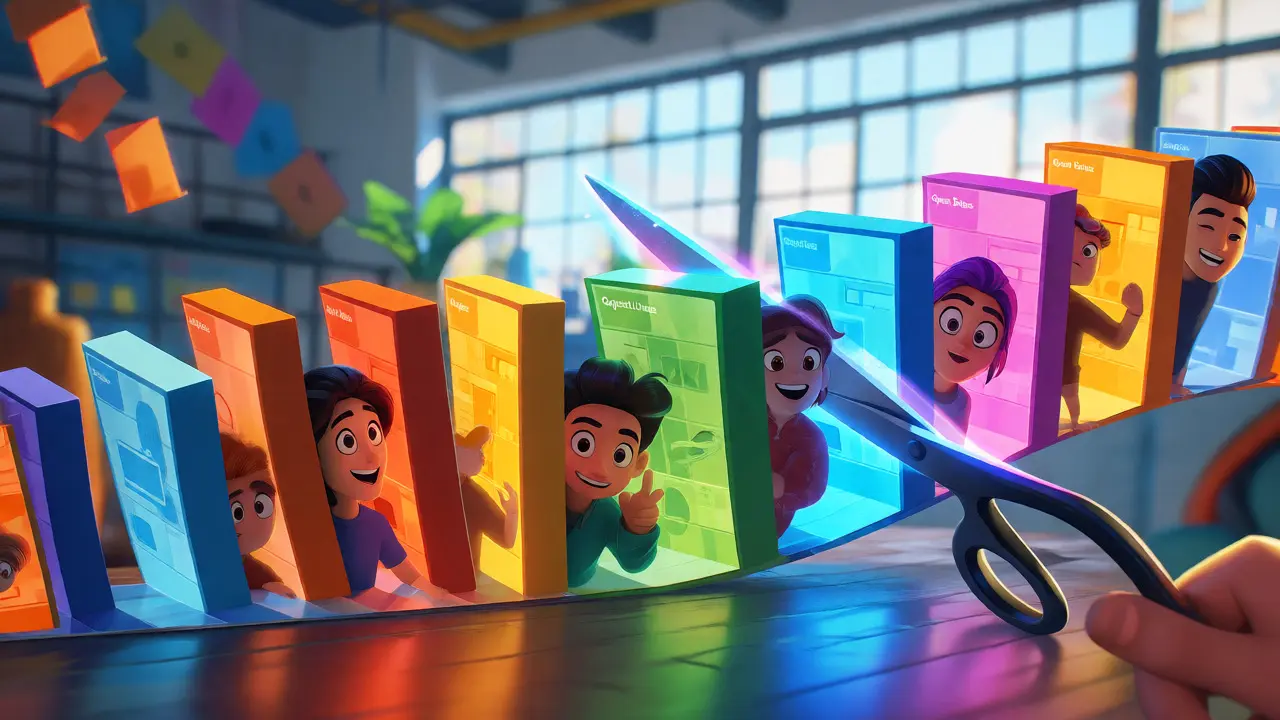
The Slicing Process: From Linear to Modular
Here is the practical workflow. Take your raw recording. Use editing software like Descript or Adobe Premiere. Don't just trim the beginning and end. You need to excise dead air, awkward pauses, and tangential stories that don't serve the core lesson.
- Identify the Hook: Start each module with a clear problem statement. If your original webinar started with five minutes of housekeeping, delete it. Replace it with a 30-second intro summarizing the specific skill they will learn.
- Cut by Concept: Isolate each concept. If you discussed "Keyword Research" for ten minutes, export that as a standalone file. Name it clearly, like "Module 1.2 - Keyword Research Basics.mp4."
- Add Contextual Overlays: Since these clips lose the context of the full webinar, add text overlays. Show the step number. Display key terms on screen. This helps learners follow along without needing the full backstory.
- Standardize Audio: Live audio varies. Normalize levels so volume doesn't jump between modules. Consistent audio quality makes the course feel professional, not cobbled together.
Remember, a module should solve one specific problem. If a viewer watches Module 3 and still doesn't know how to set up their ad campaign, the module failed. Keep it tight. Aim for 5-10 minutes per module. Long enough to teach, short enough to finish during a coffee break.
Enhancing Interactivity Beyond Video
Video alone is passive. To turn a webinar clip into a true course module, you need active engagement. Add quizzes. After a video on "Sales Funnel Stages," ask a multiple-choice question: "Which stage comes after consideration?" This forces recall.
Include downloadable resources. If you showed a template during the webinar, screenshot it or extract the file. Make it available below the video. Students love tangible takeaways. It bridges the gap between watching and doing.
Consider adding community prompts. Ask students to post their results in a discussion board. For instance, "Share your first email subject line draft here." This transforms isolated viewing into a collaborative learning experience. It also gives you social proof for future marketing.
Pricing and Packaging Strategies
How do you sell these modules? You have options. You can bundle them into a comprehensive course. If you sliced a webinar into ten modules, package them as a $97 mini-course. Or, sell individual modules as à la carte purchases for $9-$19. This lowers the barrier to entry.
Test both models. Some users want the whole system; others want a quick fix. Offering tiers caters to both. For example, offer a "Quick Fix" tier with just the most critical three modules, and a "Complete System" tier with all ten plus worksheets.
Use free modules as lead magnets. Give away the easiest, most valuable slice for free in exchange for an email address. Once they taste the quality, they are more likely to buy the rest. This strategy builds trust before asking for credit card details.
Common Pitfalls to Avoid
Don't leave outdated information in your clips. If you recommended a tool that has since shut down, edit that section out or record a voiceover correction. Nothing kills credibility faster than broken links or defunct advice.
Avoid poor transitions. If Module 1 ends abruptly and Module 2 starts coldly, it feels disjointed. Add brief intro/outro cards to each video. Even a simple title slide saying "Next: Setting Up Your Campaign" smooths the journey.
Finally, don't ignore accessibility. Add captions to every video. Many people watch without sound, especially on mobile devices. Captions also improve SEO because search engines can index the spoken words.
Do I need to re-record my webinars to make them course-worthy?
No, you rarely need to re-record. Editing tools allow you to trim silences, remove mistakes, and add graphics to existing footage. Only re-record if the audio/video quality is unusable or if the information is significantly outdated. Focus on polishing what you have rather than starting over.
How long should each course module be?
Aim for 5 to 10 minutes per module. This length matches modern attention spans and allows for easy consumption on mobile devices. If a topic requires more depth, split it into two shorter modules rather than forcing a long video.
Can I use webinar Q&A sessions as course content?
Yes, but selectively. General questions that apply to many students make great FAQ modules or bonus lessons. Specific, niche questions usually lack broad appeal and should be excluded unless you create a dedicated advanced troubleshooting module.
What tools help with slicing video content?
Descript is excellent for text-based editing, allowing you to cut video by editing the transcript. Adobe Premiere Pro offers precise control for professionals. For simpler needs, Canva or CapCut can handle basic trimming and captioning quickly.
Is it better to sell modules individually or as a bundle?
Both strategies have merits. Bundles increase average order value and provide a complete learning path. Individual sales lower the entry price and attract casual learners. Many successful creators use a hybrid model: sell bundles primarily, but offer key modules individually as lead magnets or upsells.
Dave Gibbeson
September 19, 2026 AT 10:26Stop overcomplicating this. You are sitting on a goldmine and treating it like garbage. I have been telling creators for years that the 'record once, publish everywhere' model is the only way to survive in this market. If you aren't slicing your webinars into micro-content, you are literally leaving money on the table. It is not about being lazy; it is about efficiency. The algorithm rewards consistency, and repurposing gives you consistency without the burnout. Get off your butt and start editing.
Sabrina Newland
September 21, 2026 AT 09:10omg yes!! 🙌 i’ve been struggling with this exact thing... my brain feels so full but my output is low 😭 it’s like i have all these ideas floating around but they never make it out of my head. do you think its better to slice them up immediately after recording or wait until later? im worried if i wait too long i’ll forget what was important 💀✨
Deb Kortyna, MBA
September 22, 2026 AT 10:13I must respectfully disagree with the premise that raw webinar recordings constitute 'gold.' In my experience, live events are inherently chaotic, filled with technical difficulties, awkward silences, and tangential anecdotes that serve no pedagogical purpose. To treat such unpolished footage as course-ready material is to insult the intelligence of the paying student. One must exercise extreme editorial rigor, bordering on ruthlessness, to extract value from these sessions. Otherwise, you are merely selling noise.
Jacob Baby Official
September 23, 2026 AT 13:18This is just another ploy by the gurus to keep us buying more software. Descript, Premiere, Canva-they all want your subscription fees. You’re not saving time; you’re just shifting the labor from creation to curation. And let’s be honest, nobody wants to watch a snippet of a webinar where the speaker says 'um' forty times. It’s toxic productivity disguised as strategy. You’re creating junk content that clogs the internet while pretending to offer 'value.' Wake up.
Chris Neal
September 23, 2026 AT 13:56Actually, the SEO argument presented here is flawed. Search engines prioritize dwell time and user engagement metrics over mere keyword density. A single comprehensive video often retains users longer than ten fragmented clips, leading to higher authority scores for the main domain. Splitting content dilutes link equity. Furthermore, modern AI-driven search algorithms prefer semantic clusters rather than isolated keywords. Therefore, bundling modules might actually hurt your organic reach compared to a well-structured long-form piece. The data suggests consolidation is superior to fragmentation for topical authority.
Dave Gibbeson
September 25, 2026 AT 09:13You clearly haven't looked at the analytics for short-form vs long-form retention rates in the last six months. Dwell time is irrelevant if the bounce rate is high because people quit halfway through a two-hour lecture. Micro-learning has a 90% completion rate for specific problem-solving queries. Stop hiding behind theoretical SEO models and look at actual consumer behavior. People are skimmers. Give them what they want or get left behind.
alex kobri
September 26, 2026 AT 03:12i think there is a balance here. we need to respect the learner's time but also their attention span. if the content is dense enough, splitting it helps. but if it is fluff, cutting it is better. it depends on the topic really. some things need context that takes twenty minutes to build. rushing it kills the nuance.
Vishnu Vardhan Reddy M S
September 27, 2026 AT 17:43Oh, the classic 'work smarter, not harder' advice. How refreshing. While the logic holds water, let’s not pretend that editing three hours of footage into ten five-minute clips is a walk in the park. That ‘low production cost’ mentioned in the article? Try finding an editor who won’t charge you an arm and a leg for precise cuts. Or try doing it yourself at 2 AM when your eyes are bleeding. The 'efficiency' comes with a hefty price tag of mental exhaustion. But hey, at least you can tell everyone how efficient you are while you’re crying over your timeline.
Sabrina Newland
September 27, 2026 AT 22:36haha exactly!!! 😂 the editing part is where the magic dies for me. i always end up deleting the good parts by accident lol. maybe i should hire someone but then again... budget 😭💸
Elizabeth Brooks
September 29, 2026 AT 21:14Great points! Just wanted to add that adding captions is crucial not just for SEO but for accessibility compliance which many creators overlook. Also using tools like Kapwing or Veed.io can speed up the captioning process significantly compared to manual entry. It saves hours. Definitely worth the investment if you're doing this regularly. Happy to share my workflow if anyone needs tips on batch processing!
michelle veluz
September 30, 2026 AT 06:41Wait, hold on. Who owns the rights to the questions asked in the chat?? Did you get consent forms signed?? Because if you don't, you could be facing massive legal liability down the road. Big Tech loves to sue over IP issues. And don't even get me started on GDPR if you have European attendees. This whole 'repurpose everything' trend ignores the fine print. You could lose your entire business over a missing checkbox. Be careful!!!
Jeff Falcon
October 1, 2026 AT 02:52Dude, totally agree with the vibe here, especially about the audio normalization part, because nothing ruins the immersion faster than volume jumps, right?? Like one minute it's whisper quiet and the next it's blowing your eardrums out, it’s just bad UX. And yeah, the overlays are key, visual learners need those cues to stay engaged, otherwise they zone out staring at the wall. Keep pushing this, it’s solid advice for sure.
Brannen Hall
October 2, 2026 AT 06:57Meh. Most webinars are sales pitches disguised as education. Cutting them into modules doesn't fix the underlying lack of substance. You're just packaging junk food into smaller boxes.
Iva Grekova
October 2, 2026 AT 19:37love this perspective! it makes the task feel so much less daunting. i used to dread looking at my raw footage but now i see it as puzzle pieces waiting to be put together. thanks for sharing!
Brenna Gonedrman
October 2, 2026 AT 23:00THIS IS SO TRUE!!! I am screaming internally because I have terabytes of unused videos gathering digital dust!! Why did no one tell me sooner?? My bank account is crying tears of joy just thinking about the potential revenue!! We need to act NOW before we miss the boat!!
Courtney Wagstaff
October 4, 2026 AT 17:11It’s like turning a big messy pot of stew into little bite-sized spoons. Some bites are spicy, some are bland, but you pick the ones that taste best. It’s definitely less overwhelming than trying to eat the whole pot at once. Good call on the modular approach, keeps the palate fresh.
Elisabeth Ballet
October 5, 2026 AT 14:39Listen, if you are serious about scaling, you need to treat your back catalog as a product line, not an archive. Start today. Pick one webinar. Slice it. Publish it. Measure the results. Do not wait for perfection. Perfection is the enemy of profit. You have the assets. Now go monetize them. I believe in your ability to execute this. Go get it.
Chandan Singh
October 6, 2026 AT 19:37Technically, the distinction between 'webinar' and 'workshop' is blurred in this context. Both are synchronous learning events. However, the strategic implication remains valid: asynchronous consumption is preferred by 78% of adult learners according to recent industry reports. Therefore, the conversion from synchronous to asynchronous formats via modularization is statistically sound. One should also consider the LMS integration capabilities when choosing slicing tools, as metadata preservation is critical for tracking individual module completion rates.