Continuing Education Credit Management and Reporting Made Simple
 Mar, 3 2026
Keeping track of continuing education credits isn’t just paperwork-it’s the difference between keeping your certification active and losing it. If you’re a nurse, teacher, engineer, or any professional required to maintain licensure, you know how easy it is to miss a deadline or lose a certificate. One missed credit can mean restarting the whole renewal process, paying late fees, or even losing your job. The good news? Managing and reporting your credits doesn’t have to be a nightmare.
Why Continuing Education Credits Matter
Every profession that requires licensing ties renewal to ongoing learning. For example, registered nurses in most U.S. states need 30 hours of continuing education every two years. Teachers in Arizona must complete 150 clock hours every five years. Engineers in California need 30 PDHs (Professional Development Hours) per renewal cycle. These aren’t suggestions-they’re legal requirements enforced by state boards and national certifying bodies.
But here’s the catch: not all courses count. A workshop on leadership might count for a teacher but not for a pharmacist. A webinar on cybersecurity could count for an IT professional but not for a real estate agent. Each field has its own rules, and each certifying body has its own list of approved providers. Missing that detail means you spend time and money on something that won’t help you renew.
The Three Big Problems Professionals Face
Most people struggle with three things when managing their credits:
- Tracking - Where are all your certificates? In a drawer? On your phone? In three different email folders?
- Understanding requirements - How many credits do you need? What topics are allowed? When does your cycle end?
- Reporting - Do you submit manually? Use an online portal? Does your employer help? What if you forget?
One nurse in Phoenix lost her license renewal because she took 40 hours of courses but didn’t realize her state only accepted 30 hours from approved providers. The rest? Wasted. Another teacher in Tucson paid $120 for a course that wasn’t approved by her district, and the district wouldn’t reimburse her. These aren’t rare mistakes-they’re common.
How to Track Your Credits Correctly
Start with a system that works for you, not a generic template. Here’s what actually works:
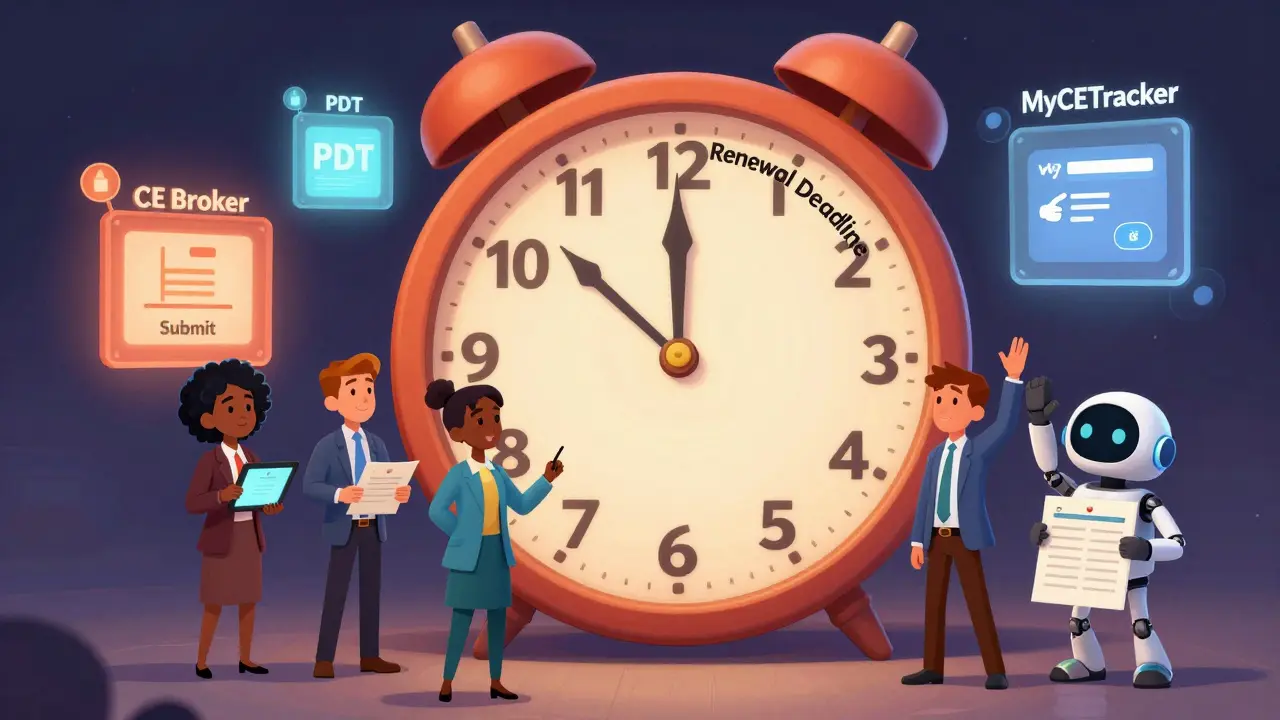
- Use a single digital tracker - Google Sheets, Notion, or a dedicated app like CE Broker or Professional Development Tracker. Don’t rely on paper or scattered emails.
- Record every course immediately - As soon as you finish, write down: date, provider, course name, hours earned, and approval code (if any).
- Scan and save certificates - Take a photo of each certificate and save it in a folder labeled with your name and license number. Name the file clearly: JohnDoeRN_CEU_2025.pdf.
- Set calendar reminders - Put reminders in your phone for deadlines 90 days, 60 days, and 15 days before your renewal date.
One dental hygienist in Tempe started using a simple Notion database after missing her renewal by three weeks. She now has a dashboard that auto-calculates her remaining hours and sends her weekly alerts. No more panic.
Understanding Your Requirements
Don’t guess. Go straight to the source. Each state board or certifying organization publishes its rules online. Here’s how to find yours:
- For healthcare professionals - Check your state’s medical, nursing, or dental board website. For example, the Arizona Board of Nursing lists approved providers and required topics like infection control and opioid safety.
- For educators - Visit your state’s Department of Education website. Many states have lists of approved providers and even pre-approved course catalogs.
- For engineers and architects - The National Council of Examiners for Engineering and Surveying (NCEES) and state licensing boards define PDH rules. Some states require ethics training; others don’t.
Pro tip: Look for the word mandatory in the requirements. If a course is labeled as “recommended,” it might not count. Only courses with a provider approval number or state board code are guaranteed to be accepted.
Reporting Credits: What You Need to Know
Reporting isn’t optional. It’s the final step that turns your hard work into renewed credentials. Most boards now use online portals. Here’s how to handle it:
- Know your reporting window - Some states allow reporting 90 days before renewal. Others require you to report within 30 days after completing courses.
- Use your provider’s reporting system - Many accredited providers (like Medscape, Coursera, or LinkedIn Learning) automatically report to state boards if you provide your license number during registration. Always confirm this in writing.
- Submit manually if needed - If your provider doesn’t report for you, most boards have a form you can fill out online. Upload your certificates. Double-check your license number. Submit early.
- Save a copy of your submission - Take a screenshot or download the confirmation email. You’ll need it if there’s a dispute later.
One physical therapist in Phoenix submitted her credits on the last day-only to find out her login had expired. She had to call the board, wait three days, and pay a $50 late fee. Don’t be her.
Common Mistakes (And How to Avoid Them)
Here are the top five errors professionals make-and how to dodge them:
- Mistake 1: Taking courses from unapproved providers. Solution: Always check the board’s approved list before enrolling.
- Mistake 2: Counting non-contact hours as contact hours. Solution: Online courses often count as 50% of contact hours. Verify the rules.
- Mistake 3: Assuming employer-provided training counts. Solution: Ask for written confirmation that the training is approved by your licensing board.
- Mistake 4: Waiting until the last minute. Solution: Complete your credits by the 90-day mark. That gives you time to fix errors.
- Mistake 5: Losing certificates. Solution: Digitize everything. Use cloud storage with backup.
Tools That Actually Help
You don’t need fancy software. But you do need something reliable. Here are three tools professionals use:
- CE Broker - Used by healthcare workers in 30+ states. Automatically syncs with providers and sends alerts. Costs $40/year.
- Professional Development Tracker (PDT) - A free, simple Google Sheet template. You input your hours, and it auto-calculates your balance. Downloadable from most state education websites.
- MyCETracker - A mobile app with barcode scanning for certificates. Works offline. Popular with teachers and first responders.
None of these are perfect. But using one beats juggling sticky notes and email threads.
What Happens If You Don’t Report?
The consequences vary by profession and state, but they’re never minor:
- Licensure suspension - You can’t practice legally until you renew.
- Fines - Late fees range from $50 to $500 depending on the state.
- Reinstatement process - Some states require you to retake exams or complete extra training.
- Employment risk - Many employers require proof of active licensure. Missing it can mean losing your job.
One pharmacist in Phoenix had her license suspended for six months because she missed her credit reporting deadline. She couldn’t work. She lost income. And she had to pay $300 to get reinstated.
Final Checklist: Your Renewal Survival Guide
Before your renewal deadline, run through this:
- Do you have a digital folder with all your certificates?
- Do you know exactly how many hours you need?
- Have you verified that your courses were from an approved provider?
- Have you submitted your credits before the deadline?
- Do you have a confirmation email or receipt?
If you answered yes to all five, you’re set. If not, take 20 minutes today to fix it. Your future self will thank you.
Do all continuing education courses count toward my license renewal?
No. Only courses from providers approved by your licensing board count. Each profession and state has its own list. Always check the board’s website before enrolling. A course approved for nurses may not count for engineers. Look for a provider approval number or state board code on the course page.
Can I carry over extra credits to the next cycle?
Sometimes, but not always. Most states don’t allow carryover. A few, like California for some professions, let you carry up to 10% of your requirement into the next cycle. Check your board’s policy before assuming you can save extra hours.
What if my employer pays for my courses-do they report for me?
Not necessarily. Even if your employer pays, they usually don’t report to your licensing board. You must still track and submit your credits yourself. Always ask for written confirmation that the course is approved and that you’re responsible for reporting.
How far in advance should I start tracking credits?
Start the day you renew. Don’t wait. Set up your tracker immediately after you complete your current cycle. Many professionals wait until the last year and end up scrambling. By tracking continuously, you avoid surprises and can spread out your learning over time.
Are online courses accepted for continuing education credits?
Yes, but with conditions. Most boards accept online courses as long as they’re from approved providers and include a final assessment or quiz. Self-paced videos without verification often don’t count. Always check if the course offers a certificate with a completion date and approval code.
Denise Young
March 3, 2026 AT 12:20Let me tell you, as a nurse who’s been through the licensure gauntlet, this post is basically the holy grail of CE management. I used to have a shoebox full of certificates, half of which were from providers that didn’t even show up on the state’s approved list. I lost two months of income once because I thought ‘leadership training’ counted toward my pharmacology requirement. Spoiler: it didn’t. Now I use CE Broker. It’s $40 a year, but it auto-syncs with every course I take, sends me alerts, and even flags when a provider’s approval status changes. I don’t sleepwalk through renewal anymore. I treat it like a tax deadline - because it is one.
And yes, I know some people say ‘just use Google Sheets’ - but have you ever tried explaining to a state board that your ‘spreadsheet’ is ‘a living document’? They don’t care. They want PDFs with approval codes. No exceptions. No mercy. No ‘I thought it was fine.’
Sam Rittenhouse
March 4, 2026 AT 04:31This is one of those rare pieces of content that doesn’t just inform - it saves careers. I’ve watched colleagues lose their licenses over something as simple as forgetting to submit a certificate from a webinar they took three years ago. One guy, an engineer in Ohio, got suspended because he took a course from a provider that was approved in Texas but not in his state. He didn’t even realize the difference until his employer flagged it during an audit. The emotional toll was worse than the fine. The system is broken, and this guide is the duct tape holding it together. Thank you for writing this.
For anyone reading: start today. Not next week. Not after your next deadline. Today. Your future self will hug you.
Peter Reynolds
March 4, 2026 AT 20:42Been using PDT for a while now. Free Google Sheet. Works fine. No need to overcomplicate it. Just log the date, provider, hours, approval code. Keep certificates in a folder. Set reminders. Done.
Most people make it harder than it needs to be. You don’t need an app. You need consistency. And a backup.
Also, never assume your employer reports for you. They don’t. They pay for it. You report it. Simple.
Fred Edwords
March 6, 2026 AT 18:59While I appreciate the general utility of this guidance, I must respectfully and meticulously point out that the phrase ‘you must still track and submit your credits yourself’ is not universally accurate - particularly in the context of federally regulated professions under Title 42 CFR § 482.12, where institutional reporting obligations may, under certain contractual arrangements, shift the burden to the employer. Furthermore, the assertion that ‘online courses without verification often don’t count’ is misleading; many state boards, including the California Board of Registered Nursing, explicitly accept asynchronous, non-proctored courses provided they contain a competency-based assessment and a verifiable completion timestamp - not merely a certificate. The term ‘approval code’ is also imprecise; the correct terminology is ‘provider identification number’ as defined in the NCSBN’s 2023 CE Standards. I recommend cross-referencing the official regulatory documents rather than relying on aggregated summaries - even well-intentioned ones - as they often omit critical jurisdictional nuances that can result in noncompliance.
Sarah McWhirter
March 6, 2026 AT 19:24Okay but have you ever wondered if this whole CE system is just a money-making scheme disguised as ‘professional development’? I mean, who decides what counts as ‘approved’? Why are some courses $300 and others $5? Why do I have to pay a third-party vendor $40 a year just to track my own learning? And why does every state have different rules? It’s like they want us to fail so we’ll keep paying. I’ve got a theory: the boards are secretly owned by the course providers. Look at the names - CE Broker, MyCETracker - they’re all branded like a cult. And don’t get me started on the ‘mandatory ethics training’ that’s always the same 2-hour video about ‘conflict of interest’ but never talks about how the board itself has conflicts. Wake up, people. This isn’t about safety. It’s about control. And profit.
Also, I heard from a guy who works at a state board - he says they reject 40% of submissions just to justify hiring more staff. I’m not joking. He said it over coffee. I’m not paranoid. I’m informed.
Ananya Sharma
March 8, 2026 AT 11:16You call this advice? This is a middle-class fantasy written by someone who’s never had to work in a rural hospital with no internet, no budget, and a boss who says ‘just send me a photo’ and expects you to figure out the rest. I’m an RN in rural New Mexico. My state requires 30 hours, but only accepts courses from three providers - all based in Phoenix. I have to drive 90 miles to a library to access their portal. I’ve had three courses rejected because the approval code was ‘too faded’ on my scanned certificate. One time, I submitted on time - but the portal crashed. They didn’t notify me. I found out six months later. I had to re-take 15 hours and pay $200 in late fees. And now you’re telling me to use ‘Notion’? Do you know how many of us don’t have laptops? Do you know what ‘cloud storage’ means when your home internet cuts out every time it rains? This isn’t a checklist. It’s a privilege. And you’re not helping. You’re gaslighting people who are already drowning.
Stop preaching. Start listening.
kelvin kind
March 8, 2026 AT 22:35Just use the free Google Sheet. Set a reminder. Save the PDFs. Done. No need to overthink it.
Ian Cassidy
March 10, 2026 AT 11:31CE Broker’s the real MVP. I’m an ER doc. I don’t have time for spreadsheets. I’ve got 12-hour shifts, three kids, and a dog who thinks I’m a couch. CE Broker auto-logs everything. Syncs with my hospital’s portal. Sends me a text when I’m 30 days out. I’ve never missed a cycle. Worth every penny. The free tools? Fine if you’re a librarian. If you’re in healthcare? You’re one missed deadline from losing your job. Don’t gamble with your career. Pay the $40. Get the peace of mind.
Zach Beggs
March 11, 2026 AT 06:53Same here. I used to lose sleep over this stuff. Now I use MyCETracker on my phone. Scan the certificate, it saves it. Auto-calculates hours. Even tells me if I’m missing a required topic like suicide prevention or cultural competency. I didn’t even know my state required that until the app flagged it. Game changer. And it works offline. Perfect for when I’m on call and in the middle of nowhere.
Antonio Hunter
March 11, 2026 AT 11:42I’ve been a high school teacher for 22 years, and I’ve seen this cycle repeat too many times. A colleague once spent $180 on a course on ‘technology integration’ - only to find out it was approved for STEM teachers, not general education. She had to retake it. Another got hit with a $300 fine because she submitted her credits a day late - the portal was down. These aren’t edge cases. They’re systemic failures. The post nails the core issue: we’re expected to manage complex, opaque, and inconsistent requirements on our own time, with no institutional support. The tools mentioned? Helpful. But they’re band-aids. What we really need is a national standard - one set of rules, one portal, one approval system. Until then, we’re all just trying not to drown in paperwork. And honestly? I’m tired. But I’m still here. And I’m still tracking. Because someone’s got to.