Crisis Response Protocols for Online Student Support Teams: A Complete Guide
 Aug, 13 2026
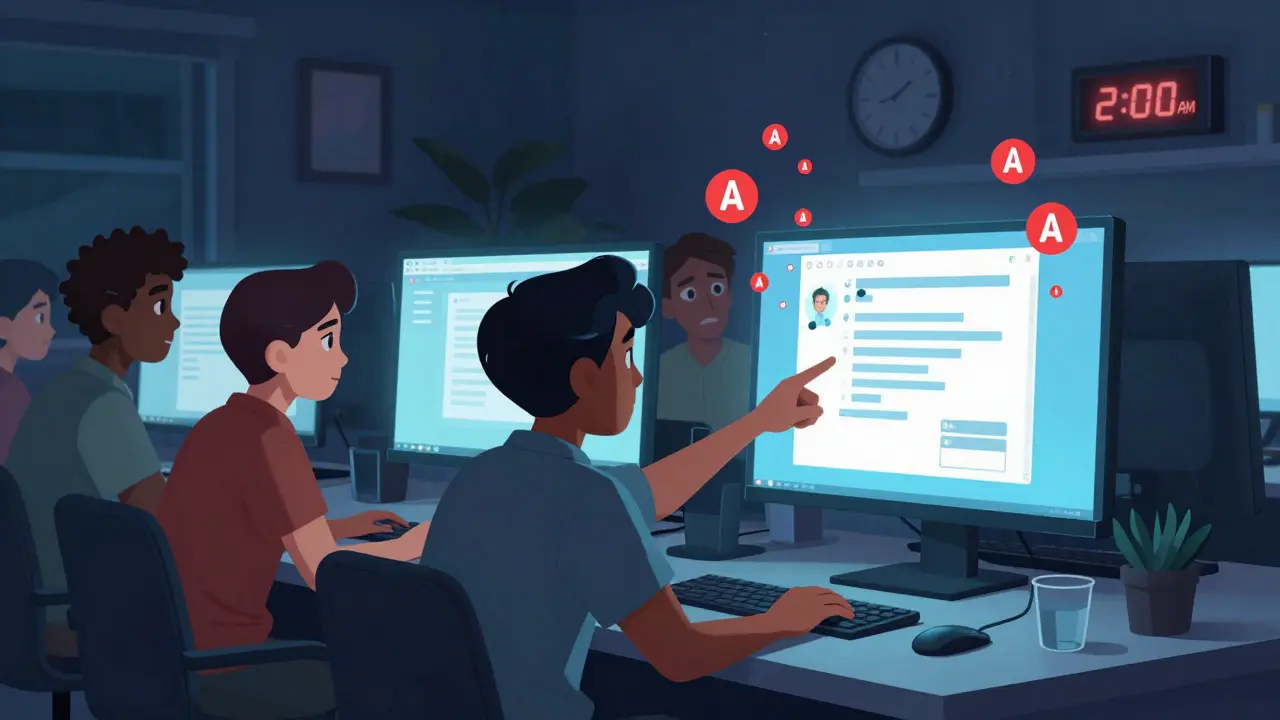
Imagine it is 2:00 AM on a Tuesday. Your online student support team receives an email from a learner in a different time zone. The message is short, disjointed, and hints at severe distress. In a physical classroom, you might see the signs-a withdrawn posture, missed assignments, or a sudden change in tone. In the digital realm, these signals are often buried under layers of asynchronous communication. Without clear crisis response protocols, your team could miss the window to help, leading to tragic outcomes and legal liability.
The shift to remote learning has not just changed where students study; it has fundamentally altered how we identify and respond to emergencies. Traditional campus security models do not translate directly to virtual environments. You need a structured, empathetic, and legally sound approach to handle crises that range from technical failures during high-stakes exams to immediate threats to student safety. This guide breaks down exactly how to build those protocols, ensuring your team is prepared for the unexpected.
Defining Crisis in a Digital Learning Environment
Before you can write a protocol, you must define what constitutes a crisis. In online education, the spectrum is broad. It includes academic integrity breaches that spiral into emotional breakdowns, technical outages that cause panic before final submissions, and, most critically, mental health emergencies.
A crisis is any event that disrupts the normal functioning of the learning environment and poses a risk to the well-being of students or staff. Unlike a standard customer service ticket, a crisis requires immediate escalation, cross-departmental coordination, and often, external intervention. For example, if a student mentions self-harm in a discussion forum, that is no longer just a moderation issue; it is a life-safety emergency. Your protocol must distinguish between urgent issues (like a broken link) and critical crises (like a threat of violence).
Building the Core Framework: The 4-Step Protocol
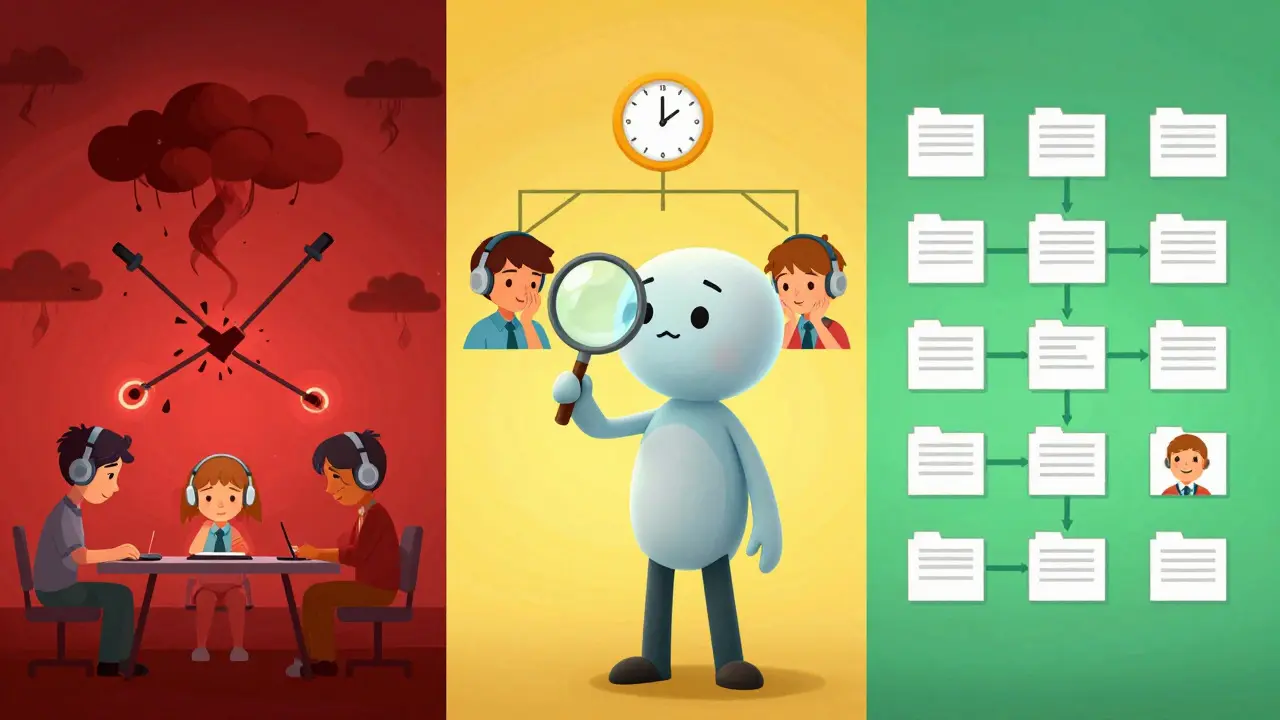
Effective crisis management relies on a predictable structure. When emotions run high, cognitive load increases, and decision-making suffers. A standardized framework reduces ambiguity. Here is a robust four-step model adapted for remote education:
- Detection & Triage: Identifying the signal amidst the noise.
- Stabilization: Securing the immediate situation and ensuring safety.
- Escalation & Coordination: Bringing in the right experts and authorities.
- Resolution & Follow-up: Closing the loop and supporting recovery.
This structure ensures that every team member knows their role. It prevents duplication of effort and ensures that no step is skipped in the heat of the moment.
Step 1: Detection and Triage
In a physical campus, detection is often visual. Online, it is behavioral and textual. Your support agents need training to spot red flags. These include sudden drops in engagement, aggressive language in chats, or vague messages about "giving up."
Triage involves categorizing the severity. Use a simple color-coded system:
- Red (Critical): Immediate threat to life or safety. Requires instant action.
- Yellow (Urgent): Significant disruption or moderate distress. Needs same-day resolution.
- Green (Standard): Routine issues handled by standard operating procedures.
Automated tools can help here. Many Learning Management Systems (LMS) like Canvas or Moodle offer analytics that flag unusual activity. However, human judgment remains irreplaceable. An AI might flag a keyword, but a human agent understands context.
Step 2: Stabilization
Once a Red-level crisis is identified, the goal is stabilization. If a student is in immediate danger, the first priority is connecting them with local emergency services. Since online teams are often distributed globally, knowing the student’s location is vital. Ensure your registration process collects accurate geographic data, compliant with privacy laws like GDPR or FERPA.
For non-life-threatening crises, such as a massive platform outage during an exam, stabilization means communicating clearly. Silence breeds anxiety. Send automated updates every 15 minutes, even if there is no new information. Acknowledge the stress students are feeling. Empathy is a stabilizing force.
Step 3: Escalation and Coordination
No single support agent should handle a major crisis alone. Establish a clear chain of command. Who gets notified first? Usually, this is the Student Affairs Director or a designated Crisis Manager. From there, the network expands to include IT security, legal counsel, and communications teams.
Create a dedicated communication channel for crisis events, separate from daily operational chats. Tools like Slack or Microsoft Teams allow for private, threaded conversations that keep sensitive information secure while enabling real-time collaboration. Document every decision made during this phase. This documentation is crucial for post-crisis analysis and potential legal defense.
Step 4: Resolution and Follow-up
Closing a crisis is not just about fixing the problem; it is about restoring trust. After a mental health incident, follow up with the student (if appropriate and safe) to check on their well-being. After a technical failure, provide transparent reports on what went wrong and how it will be prevented.
Conduct a "post-mortem" meeting within 48 hours of the incident. Review the timeline. Did the protocol work? Where were the bottlenecks? Use these insights to refine your processes. Continuous improvement is the hallmark of a resilient organization.
The Role of Technology in Crisis Management
Technology is both the source of many online crises and the solution. Leveraging the right tools can automate detection and streamline response.
| Tool Type | Function | Key Benefit | Limitation |
|---|---|---|---|
| LMS Analytics | Tracks login frequency and assignment submission times | Early warning for disengagement | Does not capture emotional state |
| Sentiment Analysis AI | Scans text for negative keywords or distress signals | Processes large volumes of data quickly | High false-positive rate without human review |
| Secure Messaging Platforms | End-to-end encrypted communication channels | Protects sensitive student data | Requires strict access controls |
| Incident Reporting Software | Centralized logging of all crisis events | Creates audit trails for compliance | Can be cumbersome to input manually |
Integrate these tools seamlessly. For instance, when the LMS detects a student hasn’t logged in for two weeks, automatically trigger a notification to their academic advisor. Do not rely on manual checks. Automation frees up your human agents to focus on empathy and complex problem-solving.
Legal and Ethical Considerations
Handling crises online involves navigating a complex web of legal requirements. Privacy is paramount. Under regulations like FERPA (Family Educational Rights and Privacy Act) in the US or GDPR (General Data Protection Regulation) in Europe, you must protect student data. However, these laws also contain "health or safety emergency" exceptions that allow disclosure without consent if necessary to protect the individual.
Train your team on these exceptions. They need to know when they can share information with parents, local police, or healthcare providers. Ambiguity here can lead to lawsuits or, worse, delayed help. Consult with legal counsel to draft specific guidelines for your institution’s jurisdiction.
Ethically, consider the power dynamic. Students may feel vulnerable sharing personal struggles online. Ensure your team uses trauma-informed care principles. This means approaching interactions with patience, transparency, and a focus on empowerment rather than control.
Training Your Team for Resilience
A protocol is only as good as the people executing it. Regular training is essential. Conduct quarterly simulations. Create realistic scenarios, such as a ransomware attack locking student records or a student posting threatening content on social media linked to the course.
Role-playing helps agents practice difficult conversations. How do you de-escalate an angry parent via email? How do you express concern without overstepping boundaries? Provide scripts and templates, but encourage adaptability.
Also, prioritize the mental health of your support staff. Listening to others’ crises is emotionally draining. Implement "compassion fatigue" checks. Offer access to counseling services and ensure reasonable caseloads. A burnt-out agent is less likely to detect subtle signs of distress in students.

Communication Strategies During a Crisis
Clear communication calms nerves. Develop a library of pre-approved templates for common crisis types. Customize them quickly rather than writing from scratch under pressure. Key elements of effective crisis communication include:
- Timeliness: Acknowledge receipt of the issue immediately.
- Clarity: Avoid jargon. Use plain language.
- Empathy: Validate feelings. "We understand this is stressful..."
- Action-Oriented: State clearly what steps are being taken next.
For widespread issues, use multiple channels. Email, SMS, and in-app notifications ensure the message reaches everyone. Update a central FAQ page frequently to answer recurring questions and reduce the volume of inbound tickets.
Post-Crisis Recovery and Institutional Trust
The aftermath of a crisis defines your institution’s reputation. Transparency builds trust. If a security breach occurred, admit it promptly, explain the impact, and outline remediation steps. Hiding mistakes erodes confidence faster than the mistake itself.
Share lessons learned broadly, anonymizing specific cases. This demonstrates a commitment to improvement. Engage with student feedback surveys post-crisis to gauge satisfaction with the response. Use this data to adjust your protocols. Remember, resilience is not about preventing every crisis-it is about responding effectively when they happen.
Future-Proofing Your Protocols
The landscape of online education evolves rapidly. New technologies bring new risks. Virtual reality classrooms, AI tutors, and blockchain credentials each introduce unique vulnerability points. Stay informed about emerging trends. Join industry groups focused on educational technology safety. Collaborate with peers to share best practices.
Regularly review and update your protocols. At least annually, conduct a comprehensive audit. Involve diverse stakeholders-IT, faculty, students, and legal teams-in this process. Diverse perspectives uncover blind spots. By staying proactive, you ensure your online student support infrastructure remains robust, compassionate, and ready for whatever comes next.
What is the first step in a crisis response protocol for online students?
The first step is detection and triage. Identify the severity of the situation using a standardized scale (e.g., Red/Yellow/Green). For critical issues, verify the student's location and ensure immediate safety by contacting local emergency services if necessary.
How do online support teams balance privacy laws with student safety?
Most privacy laws like FERPA and GDPR include "health or safety emergency" exceptions. These allow institutions to disclose personally identifiable information without consent if necessary to protect the health or safety of the student or others. Teams must be trained to recognize when these exceptions apply and document the justification thoroughly.
What tools can help detect student distress in an online environment?
Learning Management System (LMS) analytics can track engagement patterns, such as login frequency and assignment delays. Sentiment analysis AI can scan text for distress signals. However, these tools should supplement, not replace, human judgment and regular check-ins by advisors.
How often should crisis response protocols be reviewed?
Protocols should be reviewed at least annually. Additionally, a post-mortem analysis should be conducted after every significant crisis event to identify gaps and improve future responses. Regular simulations and training sessions also help keep the team prepared.
Who should be included in the crisis management team?
A multidisciplinary team is essential. This typically includes student affairs directors, IT security specialists, legal counsel, communications officers, and mental health professionals. Clear roles and a chain of command must be established beforehand to ensure efficient coordination during an emergency.
What is compassion fatigue, and why does it matter for support teams?
Compassion fatigue is the emotional and physical exhaustion resulting from prolonged exposure to helping distressed individuals. It matters because burnt-out agents are less likely to detect subtle signs of student distress. Institutions must provide resources like counseling and manageable caseloads to maintain team resilience.
How can institutions communicate effectively during a widespread technical crisis?
Use multiple channels (email, SMS, in-app notifications) to reach all students. Provide frequent, transparent updates, even if there is no new information. Use pre-approved templates to ensure consistency and empathy. Maintain a central FAQ page to address common concerns and reduce inbound ticket volume.
Is it legal to contact a student's parents in a crisis?
Legality depends on the student's age and local laws. For minors, parents are usually contacted. For adult students, FERPA generally prohibits sharing information without consent, unless a health or safety emergency exception applies. Always consult legal counsel and document the rationale for any disclosure.
Savara Gunn
August 14, 2026 AT 07:00It is so reassuring to see a guide that actually acknowledges the human element behind the screen. We spend so much time worrying about LMS analytics and keyword flags, but you are right, context is everything. I have seen too many automated systems flagging normal student frustration as a crisis, which just adds noise for the support team.
Anthony Miller
August 15, 2026 AT 17:45You are missing the point entirely because these protocols are useless without strict liability waivers. The moment a student hints at distress, the institution is on the hook. You need to prioritize legal shielding over empathy. Empathy does not stop lawsuits. It creates paper trails of negligence if not documented with forensic precision. Stop pretending this is about helping people when it is really about risk management.
Jacob Baby Official
August 16, 2026 AT 09:08The entire premise of online support is flawed because you cannot read body language. How do you expect agents to triage a crisis when they are staring at text on a screen? It is a game of guesswork disguised as protocol. And let us be honest, most of these 'crises' are just students being dramatic or trying to get an extension on an assignment. The system is rigged to fail from the start.
john randall
August 17, 2026 AT 00:39I think the color-coded triage system is a solid idea. It helps clarify what needs immediate attention versus what can wait. Just something to keep in mind while reading through the rest of the guide.
Jeff Falcon
August 18, 2026 AT 03:49This is absolutely fantastic!! I love how you broke down the four steps!! It makes such a huge difference when you have a clear framework!! Especially the part about stabilization!! Silence is so terrifying during a crisis!! And who else thinks that compassion fatigue is such an underrated issue?? We need to take care of our own first!!!
Alyson Karson
August 18, 2026 AT 14:03so true about the tech outages causing panic. i remember one time the server crashed right before finals and everyone lost their minds. we needed better comms then. also the part about not relying on AI alone is key. ai misses nuance every time. good stuff here tho!
Chris Neal
August 20, 2026 AT 09:48Actually, the table comparing tools is slightly outdated. Modern sentiment analysis engines use transformer models which have significantly reduced false positives compared to the keyword scanners mentioned here. Also, GDPR exceptions are more nuanced than just 'health or safety'. You need to consider the legitimate interest basis as well. But overall, a decent overview for beginners.
Vishnu Vardhan Reddy M S
August 22, 2026 AT 04:40Oh sure, let us just trust the big tech companies with our student data. Because clearly, they have never had a breach. The idea that an AI can detect 'distress' is hilarious. It detects keywords, nothing more. Meanwhile, the real crisis is the surveillance state creeping into education. Wake up people.
Kyle Ware
August 22, 2026 AT 16:40The section on post-mortem meetings is crucial. Too many institutions fix the immediate problem and move on. Documenting the timeline and bottlenecks is where the real learning happens. It turns a scary event into a process improvement opportunity.
Iva Grekova
August 24, 2026 AT 15:52I really appreciate the emphasis on trauma-informed care. It is easy to forget that students are often vulnerable when reaching out. Keeping the tone empathetic rather than controlling makes all the difference in building trust. Great read!
michelle veluz
August 25, 2026 AT 02:24This is absolute garbage!!! Who wrote this??? They have no idea what real life is like!!! The government is using these protocols to track us!!! Every email is monitored!!! Every click is recorded!!! You are all sheep following the herd!!! The elite want to control your mind through screens!!! Wake up before it is too late!!! They are watching you right now!!!