Data Governance for Course Teams: Roles, Policies, and Access
 Nov, 24 2026
You’ve probably been there. A teaching assistant exports the entire gradebook to a personal spreadsheet because they needed to check one student’s attendance record. Three weeks later, that file is floating around in a shared cloud drive, unencrypted, with no idea who has seen it or if it’s even accurate anymore. Sound familiar? This isn’t just an IT headache; it’s a compliance nightmare waiting to happen.
When we talk about Data Governance the management of the availability, usability, integrity, and security of data used in an organization, most people think of massive corporations or hospital networks. But in higher education and online learning, course teams are the frontline defenders of sensitive student information. Without clear rules on who can see what, your Course Analytics become liabilities rather than assets.
| Component | Primary Goal | Common Pitfall |
|---|---|---|
| Roles & Responsibilities | Define who owns the data vs. who uses it | Assuming everyone knows their permissions |
| Policies | Standardize how data is collected and stored | Inconsistent handling across different instructors |
| Access Control | Limit visibility to only those who need it | Over-permissioning TAs "just in case" |
Why Your Course Team Needs a Governance Plan Now
Let’s cut through the jargon. You don’t need a governance plan because a consultant told you to. You need it because regulations like FERPA (Family Educational Rights and Privacy Act) in the US or GDPR in Europe have teeth. If a student sues because their confidential counseling notes leaked via a poorly managed Learning Management System (LMS) export, "we didn't really have a policy" isn't a defense.
Beyond legal risk, bad data hygiene kills trust. Imagine telling a faculty member that their retention dashboard shows a 40% drop in engagement, but it turns out the data was pulled from a test account left active by mistake. Once that credibility is gone, getting buy-in for future educational initiatives becomes an uphill battle. Good governance ensures that when your team looks at Student Performance Metrics, they’re looking at truth, not noise.
Defining Roles: Who Does What?
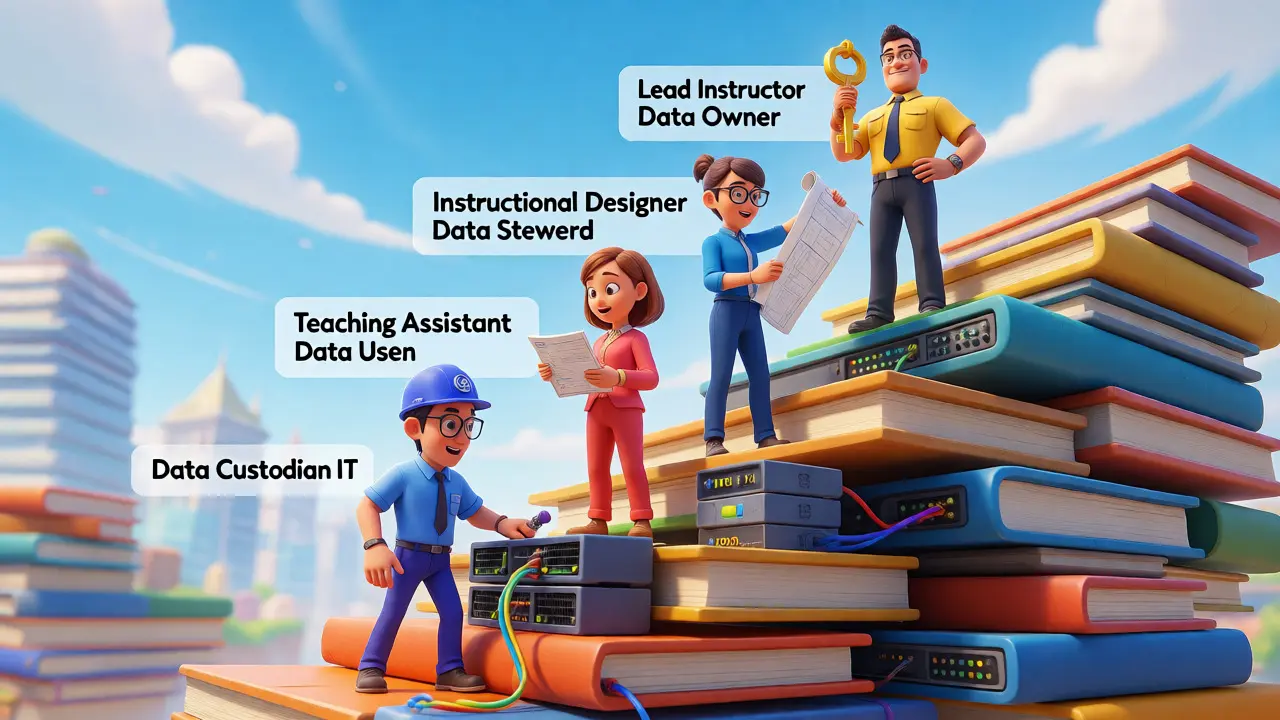
The biggest mistake course teams make is treating everyone as equal stakeholders. In reality, data roles must be distinct. Think of it like a kitchen brigade system. The head chef doesn’t wash dishes, and the dishwasher doesn’t sign off on the menu. Similarly, your data ecosystem needs clear separation of duties.
- Data Owners: Usually the Lead Instructor or Program Director. They decide what data is collected and why. They own the accuracy.
- Data Stewards: Often Instructional Designers or LMS Administrators. They ensure the data follows standards. If the Owner says "track engagement," the Steward defines what "engagement" actually means in the code.
- Data Users: Teaching Assistants, Tutors, and Faculty. They consume reports to do their jobs. They shouldn’t alter raw data sources.
- Data Custodians: IT Support or Platform Engineers. They manage the infrastructure where data lives, ensuring backups and security patches are applied.
When these lines blur, chaos ensues. I once saw a scenario where three different TAs changed grading scales in the same week because none of them realized the others were doing it. No one was "wrong," but the lack of a defined Owner meant no one had the authority to stop the drift.
Crafting Policies That Actually Work
Policies often fail because they’re written for lawyers, not educators. A five-page PDF titled "Data Handling Procedures" will gather dust. Instead, focus on actionable, specific rules that fit into daily workflows.
Start with Data Minimization. Do you really need to store every single clickstream event for two years? Probably not. Define retention periods. For example, keep detailed interaction logs for one semester, then aggregate them into summary statistics for long-term trend analysis. This reduces storage costs and limits exposure during a breach.
Next, tackle Consent and Transparency. Students should know what data is being tracked. It’s not just ethical; it’s practical. When students understand that tracking helps personalize their learning path, they’re less likely to opt out or feel surveilled. Make this part of your syllabus or course welcome message.
Finally, establish a Change Management Protocol. If you update your analytics tool or change how grades are calculated, who gets notified? How fast? A simple rule like "All major data schema changes require 30 days notice to all Data Users" prevents surprise disruptions during exam weeks.
Mastering Access Control
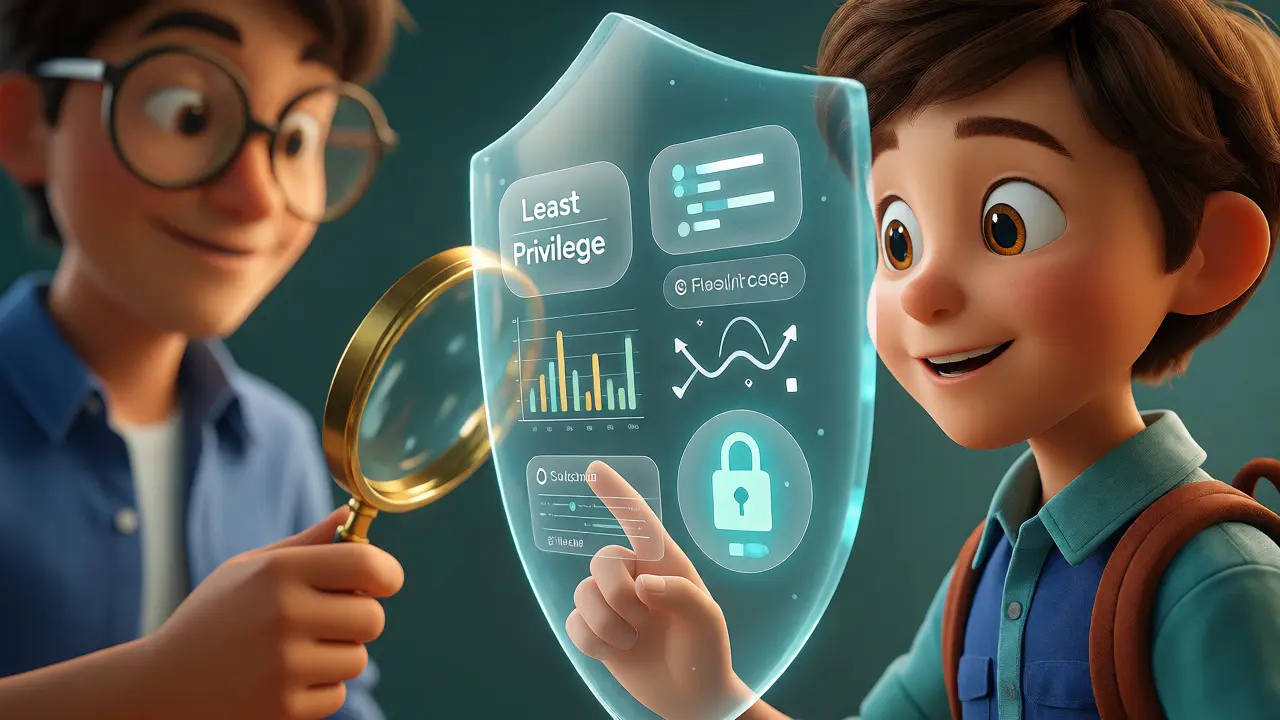
Access control is where theory meets practice. Most institutions use Role-Based Access Control (RBAC), but many implement it poorly. Here’s the golden rule: Least Privilege. Give users the minimum level of access necessary to perform their job functions-no more.
Consider a Teaching Assistant helping with a large lecture hall. Do they need to see every student’s demographic background? Maybe not. Do they need to see grades? Yes. Do they need to edit final grades? Probably not; that’s usually reserved for the Instructor of Record. By restricting write-access to grades, you prevent accidental overwrites while still allowing TAs to flag issues.
Another common trap is sharing credentials. Never share logins. It sounds obvious, but in high-stress periods, instructors might ask a colleague to "just check something." If you share a login, you lose the audit trail. Who made that change? You won’t know. Use individual accounts with granular permissions instead.
Practical Steps for Implementation
You don’t need to overhaul everything overnight. Start small. Pick one course or one department to pilot your new governance framework. Here’s a quick checklist to get moving:
- Audit Current Access: List everyone who currently has admin rights. You’ll likely find former staff or inactive accounts. Remove them immediately.
- Map Data Flows: Draw a simple diagram showing where student data enters the system, where it’s processed, and where it exits (e.g., to a degree audit system).
- Define Key Terms: Ensure everyone agrees on what constitutes "PII" (Personally Identifiable Information). Is a student ID number PII? Yes. Is a pseudonymized user hash PII? Depends on context. Clarify this.
- Train Your Team: Hold a 30-minute workshop. Focus on scenarios, not slides. Ask: "What would you do if a parent emailed asking for their adult child’s grades?" Discuss the answer based on your new policies.
- Review Quarterly: Set a calendar reminder. Every three months, review access lists and policy effectiveness. Education tech changes fast; your governance must keep up.
The Impact on Course Analytics
When governance is solid, your analytics improve dramatically. Why? Because clean data leads to reliable insights. If you know exactly who accessed what and when, you can correlate administrative actions with student outcomes. Did early intervention by a tutor lead to better exam scores? You can prove it if your data lineage is clear.
Moreover, good governance fosters collaboration. When faculty trust that their data is secure and accurately represented, they’re more willing to share best practices. They’ll engage more deeply with dashboards because they believe the numbers reflect reality. This cultural shift is arguably more valuable than any software upgrade.
Remember, data governance isn’t about policing behavior; it’s about enabling confidence. It allows your course teams to focus on teaching and supporting students, knowing that the underlying data infrastructure is robust, secure, and fair.
What is the difference between data privacy and data governance?
Data privacy focuses on protecting individuals' rights and controlling how personal information is collected and used. Data governance is broader; it encompasses the overall management of data quality, availability, integrity, and security within an organization. While privacy is a critical component of governance, governance also includes non-personal data, such as institutional performance metrics and operational logs.
Who should be responsible for data governance in a university course team?
Responsibility is typically shared. The Lead Instructor or Program Director acts as the Data Owner, setting strategic goals. Instructional Designers or LMS Administrators often serve as Data Stewards, managing day-to-day quality and standards. IT departments act as Custodians, handling technical infrastructure. Clear role definitions are essential to avoid gaps or overlaps.
How does data governance affect FERPA compliance?
FERPA requires that educational records be kept confidential and accessible only to authorized parties. Effective data governance ensures this by implementing strict access controls, maintaining audit logs of who viewed or modified records, and defining clear policies for data sharing with third-party vendors or internal departments. Without governance, proving compliance during an audit becomes nearly impossible.
Can small course teams afford formal data governance?
Yes, absolutely. Formal governance doesn't mean expensive software or full-time staff. It starts with documenting existing practices, assigning clear roles, and establishing simple rules for data handling. Many tools offer built-in permission settings that can be configured without additional cost. The key is intentionality, not budget size.
What are common signs that a course team lacks proper data governance?
Red flags include frequent discrepancies in reporting data, confusion over who has access to student records, reliance on personal spreadsheets for official records, slow response times to data requests due to unclear ownership, and inconsistent data entry formats across different instructors. These symptoms indicate a need for structured governance.