How to Build Effective Study Groups for Online Courses: A Collaborative Learning Guide
 May, 19 2026
Imagine logging into your online course, seeing a mountain of readings, and feeling that familiar pang of isolation. You’re not alone. Millions of learners struggle with the same disconnect every day. But what if you could turn that solitary grind into a dynamic team effort? That’s where collaborative learning comes in. It isn’t just about sharing notes; it’s about building a network that keeps you accountable, clarifies complex topics, and makes the journey actually enjoyable.
Research consistently shows that students who engage in peer-to-peer interaction retain information better than those who study in silence. In fact, studies from major educational institutions suggest that active participation in group settings can boost retention rates by up to 50%. The key is structure. Without it, a study group becomes a chat room. With it, it becomes a powerful engine for academic success.
The Science Behind Why Group Work Actually Works
You might wonder why talking things out with friends helps more than just reading the textbook yourself. It comes down to cognitive science. When you explain a concept to someone else, you force your brain to organize that information logically. This process, known as the Protégé Effect, means that teaching others solidifies your own understanding.
Additionally, diverse perspectives fill in the gaps. One person might miss a nuance in a coding tutorial, while another spots it immediately. By pooling your knowledge, you create a safety net against misunderstanding. This is especially crucial in asynchronous learning environments where you don’t have immediate access to an instructor.
- Active Recall: Discussing topics forces you to retrieve information from memory, strengthening neural pathways.
- Social Accountability: Knowing others are waiting for you reduces procrastination.
- Emotional Support: Sharing frustrations lowers stress levels and prevents burnout.
Setting Up Your Virtual Study Group
Starting a group sounds easy until you realize nobody wants to lead. If you want results, you need to take charge. Don’t wait for a perfect time or a perfect group. Start small. Aim for three to five people. Any larger, and coordination becomes a nightmare. Any smaller, and you lose the benefit of diverse viewpoints.
First, identify your platform. Most online courses already have discussion forums, but these are often passive. Move the conversation to a dedicated space like Slack, Discord, or even a simple WhatsApp group. These tools allow for real-time communication, which is vital for keeping momentum.
Next, set clear expectations. Are you meeting weekly? Daily? What is the goal? Is it to debug code together, summarize chapters, or prepare for exams? Write these rules down. Ambiguity kills productivity. For example, agree on a "no ghosting" policy where everyone commits to showing up or sending a message if they can’t make it.
| Platform | Best For | Pros | Cons |
|---|---|---|---|
| Discord | Tech & Coding | Voice channels, screen sharing, organized servers | Can be distracting with gaming features |
| Slack | Professional Development | Clean interface, thread organization, integrations | Free version limits message history |
| Quick Check-ins | Universal access, low barrier to entry | No file sharing limits, poor search function | |
| Zoom | Deep Dive Sessions | Face-to-face connection, whiteboard tools | Requires scheduling, higher commitment |
Structuring Effective Meetings
A study group without a agenda is just a social hour. To get value, you need structure. Start each session with a specific objective. Maybe today’s goal is to tackle Chapter 4’s most difficult problems. Spend the first five minutes reviewing individual progress. Then, move into the core activity.
Try the "Think-Pair-Share" method adapted for video calls. Everyone thinks silently for two minutes, pairs up in breakout rooms (or direct messages) for five minutes to discuss, and then shares insights with the whole group. This ensures everyone contributes, not just the loudest voice.
Another powerful technique is the Pomodoro Technique. Set a timer for 25 minutes of focused work, followed by a five-minute break. Do this synchronously. Seeing your peers work creates a subtle competitive pressure that boosts focus. After four cycles, take a longer break. This rhythm prevents mental fatigue during long sessions.
Overcoming Common Pitfalls
Even the best-planned groups hit roadblocks. The most common issue is the "free rider"-the member who never prepares but benefits from everyone else’s work. Address this early. If someone consistently doesn’t contribute, have a private conversation. If it continues, it’s okay to remove them. Protect the group’s integrity.
Another pitfall is scope creep. You start discussing Python syntax and end up debating politics for an hour. Keep a moderator role. Rotate this responsibility so everyone feels ownership. The moderator’s job is to gently steer conversations back on track when they drift.
Time zone differences can also kill momentum. If your group is global, use asynchronous tools like Notion or Google Docs. Create shared documents where members can add their thoughts at any time. Use comments and @mentions to keep the dialogue flowing without needing simultaneous presence.

Leveraging Technology for Collaboration
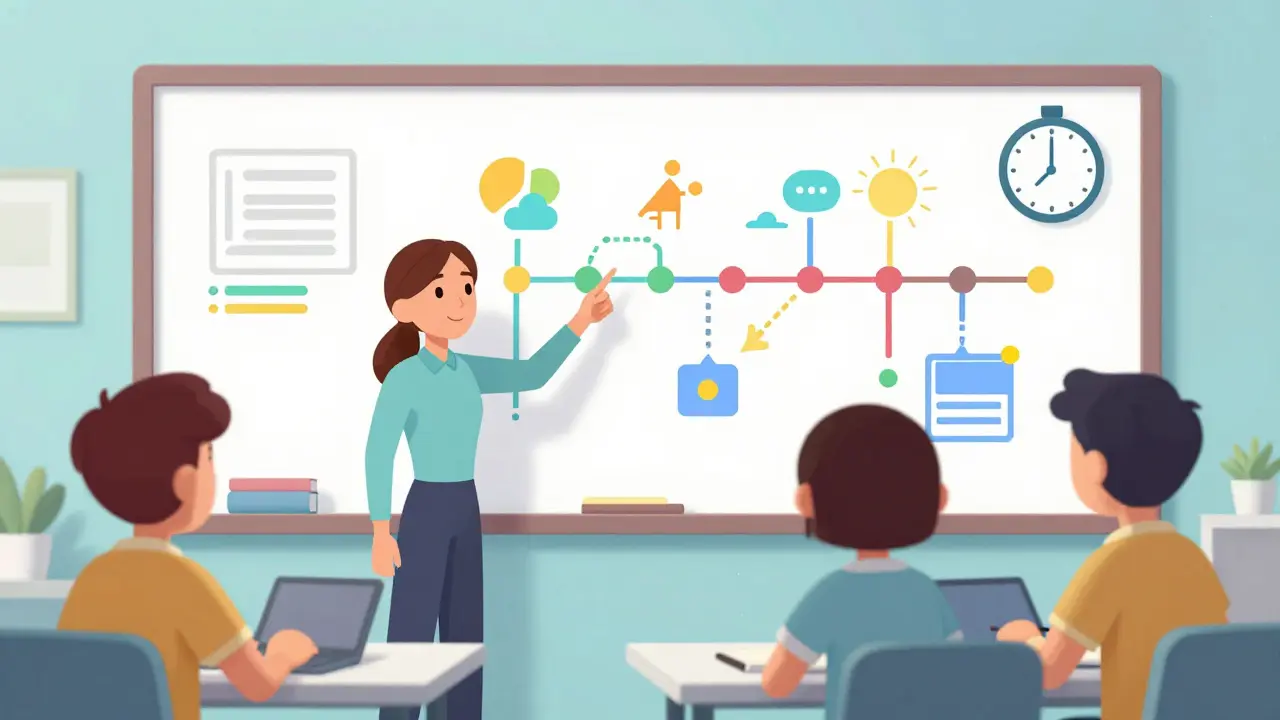
Technology isn’t just for chatting; it’s for creating. Use collaborative whiteboards like Miro or Mural to map out concepts visually. Visualizing data structures or historical timelines together helps everyone see the big picture.
For coding courses, use pair programming tools. Platforms like Replit allow multiple users to edit code simultaneously. This mimics real-world development environments and builds practical skills alongside theoretical knowledge. Share your screen regularly. Seeing how someone else approaches a problem reveals new strategies you wouldn’t find in a textbook.
Don’t forget to document your discussions. Create a shared knowledge base. Summarize key takeaways after each session. This resource becomes invaluable during exam prep. Instead of re-explaining basics, you can reference past notes and dive deeper into advanced topics.
Maintaining Motivation Long-Term
Initial enthusiasm fades. Keeping the group alive requires intentional effort. Celebrate small wins. Did you all pass a difficult quiz? Acknowledge it. Send a congratulatory message. Positive reinforcement builds community spirit.
Rotate leadership roles. Let different members choose the topic or format for each week. This keeps things fresh and gives everyone a chance to shine. Maybe one person loves debates, while another prefers quiet review. Mixing formats maintains interest.
Finally, remember that flexibility is key. Life happens. Be empathetic. If someone is struggling, offer support rather than judgment. A supportive environment fosters loyalty. Members stay because they feel valued, not just because they need help passing a class.
How many people should be in an online study group?
Ideally, keep your group between three and five members. This size is large enough to provide diverse perspectives but small enough to ensure everyone participates actively. Larger groups often suffer from coordination issues and free-riders.
What is the best tool for organizing study groups?
It depends on your needs. Discord is excellent for tech-focused groups due to its voice channels and server organization. Slack works well for professional development courses. For simple check-ins, WhatsApp is universally accessible. Use Zoom for deep-dive sessions requiring face-to-face interaction.
How do I handle members who don't contribute?
Address the issue privately and early. Explain the group's expectations and ask if there are barriers preventing their contribution. If the behavior persists despite feedback, consider removing them to protect the group's productivity and morale.
Can study groups help with technical subjects like coding?
Absolutely. Pair programming and collaborative debugging are highly effective. Tools like Replit allow real-time code editing. Explaining logic to peers helps clarify complex algorithms and exposes you to different problem-solving approaches.
How often should we meet?
Weekly meetings are a good standard for most courses. However, adjust based on workload. During exam periods, increase frequency to twice a week. Ensure consistency by setting a recurring calendar invite and sticking to it.
Victoria Kingsbury
May 21, 2026 AT 02:18The pedagogical efficacy of peer-to-peer instruction is well-documented in educational literature, specifically regarding the protégé effect mentioned here. When an individual articulates complex concepts to a layperson or peer, they engage in deeper cognitive processing than passive review allows. This active recall mechanism strengthens neural pathways significantly more than rote memorization techniques. Furthermore, the social accountability aspect cannot be overstated; knowing that others rely on your preparation creates a powerful extrinsic motivator that complements intrinsic drive. However, one must ensure that the group dynamics do not devolve into mere socialization rather than academic collaboration. Structured agendas, as suggested by the Think-Pair-Share methodology, are essential for maintaining focus and ensuring equitable participation from all members.
Tonya Trottman
May 22, 2026 AT 02:04Oh look, another article telling us what we already know because apparently reading textbooks isn't enough anymore. The 'protégé effect' is hardly a groundbreaking discovery for anyone who has ever taught a class or helped a friend with homework. And don't get me started on the idea that 'social accountability' fixes procrastination. If someone wants to slack off, they'll find a way regardless of how many friends are waiting for them. Most study groups just become echo chambers where everyone reinforces each other's misunderstandings. It's better to just read the material yourself and avoid the drama of coordinating schedules with people who have zero commitment.
Rocky Wyatt
May 22, 2026 AT 11:35You're missing the point entirely. It's not about fixing procrastination, it's about creating a supportive environment where learning becomes less isolating. People need connection to thrive academically, especially in online courses where you feel like a ghost. Without that human element, burnout is inevitable. You sound like someone who's never struggled to stay motivated on their own. Maybe try joining a group before dismissing the entire concept based on your cynical worldview. Collaboration builds empathy and understanding, which are crucial skills beyond just passing exams.
Santhosh Santhosh
May 24, 2026 AT 00:59I have found that the most challenging aspect of establishing effective study groups is not necessarily the logistical coordination of meetings or the selection of appropriate technological platforms, but rather the subtle psychological barriers that individuals bring to the table, such as fear of judgment or reluctance to admit confusion, which can stifle open dialogue and prevent the kind of deep, meaningful exchange of ideas that truly enhances comprehension and retention of complex subject matter over time. It requires a great deal of patience and emotional intelligence to create a space where everyone feels safe enough to say 'I don't understand this' without feeling foolish, and once that trust is established, the benefits are profound and lasting for all participants involved in the collaborative learning process.
Veera Mavalwala
May 25, 2026 AT 04:00Absolutely! The mental gymnastics required to explain something you barely understand yourself is exhausting but incredibly rewarding. I love how discussing topics forces you to retrieve information from memory, strengthening those neural pathways like little bridges in your brain. It’s fascinating how diverse perspectives fill in the gaps too-one person might miss a nuance in a coding tutorial while another spots it immediately. By pooling our knowledge, we create a safety net against misunderstanding, which is especially crucial in asynchronous learning environments where you don’t have immediate access to an instructor. Plus, sharing frustrations lowers stress levels and prevents burnout, making the journey actually enjoyable instead of a solitary grind.
Ray Htoo
May 26, 2026 AT 16:15I really like the idea of using Miro or Mural for visualizing data structures. Seeing how someone else approaches a problem reveals new strategies you wouldn’t find in a textbook. Pair programming tools like Replit are also great for mimicking real-world development environments. It builds practical skills alongside theoretical knowledge. Documentation is key though-create a shared knowledge base so you don’t have to re-explain basics later. Summarize key takeaways after each session to dive deeper into advanced topics during exam prep. Celebrate small wins too! Did you all pass a difficult quiz? Acknowledge it. Positive reinforcement builds community spirit.
Natasha Madison
May 28, 2026 AT 13:07This whole trend of forced collaboration is suspicious. Who controls these platforms? Are they harvesting our data under the guise of 'educational tools'? Discord and Slack are owned by corporations that profit from our attention and interactions. We should be wary of integrating these services into our personal lives. Independent study is safer and more private. Don't let them dictate how you learn. Keep your circle small and offline if possible. Trust no one.
Sheila Alston
May 29, 2026 AT 07:38It is morally imperative that we foster environments where every voice is heard and valued. Excluding free riders might seem efficient, but it lacks compassion. Perhaps they are struggling with unseen challenges. We should offer support rather than judgment. A supportive environment fosters loyalty. Members stay because they feel valued, not just because they need help passing a class. Empathy is key. Life happens. Be flexible and understanding towards others' circumstances.
sampa Karjee
May 30, 2026 AT 04:32Your sentimentality is naive. In academia, meritocracy prevails. Free riders undermine the integrity of the group. If someone consistently fails to contribute, removing them is not cruel-it is necessary for maintaining high standards. Compassion does not equate to lowering expectations. True respect comes from holding peers accountable to excellence. Do not confuse kindness with weakness. Protect the group's productivity and morale above all else.
Patrick Sieber
May 31, 2026 AT 15:43I think there's a balance between being compassionate and maintaining standards. Addressing the issue privately early on gives the person a chance to improve or explain any barriers. If the behavior persists despite feedback, then yes, it's okay to remove them. But starting with empathy ensures we're not jumping to conclusions. Communication is key. Rotate leadership roles so everyone feels ownership. This keeps things fresh and gives everyone a chance to shine. Mixing formats maintains interest too.
Kieran Danagher
June 2, 2026 AT 05:03Sure, rotate leadership roles if you want, but let's be honest-most people will just pick the easiest topic. Also, WhatsApp is terrible for anything serious. No search function means you lose context instantly. Use Slack or Discord. They have threads. Threads are important. Don't ignore technology best practices just to feel 'connected'. Efficiency matters more than feelings in a study group.
OONAGH Ffrench
June 2, 2026 AT 07:36the essence of collaborative learning lies not merely in the aggregation of individual efforts but in the synthesis of diverse perspectives into a cohesive whole. when we engage in peer-to-peer interaction we transcend the limitations of solitary study. the protégé effect demonstrates that teaching solidifies understanding. yet structure is paramount. without clear objectives and expectations a study group risks becoming disorganized. consider the pomodoro technique for focused work cycles. celebrate small wins to maintain motivation. flexibility and empathy are crucial for long-term success. remember that life happens and support fosters loyalty.