Iterative Design for Courses: How to Test, Get Feedback, and Improve Your Learning Content
 Apr, 28 2026
Key Takeaways for Course Creators
- Stop building "final" versions; start building Minimum Viable Products (MVPs).
- Feedback isn't just a survey; it's observing where students get stuck in real-time.
- The cycle of Test → Analyze → Refine is the only way to ensure learning outcomes are actually met.
- Small, frequent updates are less risky than one massive overhaul.
Breaking the Cycle of "One and Done" Design
Traditional instructional design often follows a linear path: you analyze the needs, design the curriculum, develop the content, and then implement it. This is often called the ADDIE model. While it's a classic, it has a huge flaw: the "Implementation" phase comes at the very end. If you find a gap in your logic during the final stage, you've already spent your entire budget and timeline on a flawed foundation.
Switching to an iterative approach means you treat your course as a living document. Instead of a straight line, think of your workflow as a loop. You create a small piece of the course, put it in front of a few real learners, see where they trip up, and then rewrite the content. This shift reduces the risk of failure because you're catching mistakes in a "beta" phase rather than during a high-stakes public launch.
Building Your First Prototype (The MVP Approach)
You don't need a fully polished Learning Management System is a software application for the administration, documentation, tracking, reporting, and delivery of educational courses (LMS) to start testing. In fact, spending too much time on high-production videos early on is a mistake. If the core concept of a lesson is confusing, a 4K cinematic video won't fix it; it just makes the mistake more expensive to edit.
Start with a Minimum Viable Product (MVP). This could be a simple Google Doc, a set of slides, or a live Zoom workshop. Your goal is to test the logic and the flow. For example, if you're teaching a complex topic like "Advanced Data Analysis in Excel," don't record ten hours of video. Instead, create one exercise, give it to three people, and watch them try to solve it. If they can't find the right menu option, you know your instructions are vague. You've just saved yourself hours of re-recording.

The Art of Effective Testing and Feedback
Not all feedback is created equal. If you ask a student, "Did you like this lesson?" they'll usually say "Yes" to be polite. This is useless data. To actually improve a course, you need to move from subjective opinions to objective behaviors. You want to see where the Cognitive Load is the total amount of mental effort being used in the working memory becomes too high for the learner to handle.
Use these three specific methods to gather real insights:
- The Think-Aloud Protocol: Ask a learner to complete a task while speaking every thought that comes to their mind. When they say, "I'm confused why this button is here," you've found a friction point.
- Error Pattern Analysis: If 40% of your beta testers fail the same quiz question, the problem isn't the students; it's the way the material was presented.
- Time-on-Page Tracking: In a digital course, if students spend twenty minutes on a page that should take two, they aren't "deeply engaging"-they're likely stuck or confused.
| Feature | Linear (ADDIE) | Iterative Design |
|---|---|---|
| Feedback Loop | At the end of the project | Continuous throughout development |
| Risk Level | High (Failure found at launch) | Low (Failure found in prototype) |
| Content Format | High-production from start | Low-fidelity prototypes first |
| Speed to Market | Slower (Long dev cycle) | Faster (Incremental releases) |
Analyzing Data and Making the Pivot
Once you have your feedback, you'll face a mountain of data. The temptation is to try and please everyone, but that leads to "feature creep," where your course becomes a bloated mess. Instead, focus on the critical path. The critical path is the minimum set of steps a student must master to achieve the desired outcome.
If a student suggests adding a bonus chapter on a tangent topic, but they're still struggling with the core concept of the first module, ignore the suggestion for now. Your priority is to remove the roadblocks. Use a simple decision matrix: Does this change help the student reach the goal faster? If yes, implement it. If it's just a "nice to have," put it in the backlog for version 2.0.
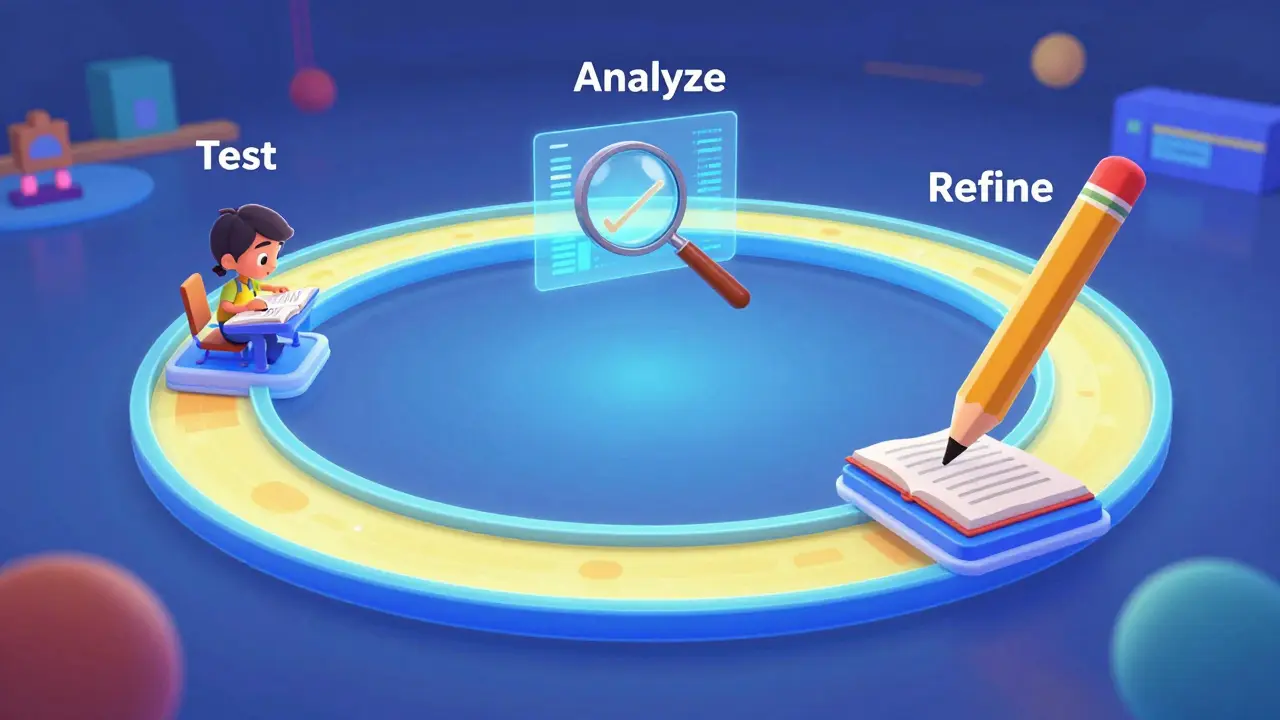
Closing the Loop: The Course Improvement Cycle
The iterative process never truly ends, even after the official launch. The most successful courses use a process called Rapid Prototyping is an iterative approach to product development that emphasizes the quick creation of a prototype to test a concept. After your first cohort finishes, you analyze the graduation rate and the assessment scores. This is where you move from "beta testing" to "continuous improvement."
Consider a real-world example: a professional certification course on Project Management is the application of processes, methods, skills, knowledge, and experience to achieve specific project objectives. After the first run, the instructor notices that everyone fails the section on "Risk Mitigation." By looking at the feedback, they realize the examples used were too theoretical. The fix? Replace the generic slides with a real-world case study of a failed bridge project. The next cohort's pass rate jumps by 20%. That is instructional design in action.
Common Pitfalls to Avoid
One major trap is the "Sunk Cost Fallacy." This happens when you've spent forty hours editing a video and you refuse to delete it, even though the feedback says it's confusing. Remember: the goal is for the student to learn, not for you to protect your hard work. Be ruthless with your content. If a section isn't serving the learner, cut it or rewrite it, regardless of how much effort went into it.
Another mistake is testing with the wrong people. Testing your course with your colleagues or friends is a waste of time. They know you, they want you to succeed, and they likely already know too much about the subject. You need "naive users"-people who represent your actual target audience and aren't afraid to tell you that your instructions make no sense.
How many iterations are typically needed before a course is "finished"?
A course is never truly finished, but most a-grade courses go through at least three major cycles: a low-fidelity alpha (testing logic with a few people), a beta (testing the full flow with a small group), and a post-launch refinement (based on data from the first full cohort). After these three, you usually hit a point of diminishing returns where further changes don't significantly improve learning outcomes.
What if I don't have a group of people to test my prototype?
You can use "expert review" or "peer walkthroughs." Find someone who knows the subject matter and have them critique the logic. Alternatively, use a small incentive (like a gift card or free access) to recruit a few people from a community forum or LinkedIn who fit your target learner profile. Even two users can uncover 80% of your most glaring usability issues.
How do I balance iterative changes without confusing existing students?
Use a versioning system. If you make a major change, keep the old version as a "legacy" track for current students while directing new students to the updated version. For smaller tweaks-like fixing a typo or clarifying a sentence-update the content in real-time. Most students appreciate a course that improves while they are taking it, provided the core structure remains stable.
Should I use surveys for feedback in the iterative process?
Surveys are a good secondary tool, but they shouldn't be your primary source of truth. People often misremember their experience or provide the answers they think you want. Pair surveys with behavioral data, such as quiz scores, completion rates, and time-on-page metrics. If a student says the course was "easy" in a survey but took four tries to pass the quiz, the data tells you the course is actually too difficult.
How does iterative design differ from agile development?
They are very similar. Agile is a broader software development methodology that uses iterative cycles (sprints). Iterative design in instructional design applies those same principles-small batches, frequent testing, and constant pivoting-specifically to the way people acquire knowledge and skills.
Next Steps for Your Course Improvement
If you have a course currently in development, start by auditing your current progress. Do you have a full set of high-production assets, or do you have a flexible framework? If you're too far along, it's not too late to pivot. Pick one module-the one you're most unsure about-and run a "think-aloud" test with one person this week. You'll likely find a mistake that would have taken you months to notice otherwise.
For those who have already launched, look at your analytics. Find the point where the most students drop off. That's your bottleneck. Don't try to fix the whole course; just fix that one point of friction, test it with a small group, and roll it out. This incremental approach keeps the course quality climbing without burning out the creator.
Wilda Mcgee
April 28, 2026 AT 09:44This is such a goldmine of a strategy! I've always found that treating a course like a living, breathing organism rather than a static textbook makes the whole learning journey feel way more vibrant and organic for the students.
Buddy Faith
April 29, 2026 AT 12:36mvp is just a corporate buzzword to justify shipping half baked garbage lol. probably some data harvesting scheme to see how much we can tolerate before we quit
Priyank Panchal
April 30, 2026 AT 08:21Stop wasting time with "beta testers" and just produce high-quality content from the start. If you are an expert, you should know what your students need without needing a focus group to hold your hand!
Ian Maggs
May 1, 2026 AT 18:35The notion of the "critical path" is deeply fascinating... does it not imply that we are reducing the human intellectual experience to a mere series of checkboxes... a conveyor belt of cognition???
Flannery Smail
May 3, 2026 AT 18:33Actually, high-production value is exactly what keeps people engaged in the first place. Nobody wants to stare at a Google Doc for ten hours, regardless of how "iterative" the logic is.
Chuck Doland
May 3, 2026 AT 20:24One must consider that the Sunk Cost Fallacy is not merely a psychological trap, but a reflection of our innate desire to find value in our labors. However, the intellectual honesty required to excise useless content is the hallmark of a true educator.
Karl Fisher
May 5, 2026 AT 07:07Oh, I absolutely adore the idea of a "think-aloud" protocol. It’s just so delightfully intimate to watch a student struggle in real-time, isn't it? It really puts one's own superior design skills into perspective while being ever so helpful!
Glenn Celaya
May 7, 2026 AT 00:44honestly most people making courses dont even have the brain power for this. they just copy paste and hope for the best lol. it's tragice rly
Michael Gradwell
May 8, 2026 AT 01:25stop asking for feedback and just lead the way. the students dont know what they want until you tell them what they need. that is the only way to actually grow
Emmanuel Sadi
May 9, 2026 AT 13:28Imagine actually believing that a "gift card" is enough to get a quality tester. How quaint. Most of these "naive users" are just going to breeze through it for the five bucks and give you the same useless data you were trying to avoid. But sure, let's pretend this "iterative" magic wand works for everyone.
Ronnie Kaye
May 11, 2026 AT 06:24Wow, a decision matrix! How absolutely thrilling! I'm just vibrating with excitement at the thought of putting "nice to haves" in a backlog. Truly the peak of human innovation right here!
Tony Smith
May 11, 2026 AT 23:00It is truly a marvel how some manage to overcomplicate the simple act of teaching. I am sure your iterative loops will bring an unparalleled level of enlightenment to the masses, provided they can navigate your "MVP" Google Doc without a map.
Nicholas Carpenter
May 12, 2026 AT 11:42I think this is a really healthy way to approach creation. It takes the pressure off the creator to be perfect from day one, which is something we all need to hear more often.
Madeline VanHorn
May 13, 2026 AT 00:36This is just basic common sense. If you don't do this, you're just guessing. Only amateurs build the whole thing without testing it first. It's not that hard to just be smart about it.