Sandbox Environments and Code Playgrounds for Programming Students: A Complete Guide
 May, 5 2026
Imagine trying to learn how to fly a plane by sitting in the cockpit of a real Boeing 747 while it’s taxiing down the runway. The stakes are too high, the controls are too complex, and one wrong move could cause chaos. Now imagine sitting in a simulator that looks exactly like the cockpit but lets you crash, restart, and try again without consequence. That is exactly what sandbox environments are for programming students.
In the world of software development, a sandbox is an isolated environment where users can execute code safely without affecting the host system or other applications. For beginners, these spaces are not just convenient; they are essential. They remove the friction of setting up local development environments, allowing learners to focus entirely on logic, syntax, and problem-solving. Whether you are studying Python basics or exploring advanced JavaScript frameworks, understanding how to use these tools effectively will accelerate your learning curve significantly.
The Core Problem: Why Local Setup Fails Beginners
When most people start learning to code, their first instinct is to download an Integrated Development Environment (IDE) like Visual Studio Code or IntelliJ IDEA onto their personal computer. While this is the standard for professional developers, it creates immediate barriers for students. You have to install compilers, manage version control systems, configure path variables, and deal with dependency conflicts. If your code breaks, you spend more time debugging your environment than your actual code.
This phenomenon is often called "environment fatigue." It drains motivation before a student has even written their first functional program. Sandbox environments solve this by providing a pre-configured, cloud-based workspace. When you open a browser tab, the server is already running, the libraries are installed, and the editor is ready. This immediacy keeps momentum high and cognitive load low.
Understanding the Two Main Types of Coding Sandboxes
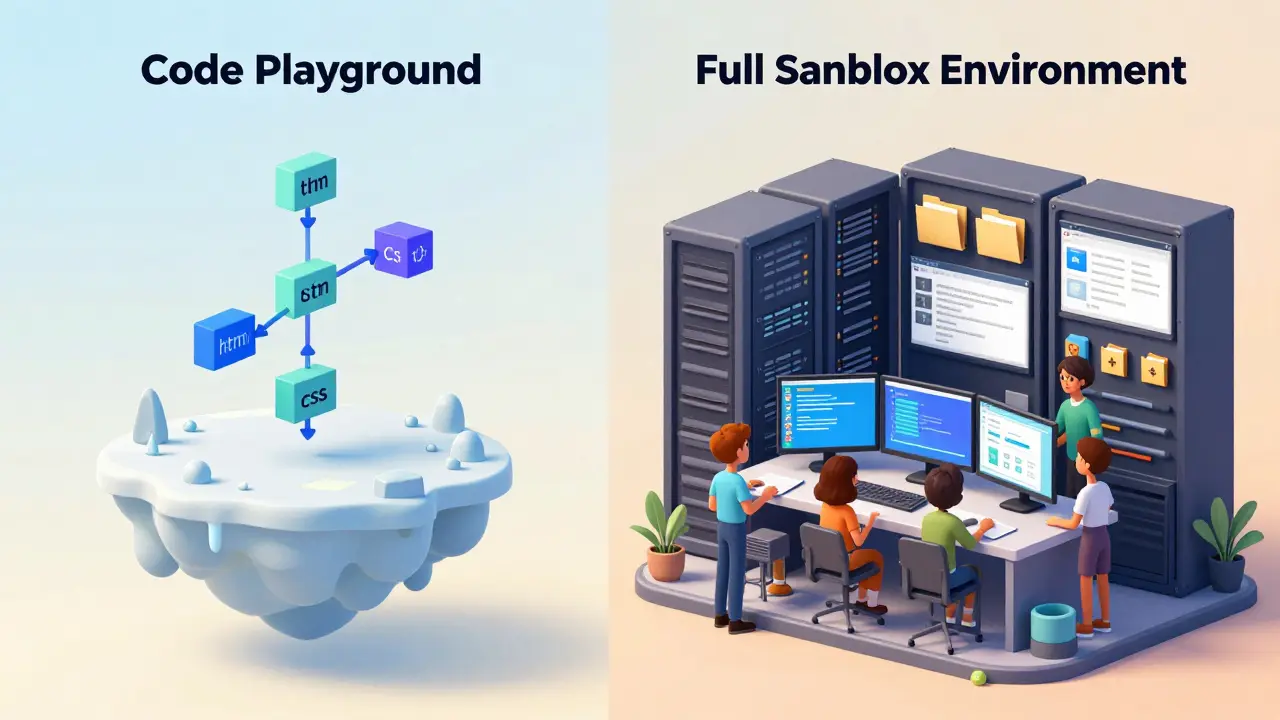
Not all online coding tools are created equal. To choose the right one, you need to understand the difference between the two primary categories: lightweight code playgrounds and full-featured sandbox environments.
| Feature | Code Playground | Full Sandbox Environment |
|---|---|---|
| Primary Use Case | Quick snippets, sharing code, front-end testing | Full projects, backend logic, database integration |
| Persistence | Low (often session-based) | High (file system saves state) |
| Libraries Available | Common web libraries (jQuery, React) | NPM, PyPI, Maven repositories accessible |
| Complexity | Low barrier to entry | Moderate (requires basic terminal knowledge) |
| Examples | JSFiddle, CodePen, Replit (Basic) | Google Colab, AWS Cloud9, GitHub Codespaces |
Code playgrounds are best for visual feedback. If you are learning HTML and CSS, you want to see changes instantly. Tools like CodePen allow you to split the screen into HTML, CSS, and JavaScript panels, showing the rendered output in real-time. They are perfect for small experiments but lack the depth for building complex applications.
On the other hand, full sandbox environments mimic a real Linux server. They give you access to a terminal, file directories, and package managers. This is crucial for students moving beyond basic scripts into application development. For example, if you are learning Node.js, you need to run `npm install` commands. A simple playground won’t support this, but a robust sandbox like Replit or GitHub Codespaces will.
Top Platforms for Programming Students in 2026
The landscape of online coding tools has matured significantly. In 2026, the best platforms offer seamless integration with learning management systems (LMS) and AI-assisted debugging. Here are the top contenders that every student should know.
Replit: The All-Rounder
Replit has become the go-to platform for many bootcamps and university courses. It supports over 50 programming languages, including Python, JavaScript, C++, and Rust. What sets Replit apart is its collaborative features. You can code together with classmates in real-time, similar to Google Docs for text. For students, this means pair programming sessions can happen remotely without any setup. The free tier is generous enough for most coursework, though heavy usage might require a paid plan.
Google Colab: The Data Science Standard
If your focus is on data science, machine learning, or Python analysis, Google Colab is indispensable. It provides free access to GPUs and TPUs, which are expensive hardware resources needed for training neural networks. Colab notebooks combine code, rich text, and visualizations in a single document. This format is ideal for creating portfolios because it documents your thought process alongside your results. Most data science courses now assume familiarity with Colab.
GitHub Codespaces: The Professional Bridge
For students aiming for enterprise-level roles, GitHub Codespaces offers a cloud-hosted version of Visual Studio Code. It integrates directly with Git repositories, teaching you version control workflows from day one. Since it uses the same interface as professional IDEs, there is no learning curve when you transition to a job. Microsoft provides significant free minutes for verified students, making it a cost-effective choice for serious learners.
CodePen: The Front-End Specialist
For web design and front-end development, CodePen remains unmatched for quick prototyping. Its community aspect allows you to fork other people’s pens to see how specific effects are achieved. This is a powerful learning technique known as "reverse engineering." By dissecting working examples, you internalize best practices for CSS animations and JavaScript interactions faster than reading documentation alone.
Safety and Security: Why Sandboxes Matter
Beyond convenience, sandboxes provide critical security benefits. When you run untrusted code locally, you risk malware infections, accidental deletion of system files, or exposure of sensitive credentials. Sandboxes isolate these risks. Each execution happens in a containerized environment that is destroyed after use.
For students, this safety net encourages experimentation. You can test potentially dangerous functions, such as file system operations or network requests, without fear of breaking your laptop. However, it is important to note that sandboxes are not foolproof. Never input real passwords, API keys, or private data into public playgrounds. Always use placeholder values or environment variables provided by the platform.

Best Practices for Using Online Coding Tools
To get the most out of these environments, adopt these habits early in your learning journey:
- Use Version Control: Even in the cloud, save your work frequently. Copy your code to a local repository or use the platform’s built-in git integration. Relying solely on browser history is risky.
- Leverage AI Assistants: Many modern sandboxes include AI chatbots that can explain errors or suggest optimizations. Use them to understand why something failed, not just to copy-paste solutions.
- Test Across Browsers: For front-end work, use the browser dev tools within the sandbox to simulate different devices. Responsive design issues are easier to catch when you can toggle mobile views instantly.
- Document Your Process: Use markdown cells in notebook-style environments to write comments about your logic. This builds good documentation habits and helps instructors grade your reasoning.
- Clear Cache Regularly: Some sandboxes cache previous runs, leading to confusing bugs. Learn how to clear the console and reset the environment to ensure clean tests.
Transitioning from Sandbox to Production
One common concern among students is whether using sandboxes makes them less prepared for real-world jobs. The answer is no, provided you understand the limitations. Sandboxes abstract away infrastructure management, which is handled by DevOps teams in large companies. However, you still need to know how to deploy code eventually.
To bridge this gap, try deploying your sandbox projects to live hosting services like Vercel, Netlify, or Heroku. This step teaches you about build processes, environment variables, and domain configuration. Start with static sites, then move to serverless functions. This progression ensures you gain both the ease of sandbox learning and the practical skills of production deployment.
Are sandbox environments free for students?
Most major platforms like Replit, Google Colab, and GitHub Codespaces offer free tiers specifically for educational purposes. These usually include limited compute hours or storage, which is sufficient for typical coursework. Verify your student status through services like GitHub Education Pack to unlock additional benefits.
Can I use a sandbox for my final year project?
Yes, but consider scalability. Sandboxes are excellent for development and prototyping. For a final project that needs to be publicly accessible and handle user traffic, you should migrate your code to a dedicated hosting provider. Use the sandbox for writing and testing, then deploy the final version elsewhere.
Do sandboxes work offline?
Generally, no. Most cloud-based sandboxes require an active internet connection because the code executes on remote servers. Some platforms offer offline modes for editing, but execution will fail without connectivity. For offline work, install a local IDE like VS Code.
Is my code safe in public playgrounds?
If you set your project to "private," your code is generally safe from public viewing. However, never store sensitive information like database passwords or API secrets in the code itself. Use the environment variable features provided by the platform to keep secrets secure. Public playgrounds are not designed for storing confidential data.
Which language is best to start with in a sandbox?
Python is widely considered the best starting point due to its readable syntax and extensive library support in sandboxes like Google Colab. JavaScript is also excellent if you are interested in web development, as you can see immediate visual results in browsers via tools like CodePen.
sonny dirgantara
May 5, 2026 AT 20:00hey guys i just started coding last week and this article saved my life lol. i was trying to install python on my laptop and it broke everything so now im just using replit. its super easy and i dont have to deal with all that terminal stuff yet. thanks for the tip about not putting passwords in public code, almost did that yesterday.
Andrew Nashaat
May 6, 2026 AT 12:12You are quite welcome; however, I must take a moment to address the grammatical inconsistencies present in your previous statement. It is imperative that we maintain a standard of excellence in our digital discourse, even when discussing technical matters such as sandbox environments. Furthermore, one should never underestimate the moral responsibility of a developer to write clean, secure, and properly documented code from day one. The convenience of cloud-based IDEs does not absolve us of the duty to understand the underlying infrastructure. We must strive for perfection in every line of code we write, lest we contribute to the decay of software quality globally. Please ensure you capitalize your sentences correctly in future posts.
Gina Grub
May 8, 2026 AT 11:55oh please. another lecture on grammar? how exhausting. look at the actual tech stack here people. the real issue is that these sandboxes are essentially walled gardens designed to keep devs dependent on specific ecosystems. google colab is great until they change their api policies overnight and your entire ml pipeline breaks. i had a project die because of a dependency conflict in a containerized env that supposedly handled updates automatically. its a disaster waiting to happen. stop praising the crutch and learn how to configure a local docker container if you want to survive in this industry. the fragility of these 'easy' tools is terrifyingly underappreciated by beginners who think they are learning engineering instead of just copy-pasting snippets into a black box.
Nathan Jimerson
May 10, 2026 AT 03:26I completely agree with the points raised about the importance of understanding the underlying systems. While sandboxes are fantastic for quick prototyping and initial learning phases, they should be viewed as stepping stones rather than permanent solutions. It is encouraging to see so many resources available for new developers today. The key is to balance ease of use with the gradual acquisition of deeper technical skills. Keep pushing forward and exploring different tools. You will find that the more you understand the environment, the better your code will become. Stay positive and keep coding!
Yashwanth Gouravajjula
May 11, 2026 AT 00:31In India, we often face internet connectivity issues which makes cloud sandboxes tricky sometimes. However, GitHub Codespaces has been a game changer for students here. It syncs well with local git repos so you can work offline and push later. Highly recommend checking out the student pack benefits.
Kevin Hagerty
May 12, 2026 AT 07:26ugh why do people make such a big deal about this. just code already. everyone complains about setup but then spends hours tweaking their font colors instead of writing logic. typical. anyway the article is fine i guess but nobody reads these long guides anymore. just watch a youtube video and move on. waste of time reading all this fluff about 'environment fatigue'. get over it.
Janiss McCamish
May 13, 2026 AT 02:17I find that CodePen is incredibly useful for front-end practice. It helps visualize CSS changes instantly. Try forking existing pens to learn new techniques. It works very well for small projects.
Richard H
May 13, 2026 AT 13:25Look, I don't care what the rest of the world thinks about these fancy cloud IDEs. If you want to build robust software, you do it on American hardware, following American standards. These global platforms are full of security risks and foreign dependencies. Stick to local development if you value your data privacy. We need to support domestic tech solutions rather than relying on these international sandbox giants that might turn off the servers whenever they feel like it. Real programmers don't need hand-holding from some overseas server farm.
Kendall Storey
May 14, 2026 AT 12:59Let's keep the discussion focused on the technical merits of the tools rather than geopolitical speculation. From an architectural standpoint, the abstraction layer provided by services like Replit allows for rapid iteration cycles that are crucial in agile development methodologies. The latency introduced by network requests is negligible for most educational purposes compared to the overhead of local context switching. It is important to recognize that the democratization of access to high-performance compute resources via cloud sandboxes is a net positive for the developer ecosystem. We should encourage the adoption of these tools while maintaining awareness of their limitations regarding state persistence and custom binary compilation.
Ashton Strong
May 14, 2026 AT 14:47It is truly heartening to witness the evolution of educational technology in this manner. The integration of artificial intelligence assistants within these sandbox environments represents a significant leap forward in pedagogical efficacy. Students are no longer isolated in their debugging processes but are instead guided by intelligent systems that promote critical thinking and problem-solving skills. I would highly recommend that educators leverage these capabilities to create more interactive and responsive learning experiences. The potential for personalized learning trajectories through adaptive sandbox configurations is immense. Let us continue to support initiatives that make programming accessible to all individuals regardless of their background or resources.