Scaling Community Management for Large Course Cohorts
 Sep, 7 2026
Imagine you launch a course with 50 students. You reply to every question, welcome everyone by name, and the community feels like a cozy coffee shop. Now imagine that number jumps to 5,000. Suddenly, your inbox is on fire, questions pile up faster than you can type, and half your students feel ignored because they didn't get a personalized response in time. This isn't just an annoyance; it's the primary reason large online course cohorts fail to retain students beyond the first two weeks. The magic of small groups doesn't scale linearly. If you try to manage 1,000 people the way you managed 50, you will burn out before week three.
So, how do you keep the vibe alive when the crowd gets huge? It requires shifting from being a "hero moderator" to becoming a system architect. You need structures that handle volume so you can focus on quality. Here is how you actually pull this off without losing your mind or your students' attention.
The Myth of Personalized Attention at Scale
We love the idea that every student matters individually. And they do. But in a cohort of 2,000, giving individual attention to every query is mathematically impossible unless you hire an army. The mistake most creators make is trying to maintain high-touch interactions manually as they grow. They answer every DM, comment on every post, and try to remember every face.
When you hit critical mass-usually around 300 active participants-you have to accept that personalization must shift from one-on-one chats to peer-to-peer connections and automated workflows. Your job changes. You are no longer the sole source of answers. You are the curator of the environment where students help each other. If you don't make this mental switch, you become the bottleneck. Students stop asking each other questions because they know "the teacher" will eventually answer them. This creates dependency, not community.
Structure Beats Chaos: Designing Your Channels
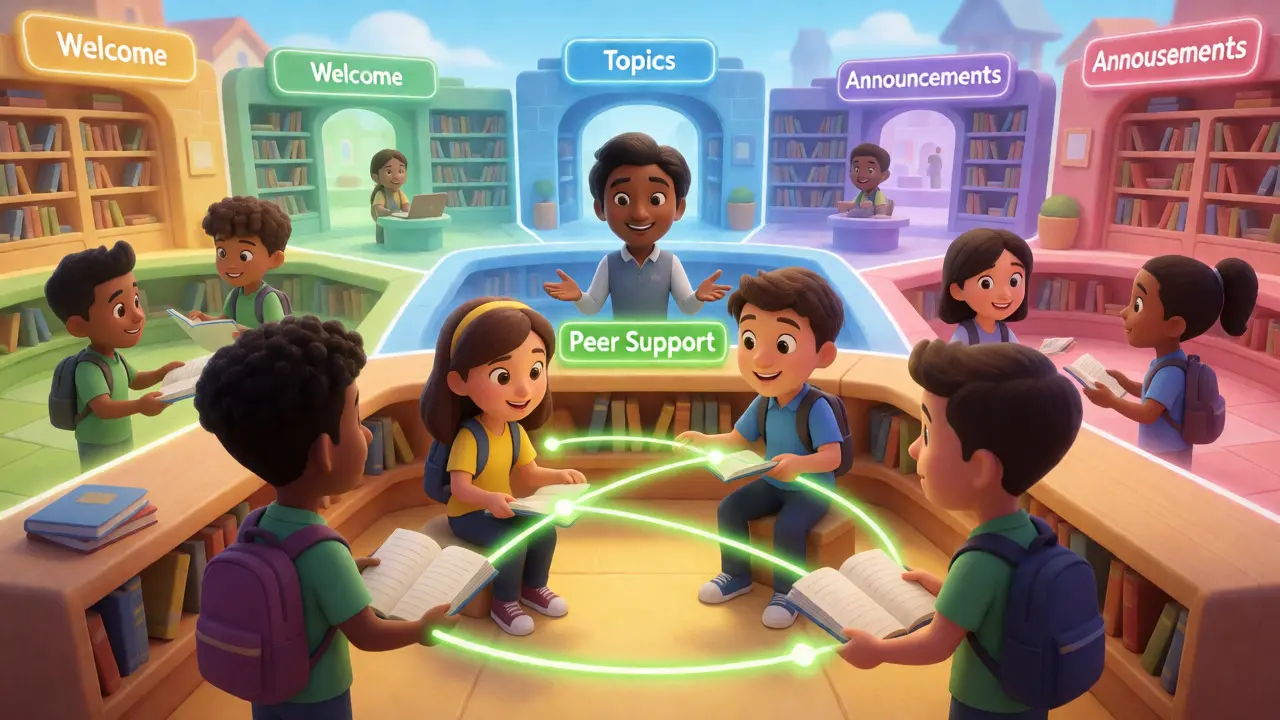
One of the biggest killers of engagement in large cohorts is noise. If you dump 1,000 people into a single chat room, valuable insights get buried under memes and greetings within minutes. You need structure. Think of your platform less like a town square and more like a library with distinct sections.
Most successful large-scale communities use a tiered channel strategy. Here is a breakdown of what works for platforms like Circle or Discord:
- Welcome & Onboarding: A read-only space for rules, introductions, and essential links. Keep this static so new members aren't overwhelmed.
- Topic-Based Discussions: Break these down by module or theme. Instead of "General Chat," use "Week 1: Fundamentals," "Tool Troubleshooting," and "Success Stories." This helps users find relevant conversations quickly.
- Peer Support Zone: A dedicated space where students answer each other's questions. Label it clearly. Encourage tagging experts here.
- Announcements: Broadcast-only. Use this sparingly. If you send too many notifications, people mute the group, and you lose reach.
By segmenting conversations, you reduce cognitive load. Students don't have to scroll through irrelevant chatter to find the answer to their specific problem. This simple structural change often reduces support ticket volume by 40% because answers are easier to find.
Leveraging Student Leaders: The Power of Ambassadors
You cannot be everywhere at once. But your students can. In large cohorts, there are always individuals who are more engaged, more knowledgeable, or simply more eager to help. These are your natural leaders. Ignoring them is a missed opportunity. Actively recruit them as Community Ambassadors who act as informal moderators and engagement drivers.
How do you find them? Look for the people who consistently reply to others' questions before you even see them. Reach out privately. Offer them a badge, early access to content, or a direct line to you. Their role isn't to police behavior but to model good interaction. When a new student posts a question and sees five peers responding within ten minutes, they feel welcomed. If only you respond six hours later, they feel neglected.
Ambassadors also provide crucial feedback loops. They hear what confuses the masses. Use their insights to tweak your curriculum or communication style. Just be careful not to overload them. Burnout hits volunteers hard. Rotate roles if possible, or offer tangible perks like free upgrades to future courses.
Automation: Your Silent Co-Host
Manual processes die at scale. If you are manually welcoming every new member, you are wasting energy. Automation tools integrated with your LMS or community platform can handle the repetitive tasks. For instance, set up triggers that send a welcome message when someone joins. Include a clear call to action: "Introduce yourself in the Welcome thread!"
Consider using bots for FAQ handling. Many common questions-like "Where do I download the files?" or "When is the live call?"-can be answered by pinned messages or automated replies. Platforms like Slack allow workflow builders that can route questions to specific channels based on keywords. This frees you up to handle complex, nuanced issues that require human empathy and expertise.
However, avoid over-automating. Nothing kills the vibe faster than a bot replying to a heartfelt success story with a generic emoji. Use automation for logistics, not for connection.
Rituals and Rhythms: Creating Predictability
In small groups, spontaneity works. In large groups, predictability builds trust. Students need to know when to expect interaction. Establish weekly rituals that give the community a heartbeat. This prevents the silence that often plagues large forums between assignments.
Try implementing a "Weekly Win" thread every Monday. Ask members to share one thing they accomplished. It’s low effort but high reward. By Friday, host a "Q&A Hour" where you go live or drop a batch of video answers to top-voted questions. This creates a rhythm. Students learn to check in at specific times, which concentrates activity and makes the community feel busy even if it’s not.
| Ritual Type | Frequency | Goal | Effort Level |
|---|---|---|---|
| Weekly Wins Thread | Mondays | Boost morale & visibility | Low (Moderator prompts) |
| Live Q&A Session | Thursdays | Resolve blocking issues | Medium (Preparation required) |
| Challenge of the Week | Tuesdays | Encourage application | High (Content creation) |
| Member Spotlight | Fridays | Honor ambassadors | Low (Curated selection) |
Notice the balance. Not every ritual needs to be heavy lifting. Some are just about showing up consistently. Consistency signals safety. Students engage more when they know the stage won't be empty.
Data-Driven Moderation
Stop guessing what your community wants. Look at the numbers. Most platforms provide analytics on active users, post frequency, and peak times. If you notice that Tuesday afternoons are dead, maybe move your main event to Wednesday morning. If a certain topic has zero engagement, cut it or merge it with another.
Track the ratio of lurkers to posters. A healthy community might have a 90/10 split (90% reading, 10% posting). If your posting rate drops below 5%, something is wrong. Maybe the prompts are too vague, or the tone is too formal. Use surveys sparingly but strategically. Ask short, multiple-choice questions right after a module ends. "Was this helpful? Yes/No/Maybe." Easy data beats long-form essays from three vocal complainers.
Handling Conflict in Crowds
With great size comes great drama. Someone will inevitably disagree with your teaching method, or two students will argue in the comments. In a small group, you can mediate personally. In a large group, you need clear guidelines posted visibly.
Create a "Code of Conduct" that is concise and enforced fairly. Don't let toxicity spread unchecked. One bad actor can poison a thread for hundreds of readers. Have a private escalation path. If public moderation fails, move the conversation to DMs or email. Never air dirty laundry in front of the whole cohort. Protect the safe space for learning.
Final Thoughts: Systems Over Heroes
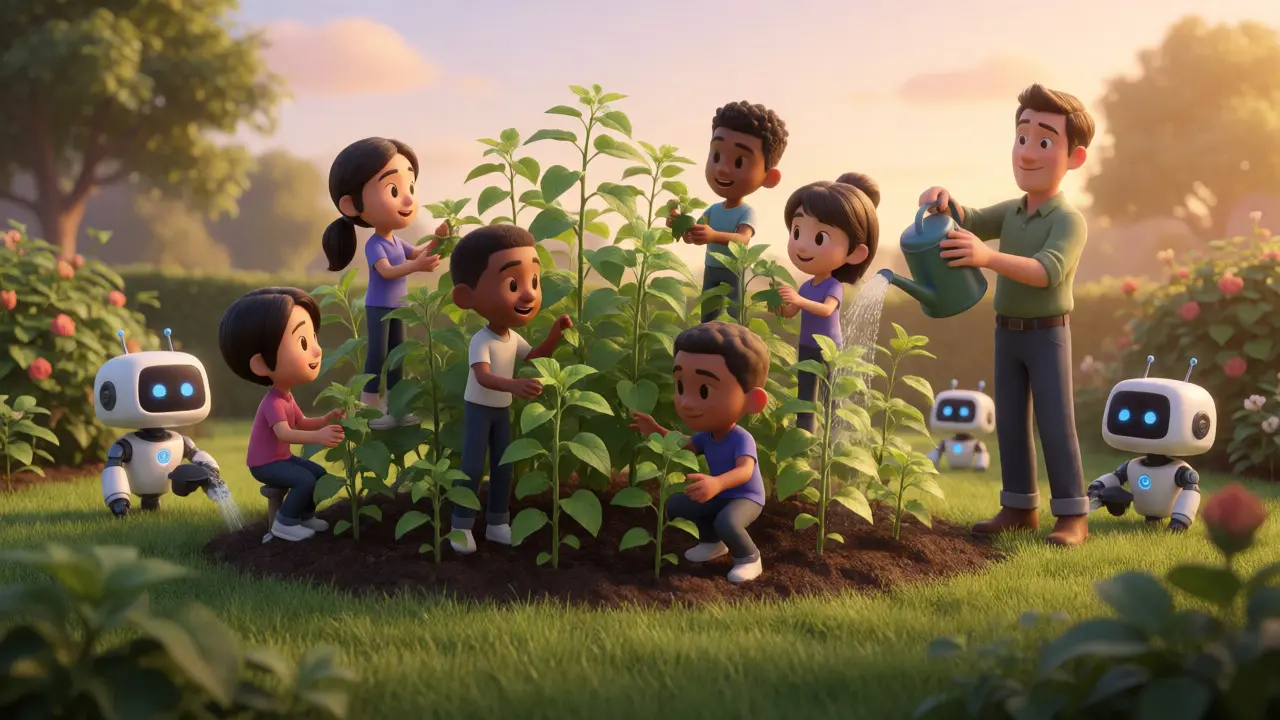
Scaling community management isn't about working harder. It's about building systems that work for you. It's about empowering students to take ownership of the space. When you step back from being the sole hero and start acting like a gardener-pruning, watering, and letting things grow-you create a resilient ecosystem. The community becomes self-sustaining, capable of supporting itself even when you're offline. That is the true mark of a successful large cohort.
What is the ideal student-to-moderator ratio for large cohorts?
While it varies by complexity, a general rule of thumb is one active moderator per 300-500 students. However, with strong student ambassador programs and automation, you can stretch this to 1:1000. The key is ensuring the moderator handles escalations and curation, while peers handle basic queries.
How do I prevent spam in large community channels?
Use keyword filters and approval queues for new members. Require verified emails before posting. Additionally, pin important resources so users don't repost FAQs. Clear guidelines and consistent enforcement of community standards discourage spammers quickly.
Should I use separate channels for different modules?
Yes, especially if your course is sequential. Separate channels reduce noise and help students focus on current topics. Once a module ends, archive the channel or lock it to read-only to keep the active workspace clean and manageable.
How do I encourage shy students to participate?
Lower the barrier to entry. Use polls, yes/no questions, or image-based prompts instead of open-ended text posts. Tag shy students directly in smaller threads. Celebrate small contributions publicly to build confidence gradually.
What tools help automate community management?
Platforms like Circle, Mighty Networks, and Discord offer built-in automation. Tools like Zapier or Make can connect your LMS to your community app to trigger welcome messages or role assignments. AI chatbots can also handle initial triage of common questions.
Iva Grekova
September 8, 2026 AT 02:38the shift from hero to architect is so real
i was drowning trying to answer every single dm in my last cohort until i just... stopped
once i set up the peer support zone and let people help each other, the vibe actually got better not worse
trust the process
Chandan Singh
September 8, 2026 AT 04:09While the advice on structure is sound, you are ignoring the fundamental technical debt of community platforms.
Most creators underestimate the API limitations of tools like Circle when pushing past 2k users.
The latency issues alone will kill engagement before your "rituals" can even take hold.
You need a custom webhook architecture, not just Zapier triggers.
Also, the 1:300 ratio is optimistic for non-technical courses where questions are vague.
Realistically, without AI triage, you are looking at 1:150 for high-quality retention.
Automation is not a silver bullet; it is a band-aid on a structural failure.
If your curriculum isn't modular enough to prevent repetitive questions, no amount of channel splitting helps.
I have seen three cohorts fail exactly because they relied on human moderation at scale.
It is a math problem, not a psychology problem.
Fix the content redundancy first, then worry about the moderator count.
Elisabeth Ballet
September 9, 2026 AT 14:06YES! The ambassador program is the secret sauce everyone forgets.
Don't just recruit them, empower them!
Give them actual authority to pin helpful answers or welcome newbies.
When students feel ownership, they show up differently.
We rotated our ambassadors monthly and it kept energy high.
Stop trying to do it all yourself. You are not a martyr.
Build the system, step back, watch it thrive.
Joanna Mucha
September 10, 2026 AT 06:10The dichotomy between "hero" and "architect" is a false binary born of late-stage capitalist productivity myths.
We fetishize efficiency while starving the soul of genuine connection.
A true community cannot be "managed" like a factory floor.
It must be cultivated like an ancient garden, requiring patience, not just pruning shears.
Your rituals feel performative, devoid of authentic spiritual resonance.
Students sense the hollowness of automated welcomes immediately.
They crave depth, not just reduced cognitive load.
To reduce humans to data points is to strip them of their agency.
Perhaps the burnout comes from resisting the natural chaos of human interaction.
We should embrace the noise, for within it lies the truth of collective consciousness.
Systems are cages we build to avoid facing our own inadequacy as leaders.
Bonnie Watt
September 11, 2026 AT 13:45oh please
this is just another guru selling a course on how to sell courses
real talk? if your community needs this many rules it's already dead
people join for value not for "rituals"
if the content sucks no amount of discord channels saves you
stop overcomplicating basic human interaction
my community thrives because i don't care about analytics
just post good stuff and shut up
simple
Dave Gibbeson
September 13, 2026 AT 10:54Spot on with the channel strategy!
We implemented topic-based discussions last year and saw a 35% drop in duplicate questions.
It’s crucial to keep the "Announcements" channel strictly broadcast-only though.
Mixed messages there destroy trust fast.
Great call out on the ambassador burnout risk too.
We offer free access to premium modules as a perk and it works wonders.
Keep pushing these practical frameworks!
Sabrina Newland
September 13, 2026 AT 21:51hmm interesting perspective 🤔 but what about the emotional labor involved?
even with automation, someone has to monitor the tone
bots can miss nuance 😕 especially with sensitive topics
i wonder if the "peer support" model excludes those who are shy or anxious
they might feel overwhelmed by having to ask peers instead of an expert
maybe a hybrid approach is best? 🌈
also typo-prone me says: make sure the faqs are actually updated lol
would love to hear more about handling conflict in crowds specifically regarding cultural differences 💭
Art HND
September 14, 2026 AT 04:31Over-engineered.
Just hire two mods and be done with it.
Complexity kills conversion.
Keep it simple.
Tamara Miller
September 15, 2026 AT 23:57This is so lazy!!!
You didn't even mention GDPR compliance for EU students!!
And what about accessibility??
Screen readers hate complex Discord structures!!!
People with disabilities get left behind in these "modern" setups!!!
It is morally irresponsible to ignore inclusion!!!
My friend tried to join a similar cohort and couldn't navigate the channels!!!
She cried!!!
Actual tears!!!
You need to do better research next time!!!
This feels like surface-level advice for people who don't care about marginalized groups!!!
Shameful!!!
Meagan Mueller
September 17, 2026 AT 14:38are we sure the platform owners aren't just pushing us toward paid tiers with this advice?
discord and circle both benefit from fragmented communities because it drives engagement metrics up
we're being manipulated into creating busy work for ourselves
the "ambassador" role is basically unpaid labor disguised as community building
i bet they track how much time we spend managing vs teaching
it's all a game to extract more subscription revenue from us
don't fall for the "system architect" trap
you're just a free customer support agent now
Mark Harvey
September 18, 2026 AT 17:26love the focus on predictability
rituals really do create safety
we started doing weekly wins on mondays and participation doubled
low effort high impact
keep it consistent and kind
students respond to that
Elizabeth Brooks
September 18, 2026 AT 18:05hey great read!
just wanted to add that setting up proper permissions early is key
we messed up our initial setup and had to manually delete hundreds of posts
make sure only admins can post in announcements or you'll get spam
also use tags heavily so people can filter by interest
saved us so much time later on
hope that helps anyone starting out!
Quintin Franzese
September 20, 2026 AT 16:38so basically do less work and blame the bots?
groundbreaking insight
thanks for the lecture on how to not care about your students
surely they want "predictability" more than actual human warmth
classic tech bro solution to human problems
let the algorithm handle the feelings right?
Iva Grekova
September 22, 2026 AT 00:59@Quintin Franzese harsh but fair point on the warmth thing
i think the key is that the automation handles the boring stuff so you have energy for the meaningful interactions
its not about caring less its about caring strategically
if you burn out you cant care at all
so yeah systems protect the vibe not replace it
Elisabeth Ballet
September 23, 2026 AT 18:54@Tamara Miller totally valid concern on accessibility!
we use alt text requirements for images and ensure color contrast in our themes
but you're right many platforms default to poor accessibility
definitely worth highlighting for inclusive design
thanks for bringing it up
Dave Gibbeson
September 24, 2026 AT 02:25@Chandan Singh fair point on API limits
we hit a wall around 3k users and had to switch to a headless CMS approach
but for most sub-5k cohorts standard tools work fine
the bottleneck is usually human response time not server speed
unless you're doing real-time video sync which is rare
Sabrina Newland
September 25, 2026 AT 13:57@Iva Grekova yes exactly! strategic caring ❤️
and @Sabrina Newland good point on shy students
we use anonymous polls sometimes so people can share without fear
works great for feedback loops
emoji use approved 😂
Bonnie Watt
September 26, 2026 AT 03:58@Meagan Mueller conspiracy theories aside the fact remains that these platforms charge per seat
if you split into 50 channels you still pay for the same seats
so fragmentation doesn't cost them money it costs YOU time
they win either way
just saying
Art HND
September 28, 2026 AT 01:18@Dave Gibbeson agreed
complexity is the enemy
if you need a manual to use your community you've already failed
Tamara Miller
September 28, 2026 AT 10:54@Elisabeth Ballet thank you for acknowledging the accessibility issue!!!
it matters!!!
please include it in future updates!!!
we are watching!!!