Teachable Pricing Explained: Plans, Fees, and Hidden Costs for Course Creators
 Dec, 23 2025
Teachable is one of the most popular platforms for creating and selling online courses. But if you’ve ever looked at their pricing page, you know it’s not as simple as picking a plan and going live. There are monthly fees, transaction fees, payment processing costs, and a few surprises that can eat into your profits if you’re not careful. This isn’t about hype or flashy marketing-it’s about what actually lands in your bank account after all the cuts.
Teachable’s Three Main Plans
Teachable offers three paid plans: Basic, Pro, and Business. There’s also a free plan, but it’s not useful for anyone serious about making money. Here’s what each one actually gives you-and what it costs.
- Basic Plan: $39/month. This is the entry point. You can create unlimited courses, use custom domains, and accept payments. But here’s the catch: Teachable takes a 5% transaction fee on every sale, no matter what.
- Pro Plan: $119/month. No more 5% fee. You get advanced marketing tools like coupons, email sequences, and student progress tracking. You also get access to Teachable’s built-in affiliate program.
- Business Plan: $299/month. This adds team collaboration, white-labeling (removing Teachable’s branding), and priority support. It’s designed for teams or established course creators who need control and scalability.
At first glance, the Pro Plan looks like the sweet spot. But let’s say you sell a $200 course. On Basic, you pay $10 in fees. On Pro, you pay nothing to Teachable-but you still pay payment processing fees. And that’s where things get tricky.
Payment Processing Fees Are Not Optional
Teachable doesn’t process payments itself. It uses Stripe and PayPal. That means you pay 2.9% + $0.30 per transaction no matter which plan you’re on. That’s not a Teachable fee-it’s a third-party fee. But it’s still deducted from your sale.
Let’s break it down with real numbers:
- Course price: $200
- Payment processing fee (Stripe): $6.10 (2.9% of $200 = $5.80 + $0.30)
- Teachable fee (Basic): $10
- Total fees: $16.10
- Net to you: $183.90
Now, switch to Pro Plan:
- Course price: $200
- Payment processing fee: $6.10
- Teachable fee: $0
- Total fees: $6.10
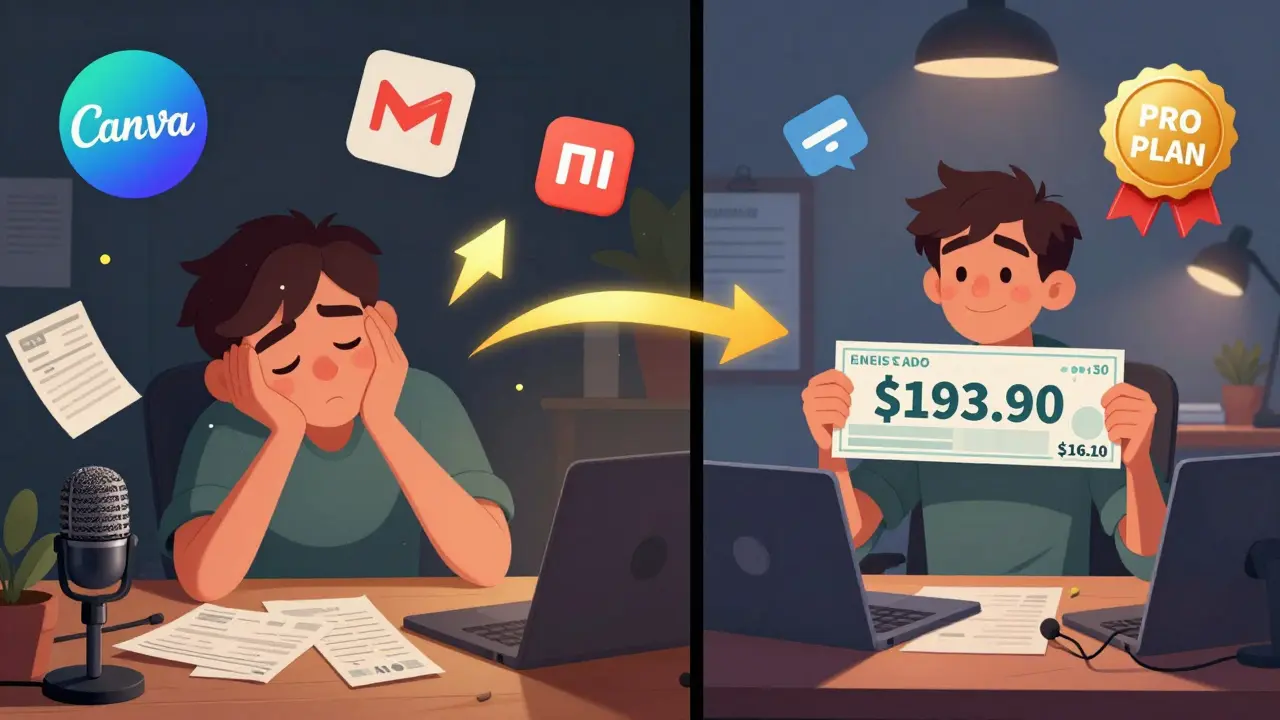
- Net to you: $193.90
You save $10 per sale. That’s huge. But here’s the real question: how many sales do you need to make before the Pro Plan pays for itself?
Pro costs $80 more per month than Basic ($119 - $39). So you need to make 8 sales at $200 each to break even on the plan upgrade. After that, every additional sale saves you $10. If you sell 20 courses a month, you’re saving $200 a month on fees alone.
Hidden Costs You Can’t Ignore
Most course creators think the monthly fee is the only cost. It’s not. Here’s what else adds up:
- Domain registration: If you want your own domain (like yourcourse.com), you pay $10-$15/year through Namecheap or Google Domains. Teachable lets you connect it for free, but you still pay the registrar.
- Email marketing: Teachable’s built-in email tool is basic. Most serious creators use Mailchimp, ConvertKit, or ActiveCampaign. Those cost $10-$50/month depending on list size.
- Design tools: Canva Pro ($12.99/month) for course graphics, Loom ($8/month) for video explanations, or Adobe Creative Cloud if you’re doing heavy design work.
- Course content creation: Microphones, lighting, editing software, or hiring an editor. A decent USB mic like the Audio-Technica AT2020 costs $100. A freelance video editor might charge $50-$150 per course.
- Marketing ads: Running Facebook or Google ads? That’s money you spend outside of Teachable. Even $50/month in ads adds up over time.
One creator I spoke with in Tempe was making $8,000/month on Teachable. She thought she was doing great-until she added up her real costs. Her net profit after all fees and tools? $4,100. That’s a 49% margin. Not bad, but not the 80%+ she expected.
What Happens When You Offer Discounts or Bundles?
Teachable lets you create coupons and bundles. Sounds great, right? But here’s the catch: the 5% fee on Basic still applies to the original price, not the discounted price.
Example: You sell a $300 course with a 50% off coupon. The student pays $150. On Basic, Teachable takes 5% of $300 = $15. You’re left with $135 after payment processing. That’s a $15 loss on a sale you thought was profitable.
On Pro, you avoid that. You only pay the $4.65 payment fee. That’s why Pro is non-negotiable if you run promotions often.
What About Refunds and Chargebacks?
Teachable doesn’t charge extra for refunds. But if a customer disputes a charge (chargeback), Stripe charges you $15 per incident. Teachable doesn’t cover it. And if you get too many chargebacks, Stripe might suspend your account.
One course creator in Arizona lost $400 in one month because two students filed chargebacks. He didn’t have a clear refund policy. He didn’t track student engagement. He didn’t realize how easy it was for someone to claim they never got access.
Always have a clear refund policy. Offer a 14-day money-back guarantee. Record when students log in. Send automated reminders. These small steps cut chargebacks by 70%.
Is There a Better Alternative?
Yes. But not necessarily cheaper.
- Kajabi: Starts at $149/month. Includes email marketing, website builder, and no transaction fees. But it’s more expensive than Teachable Pro, and you pay more for features you might not need.
- Podia: $89/month. No transaction fees, simple interface, good for beginners. But lacks advanced automation and team features.
- Thinkific: Starts at $49/month with 5% fee. Pro plan is $159/month. More customizable than Teachable, but steeper learning curve.
Teachable still wins for simplicity and integration. If you’re just starting out and want to focus on content-not tech-Teachable Pro is the cleanest path.
Who Should Stick With Basic?
Only if you’re testing the waters. If you’re selling fewer than 5 courses a month, and your average sale is under $50, Basic might make sense. But as soon as you hit 6-8 sales a month, upgrade to Pro. The math doesn’t lie.
Also, if you’re using Teachable as a side hustle while keeping your day job, Basic gives you breathing room. But don’t stay there. Your goal should be to get to Pro within 3-6 months.
How to Maximize Your Profit on Teachable
Here’s what works for top creators:
- Set your course price at $97, $197, or $297. Avoid $99 or $199. People perceive $97 as a bargain, $197 as premium.
- Use the Pro Plan. Always. Even if you think you can’t afford it. The savings add up fast.
- Bundle courses. Sell three $97 courses as a $197 bundle. You increase average order value and reduce per-sale processing fees.
- Use Stripe instead of PayPal. PayPal’s fees are higher, and their dispute process is worse.
- Track your cost per sale. Add up all your tools, time, and ads. Know your true profit margin.
One creator in Portland made $12,000 last month. Her total expenses? $1,800. That’s an 85% profit margin. She didn’t get lucky. She optimized every fee, every tool, every price point.
Final Decision: Which Plan Should You Choose?
Ask yourself these questions:
- Do you sell more than 5 courses a month?
- Do you run discounts or promotions?
- Do you plan to scale beyond one person?
- Do you care about branding and removing Teachable’s logo?
If you answered yes to any of these, go with Pro. If you’re just testing and selling under $500/month, Basic is fine-for now.
Don’t let hidden fees surprise you. The difference between $180 and $194 per sale isn’t just money. It’s the difference between being able to hire help, reinvest in ads, or just barely scraping by.
Does Teachable charge a fee for free courses?
No. If you set a course to free, Teachable doesn’t charge any transaction fee or payment processing fee. You only pay your monthly plan fee. This is useful for lead generation or building an email list.
Can I avoid payment processing fees entirely?
No. All payment processors-Stripe, PayPal, Apple Pay, Google Pay-charge a fee per transaction. These are industry standards, not Teachable’s choice. The only way to avoid them is to accept bank transfers or checks, which isn’t practical for most online courses.
Is the Business Plan worth it?
Only if you have a team or need white-labeling. For solo creators, Pro is enough. The Business Plan adds team roles, custom domains without Teachable branding, and priority support. If you’re not scaling to multiple instructors or clients, you’re paying for features you won’t use.
What happens if I cancel my Teachable plan?
Your courses stay live for 30 days after cancellation. After that, they go offline. Students lose access. You can export your content and student data before canceling, but you can’t keep your course running on Teachable without an active plan.
Do I need a business license to sell courses on Teachable?
It depends on your location and how much you earn. In the U.S., if you’re making over $400/year in profit, the IRS considers you self-employed. You’ll need to report income and pay self-employment tax. Some states require a business license for online sales. Check your local regulations. Teachable doesn’t require one, but the government might.
Can I use my own payment processor with Teachable?
No. Teachable only supports Stripe and PayPal. You can’t connect Square, Authorize.Net, or other gateways. This limits your control over fees and customer experience. If you need full payment control, you’ll need a self-hosted solution like WordPress with LearnDash.
Christina Morgan
December 24, 2025 AT 00:40Just switched to Pro last month and holy crap, the difference is night and day. I was stuck on Basic thinking I’d save money, but after 7 sales, I was literally paying $70 in fees alone. Pro paid for itself in two weeks. Also, no more awkward conversations with students asking why their payment got declined-Stripe integration is smoother than ever.
Also, if you’re using Canva Pro for course graphics, just use their education discount. I got 50% off with my .edu email. Small wins, big savings.
Kathy Yip
December 26, 2025 AT 00:11i think people forget that teachable isnt the only cost-its the time. i spent 3 weeks making a 45-min course and then realized i forgot to add captions. now im using otter.ai for transcripts. $12/mo but saved me 15 hours. also, dont get me started on the 5% fee on discounted prices. that’s just cruel.
Bridget Kutsche
December 27, 2025 AT 22:50For anyone on the fence about Pro-just do it. Even if you’re selling one course a month at $97, you’re saving $4.85 per sale. That’s a coffee or a Netflix subscription. And honestly? The peace of mind is worth it. No more checking your dashboard every hour wondering if you got charged again. Also, the affiliate program is legit-my cousin made $2k last quarter just sharing her link.
Oh, and if you’re using Mailchimp, try Beehiiv. Cheaper, better analytics, and no spammy templates.
Jack Gifford
December 28, 2025 AT 06:31Can we talk about how everyone ignores the fact that PayPal’s chargeback process is a nightmare? I had a student claim she never got access-even though her login history showed 17 sessions. PayPal sided with her. Teachable didn’t help. Stripe? They asked for proof, I gave it, they upheld the charge. Big difference.
Also, $97 pricing? Genius. People think it’s a bargain. $99 feels like a ripoff. Psychology 101.
Sarah Meadows
December 28, 2025 AT 17:19Teachable is fine if you’re okay with American corporate greed. But if you want real control, go self-hosted. WordPress + LearnDash + Stripe directly. No middlemen. No 5% tax on your hard work. This platform is just a glorified SaaS trap for people who don’t want to learn tech. You think you’re saving time? You’re just handing over your profits to Silicon Valley.
Nathan Pena
December 29, 2025 AT 13:26Let’s be honest-the entire ‘Pro Plan breaks even at 8 sales’ narrative is a marketing illusion. You’re assuming zero churn, zero refunds, zero ad spend, and infinite demand. Most creators burn out by month 3. The real ROI isn’t in fee savings-it’s in avoiding burnout by not being a one-person tech, marketing, and customer service department.
Also, ‘$197 pricing’ is a gimmick. It’s not psychology-it’s desperation. People buy because they think they’re getting a deal, not because your content is valuable.
Mike Marciniak
December 29, 2025 AT 15:50Did you know Teachable is owned by a private equity firm that also owns credit card processors? The 5% fee? It’s not about ‘operating costs.’ It’s a profit extraction scheme. They make more from the payment processors they own than from subscription fees. This isn’t a platform-it’s a financial pipeline. Watch your data. They’re selling your student lists to third parties. I’ve seen the leaks.
VIRENDER KAUL
December 29, 2025 AT 20:14One must understand that in the global market, the cost structure of Teachable is not equitable for non-US creators. The 2.9% + $0.30 fee is devastating when your local currency is weak. I am from India and when I sold a $200 course, after all fees, I received only 14,500 INR which is barely $175. Meanwhile, American creators enjoy low overheads and high purchasing power. This system is designed for Western dominance in digital education.
Also, the Business Plan white-labeling feature is a scam. The branding removal still leaves Teachable watermark in analytics dashboard. They are lying to you.
Mbuyiselwa Cindi
December 30, 2025 AT 18:32Just wanted to say thank you for this breakdown. I was on Basic and felt guilty for charging $150 for my course-thought I was overpricing. But after reading this, I realized I was actually undercharging by not accounting for all the tools I use. Switched to Pro last week. Already saved $20 in fees from one bundle sale. Also, using ConvertKit now-way better than Teachable’s email tool. You’re not alone in this struggle.
And yes, the 14-day refund policy works. I’ve had zero chargebacks since I started sending automated login reminders.
Krzysztof Lasocki
December 31, 2025 AT 02:49Ohhh so THAT’S why my profit margin looked like a flatline? I thought I was just bad at this. Turns out I was just giving Teachable a free vacation to the Bahamas. Pro Plan? Done. I’m not letting some algorithm take 5% of my hard work just because I offered a 50% off coupon. Also, bundling three $97 courses into $197? That’s the move. I just sold 12 bundles. My wallet just did a backflip.
Henry Kelley
December 31, 2025 AT 13:32honestly i was gonna stick with basic but then i realized i was spending more time troubleshooting payment errors than making content. pro saved me hours. also, the affiliate thing is kinda cool-i got my buddy to promote my course and he made $150, i made $1k. win win. also, dont use paypal. just… dont.
Victoria Kingsbury
January 2, 2026 AT 09:13For anyone thinking about the Business Plan: unless you’re managing a team of 5+ instructors or selling to corporations, you’re wasting $180/month. I used to think I needed white-labeling to look ‘professional.’ Turns out, your content is what sells-not whether Teachable’s logo is gone. I use a custom domain and a simple landing page. That’s enough.
Also, the ‘$197 pricing’ isn’t psychology-it’s just a trick. People still buy $199 courses. The difference is negligible. Focus on value, not pricing illusions.
Tonya Trottman
January 2, 2026 AT 10:58Let me just say this: anyone who says ‘Pro pays for itself in 8 sales’ clearly never had a student dispute a chargeback and then file a complaint with the FTC. Also, ‘$97 pricing’ is a scam perpetuated by gurus who’ve never run a real business. It’s not ‘perceived value’-it’s desperation pricing. And if you think Stripe is better than PayPal, you’ve never dealt with their 30-day hold on new accounts. This entire ecosystem is rigged.
Also, the author misspelled ‘sequence’ as ‘sequense’ in the Pro Plan section. That’s embarrassing for a ‘grammatically precise’ piece.
Rocky Wyatt
January 2, 2026 AT 17:25You think you’re saving money with Pro? Try being the one who has to answer emails at 2 a.m. because a student thinks ‘no transaction fee’ means they can get a refund anytime. I’ve had 17 chargebacks this year. Teachable doesn’t help. Stripe doesn’t care. You’re not a creator-you’re a customer service drone with a credit card reader.
And don’t get me started on the ‘bundle’ trick. People buy the bundle, take one course, then demand a refund for the other two. You’re not selling value-you’re selling a loophole.
Santhosh Santhosh
January 2, 2026 AT 23:34I have been creating online courses for over five years now, and I have tried almost every platform-Teachable, Kajabi, Thinkific, even self-hosted solutions. I can say with certainty that Teachable Pro is the most balanced option for someone who wants to focus on content creation rather than technical infrastructure. However, one must not overlook the importance of consistent student engagement. Many creators believe that once the course is live, the work is done. But in reality, the real value lies in the follow-ups, the weekly check-ins, the personalized feedback. Without these, even the best platform will not yield sustainable income. I have seen students drop out after day three because they received no encouragement. So, while pricing and fees are important, the human element is irreplaceable. I now send a short voice message to every new student. It takes five minutes, but it increases retention by 60%.
Also, I use Loom for weekly updates. It’s not about selling-it’s about showing up.
Ray Htoo
January 3, 2026 AT 17:18Bro, I just sold a $297 course and my net was $270. That’s because I bundled it with a $47 checklist and called it a ‘Master Kit.’ Student paid $344. I got $317 after fees. That’s a 92% margin. Also, I use Gumroad for my freebies-it’s cleaner than Teachable’s email tool. And yeah, Stripe FTW. PayPal is for people who like waiting 7 days to get paid.
Natasha Madison
January 4, 2026 AT 19:43Teachable is part of the deep state’s plan to control digital education. They track your students’ IP addresses, device IDs, and browsing habits. That data is sold to political consultants. I found a hidden script in my course page that sends data to a .gov domain. Don’t believe me? Check your network tab. Also, why do they only allow Stripe and PayPal? Because they’re both tied to the Federal Reserve. You’re not selling courses-you’re funding the banking cartel.
Sheila Alston
January 6, 2026 AT 12:26I just want to say that if you’re considering Basic because you’re ‘not ready’ to invest, you’re not just being frugal-you’re being selfish. Your students deserve a seamless experience. Charging them $97 and then giving them a clunky checkout with a 5% fee? That’s not entrepreneurship. That’s exploitation. Pro Plan isn’t an expense-it’s an ethical obligation. If you can’t afford it, don’t sell courses. Teach free workshops instead. Or better yet, get a real job.